
How do I format JSON online?
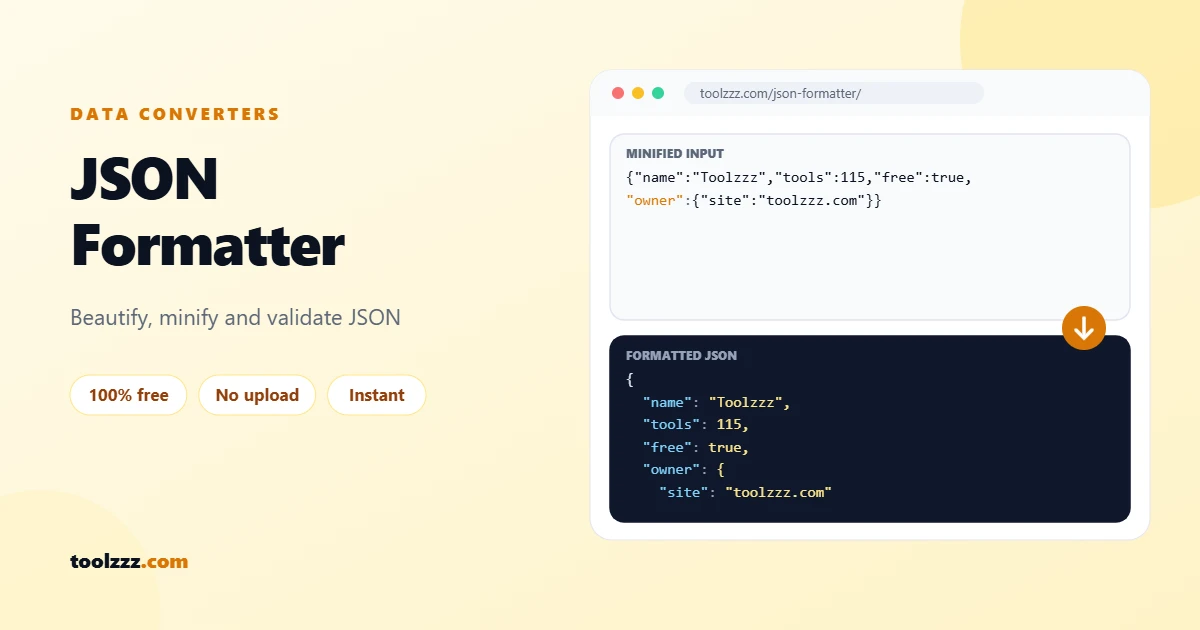
Paste your JSON into the left box. The Toolzzz JSON Formatter instantly indents it with 2 spaces, 4 spaces or tabs, or minifies it to one line. If the JSON is invalid, you see the reason with the line and column, so you can fix it fast.
- Beautify with 2 spaces, 4 spaces or tabs
- Minify JSON to a single line to save bytes
- Validate with line and column of the first error
- Sort keys A to Z for clean diffs
- Shows a count of values and the output size
- Upload a .json file or paste text
- Runs 100% in your browser
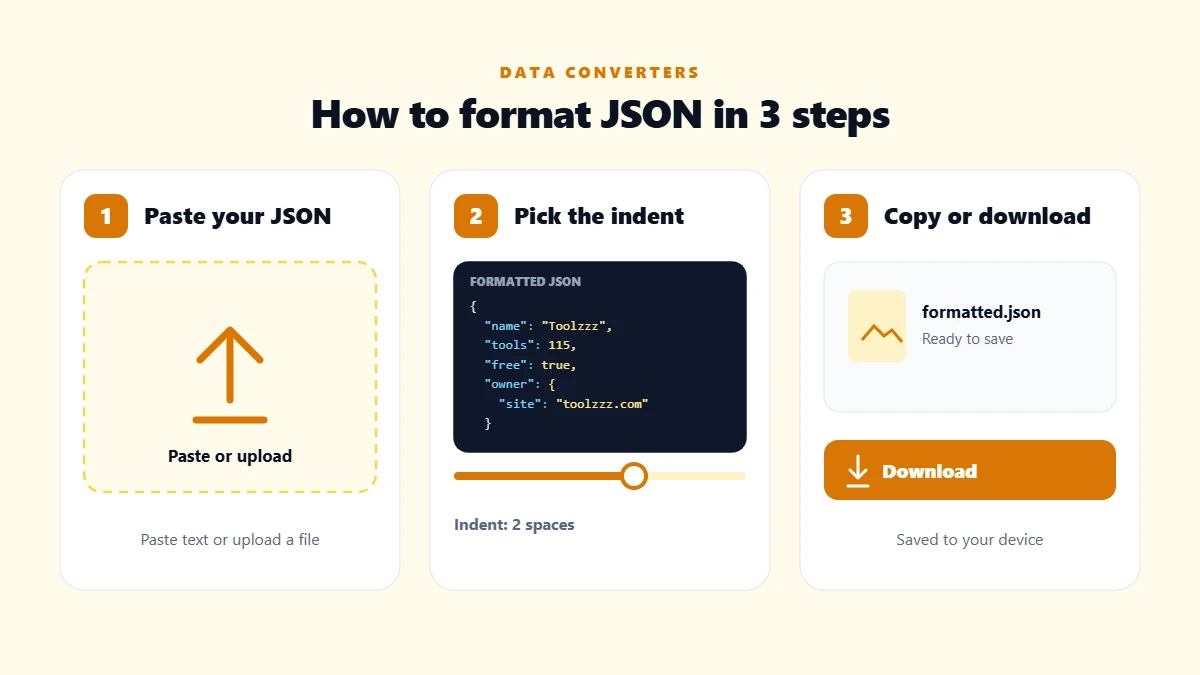
How to format JSON in 3 steps
Formatting happens as you type, so there is no Convert button to press.
Paste your JSON
Paste it into the left box or press Upload to open a .json file. Press Example to try it.
Pick the indent
Choose 2 spaces, 4 spaces, Tab or Minify. Tick Sort keys if you want keys in A to Z order.
Copy or download
Press Copy, or Download to save a .json file. Errors appear in red above the note.
Watch: how to use the free JSON Formatter
What people use the JSON formatter for
Reading API responses
Turn a one-line API reply into an indented tree you can actually read.
Finding syntax errors
Spot a missing comma or quote with the exact line and column.
Minifying for production
Strip whitespace to shrink config files and payloads.
Clean diffs
Sort keys so two JSON files can be compared line by line.
Docs and tickets
Paste neat, indented examples into documentation or bug reports.
Editing config files
Tidy package.json, tsconfig or settings files before you commit.
How to use the JSON Formatter on Windows, Mac, iPhone and Android
No app to install. The tool works in any modern browser, so the steps are almost the same everywhere.
On Windows
- Open toolzzz.com/json-formatter/ in Chrome, Edge or Firefox.
- Paste (Ctrl+V) your JSON into the left box, or press Upload to open a file.
- Choose an indent size, or Minify.
- Press Copy to put the result on your clipboard, or Download to save it. Files go to your Downloads folder.
On Mac
- Open toolzzz.com/json-formatter/ in Safari or Chrome.
- Paste (Cmd+V) your JSON into the left box, or press Upload to open a file.
- Choose an indent size, or Minify.
- Press Copy to put the result on your clipboard, or Download to save it.
On iPhone and iPad
- Open toolzzz.com/json-formatter/ in Safari.
- Touch and hold the box, tap Paste to add your JSON into the left box, or tap Upload to open a file.
- Choose an indent size, or Minify.
- Tap Copy to put the result on your clipboard, or Download to save it. Downloads appear in the Files app.
On Android
- Open toolzzz.com/json-formatter/ in Chrome.
- Long-tap the box and tap Paste to add your JSON into the left box, or press Upload to open a file.
- Choose an indent size, or Minify.
- Tap Copy to put the result on your clipboard, or Download to save it. Downloads go to the Downloads folder.
Toolzzz vs. other online converters
| Feature | Toolzzz JSON Formatter | Typical online converters |
|---|---|---|
| Price | Free, no limits | Free tier, then paid plans |
| Where your data goes | Stays in your browser | Often uploaded to a server |
| Sign-up | Not needed | Sometimes needed to download |
| Speed | Converts as you type | Upload, wait, then download |
| Size limit | Only your device memory | Often 1 to 10 MB on free plans |
| Error messages | Line and column shown | Often just "invalid input" |
"Typical" describes common limits of free online services. Plans and limits differ between sites.
Why convert data with Toolzzz
Private by design
Your data is converted by JavaScript in this tab. Nothing is sent to Toolzzz or anyone else.
Instant results
The output updates while you type or paste. There is no queue and no waiting.
Clear errors
Invalid input is flagged with the reason and, where possible, the exact line and column.
Copy or download
Copy the result in one click or save it as a ready-to-use file.
Works everywhere
Windows, Mac, Linux, iPhone, iPad and Android. Any modern browser will do.
Free forever
No account, no limits, no watermark and no trial period.
Tips for the best result
- JSON needs double quotes. Single quotes, trailing commas and comments are not valid JSON.
- Use Minify before sending JSON in a URL or header, where every byte counts.
- Turn on Sort keys before comparing two files with the Text Diff Checker.
- Large numbers over 253 lose precision in JavaScript. Store big IDs as strings.
- To convert, try JSON to CSV or JSON to YAML.
Key terms explained
- JSON
- JavaScript Object Notation: a text format for data made of objects {}, arrays [], strings, numbers, true, false and null.
- Beautify
- Adding line breaks and indentation so nested data is easy to read.
- Minify
- Removing all optional whitespace so the data is as small as possible.
Frequently asked questions
Is this JSON formatter free?
Yes. It is completely free with no limits, no sign-up and no watermark.
Is my JSON uploaded anywhere?
No. Formatting and validation run in JavaScript inside your browser. Your data never leaves your device, so it is safe for API keys and private data.
How do I validate JSON?
Paste it in. A green "Valid JSON" note means it parsed correctly. If not, a red message shows the error and its line and column.
Why is my JSON invalid?
The most common causes are single quotes instead of double quotes, a trailing comma after the last item, comments, unquoted keys, or a missing bracket.
Can I minify JSON?
Yes. Choose Minify in the Indent options to get the smallest single-line version.
Can it sort keys alphabetically?
Yes. Tick Sort keys A to Z. Nested objects are sorted too, while array order is kept.
Is there a size limit?
Only your device memory. Files of several megabytes format in about a second on a normal laptop.
Does it work on my phone?
Yes. It works in Safari, Chrome and other modern browsers on iPhone, iPad and Android.