
How do I generate lorem ipsum?
Choose how many paragraphs, sentences, words or list items you want and press Generate. The Toolzzz Lorem Ipsum Generator creates natural-looking Latin placeholder text, starting with the classic "Lorem ipsum dolor sit amet" if you like. Tick Wrap in HTML to get <p> or <ul> tags.
- Paragraphs, sentences, words or list items
- From 1 to 100 units
- Optional classic "Lorem ipsum dolor sit amet" start
- HTML output with <p> or <ul><li>
- Varied sentence lengths that look real
- Word and character count shown
- Copy or download as .txt
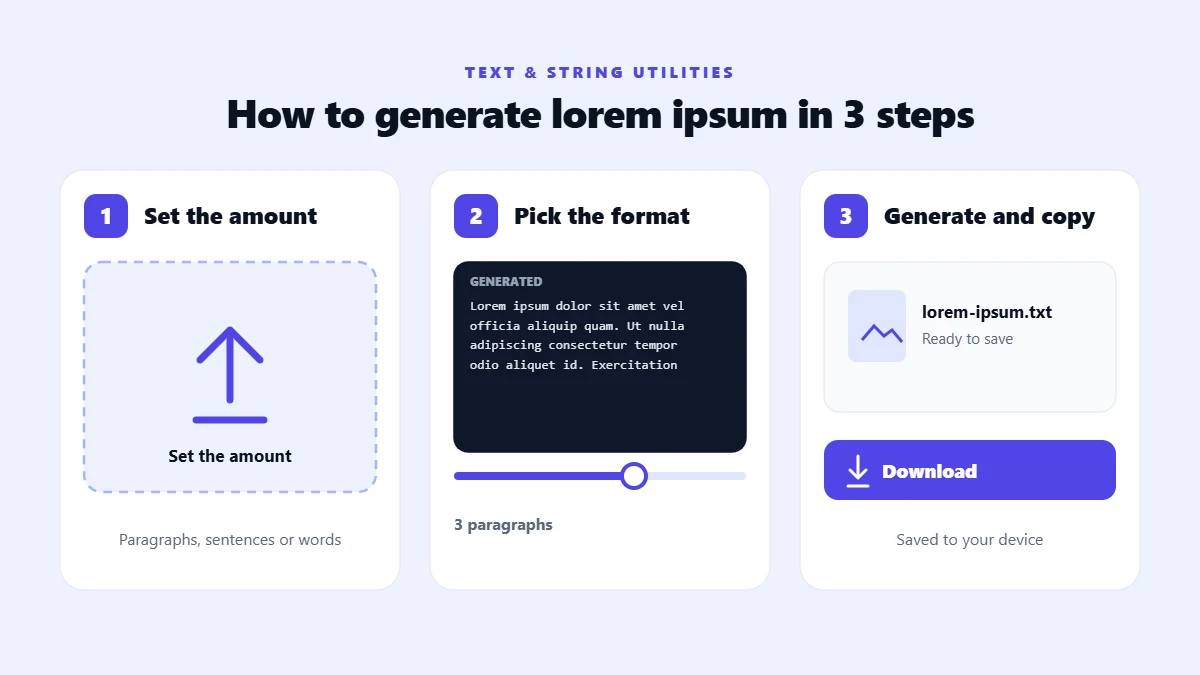
How to generate lorem ipsum in 3 steps
New text is generated every time you press Generate.
Set the amount
Enter how many and choose paragraphs, sentences, words or list items.
Pick the format
Choose whether to start with "Lorem ipsum" and whether to wrap in HTML tags.
Generate and copy
Press Generate, then Copy or Download.
Watch: how to use the free Lorem Ipsum Generator
Where designers use placeholder text
Website mockups
Fill layouts before the real copy is ready.
Design and print
Test typography and spacing in posters and brochures.
Development
Seed test pages, CMS themes and components.
App screens
Fill cards, lists and dialogs in prototypes.
Templates
Show where text goes in document templates.
Testing layouts
Check how long and short text wraps.
How to use the Lorem Ipsum Generator on Windows, Mac, iPhone and Android
No app to install. The tool works in any modern browser, so the steps are almost the same everywhere.
On Windows
- Open toolzzz.com/lorem-ipsum-generator/ in Chrome, Edge or Firefox.
- Choose your options in the panel.
- Set the amount and unit, then press Generate.
- Press Copy to put the result on your clipboard, or Download to save it. Files go to your Downloads folder.
On Mac
- Open toolzzz.com/lorem-ipsum-generator/ in Safari or Chrome.
- Choose your options in the panel.
- Set the amount and unit, then press Generate.
- Press Copy to put the result on your clipboard, or Download to save it.
On iPhone and iPad
- Open toolzzz.com/lorem-ipsum-generator/ in Safari.
- Choose your options in the panel.
- Set the amount and unit, then tap Generate.
- Tap Copy to put the result on your clipboard, or Download to save it. Downloads appear in the Files app.
On Android
- Open toolzzz.com/lorem-ipsum-generator/ in Chrome.
- Choose your options in the panel.
- Set the amount and unit, then tap Generate.
- Tap Copy to put the result on your clipboard, or Download to save it. Downloads go to the Downloads folder.
Toolzzz vs. other online text tools
| Feature | Toolzzz Lorem Ipsum Generator | Typical online text tools |
|---|---|---|
| Price | Free, no limits | Free with ads or word limits |
| Where your text goes | Stays in your browser | Often sent to a server |
| Sign-up | Not needed | Sometimes needed for long texts |
| Speed | Updates as you type | Often needs a button press |
| Text length | Only your device memory | Often capped on free plans |
| Unicode and emoji | Fully supported | Sometimes broken or miscounted |
"Typical" describes common limits of free online services. Plans and limits differ between sites.
Why use Toolzzz for text
Your text stays private
Everything runs in this browser tab. Your words are never uploaded, stored or logged.
Live results
The result updates as you type, paste or change an option.
Every language
Built on Unicode, so accented letters, Arabic, Urdu, Chinese and emoji all work.
Copy or download
Copy the result to the clipboard or save it as a .txt file.
Any device
Works the same on desktop, tablet and phone browsers.
Free forever
No account, no word limits and no paywall.
Tips for the best result
- Use real copy as early as you can; placeholder text hides content problems.
- Generate List items with HTML to test bullet styles.
- Short word counts are handy for button and heading tests.
- Lorem ipsum avoids readers focusing on the meaning while judging a design.
- Count the result with the Word Counter.
Key terms explained
- Lorem ipsum
- Scrambled Latin text based on Cicero’s "De finibus bonorum et malorum" (45 BC), used as placeholder text since the 1500s.
- Placeholder text
- Temporary text that shows where real content will go.
- Greeking
- Using dummy text or grey bars instead of real text in a layout.
Frequently asked questions
Is the lorem ipsum generator free?
Yes, free and unlimited.
What does lorem ipsum mean?
It is scrambled Latin from Cicero. It is not meant to be read, which keeps the focus on the design.
Can I get HTML?
Yes. Tick Wrap in HTML tags to get <p> paragraphs or a <ul> list.
Can I start with "Lorem ipsum dolor sit amet"?
Yes, that is on by default.
How many paragraphs can I generate?
Up to 100 at a time.
Is the text different each time?
Yes. Words and sentence lengths are randomised on each Generate.
Can I generate an exact number of words?
Yes. Choose Words and enter the number.
Is lorem ipsum bad for SEO?
Never publish it. Search engines see it as thin, low-quality content.