
How do I generate dummy test data?
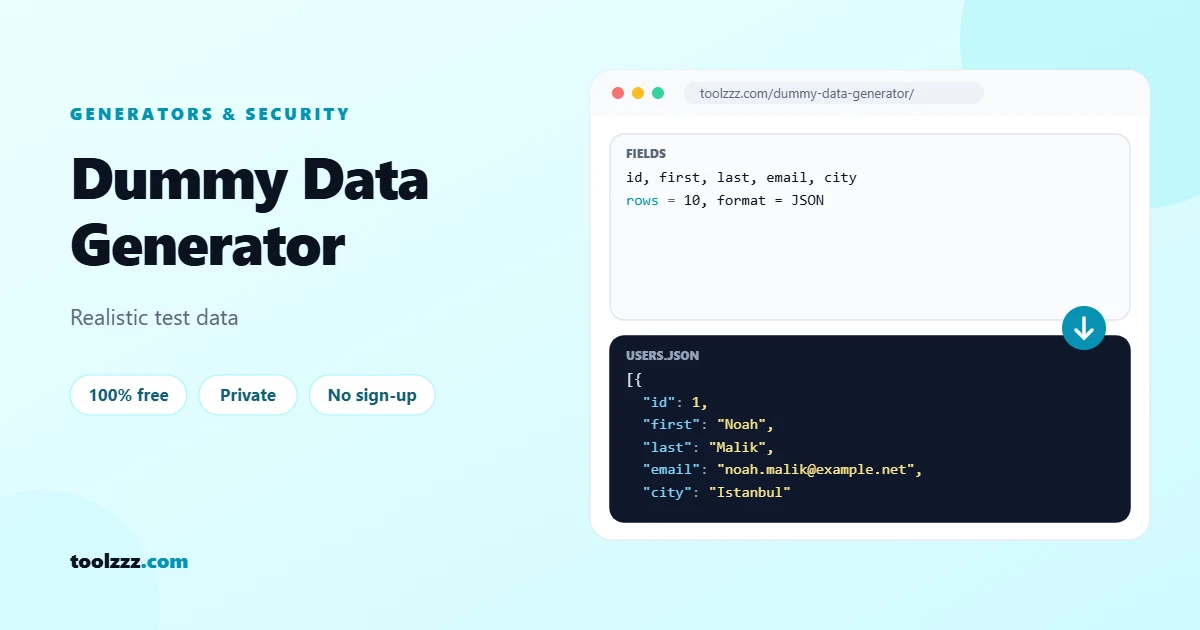
Pick the fields you need, such as name, email, phone, city and company, choose the number of rows and the format, then press Generate. The Toolzzz Dummy Data Generator creates realistic, fictional records as JSON, CSV, SQL INSERT statements or XML that you can copy or download.
- 18 field types: names, emails, phones, cities, companies and more
- Up to 5,000 rows at once
- Output as JSON, CSV, SQL or XML
- Names and cities from many countries
- Consistent rows: email matches the name
- UUID, IP, price, age and date fields
- 100% fictional data
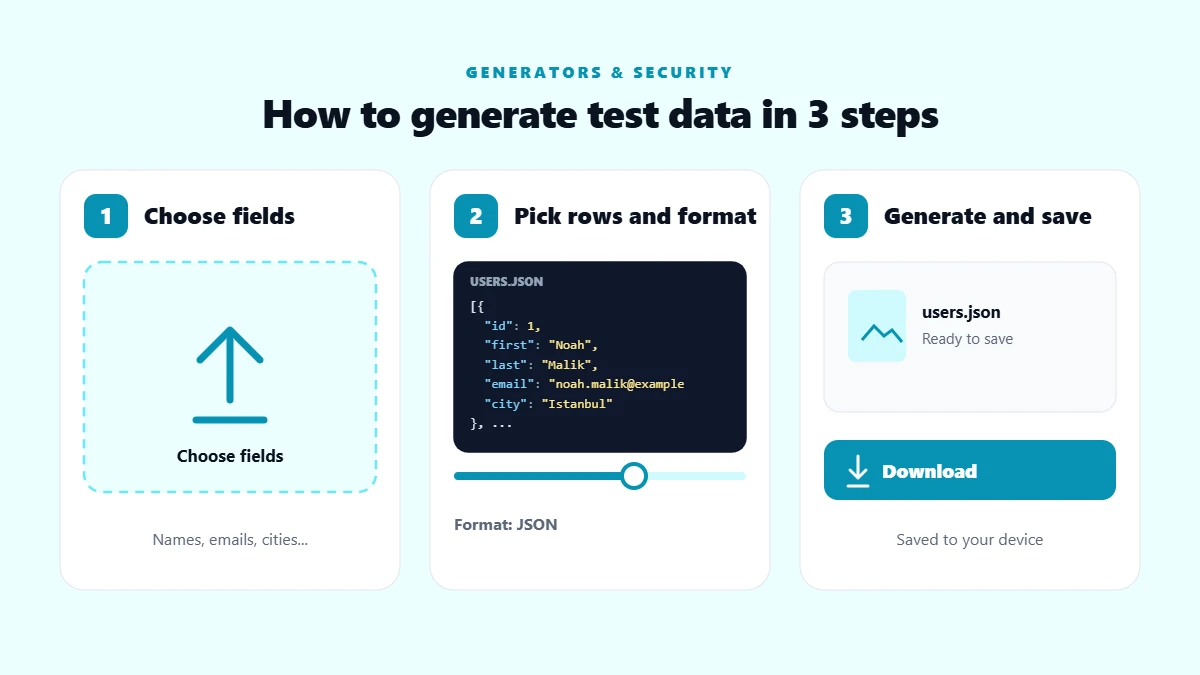
How to generate test data in 3 steps
Press Generate as often as you like for new rows.
Choose fields
Tick the fields you need: ID, names, email, phone, city, company and more.
Pick rows and format
Set the number of rows and choose JSON, CSV, SQL or XML.
Generate and save
Press Generate, then Copy or Download.
Watch: how to use the free Dummy Data Generator
What test data is for
App development
Fill a development database with believable users.
Spreadsheet demos
Create sample data for training and tutorials.
Load testing
Generate thousands of rows to test performance.
UI mockups
Show realistic content in tables and lists.
QA and testing
Test imports, forms and exports.
Privacy
Use fake data instead of real customer records.
How to use the Dummy Data Generator on Windows, Mac, iPhone and Android
No app to install. The tool works in any modern browser, so the steps are almost the same everywhere.
On Windows
- Open toolzzz.com/dummy-data-generator/ in Chrome, Edge or Firefox.
- Choose your options in the panel.
- Tick the fields, set the rows and format, then press Generate.
- Press Copy to put the result on your clipboard, or Download to save it. Files go to your Downloads folder.
On Mac
- Open toolzzz.com/dummy-data-generator/ in Safari or Chrome.
- Choose your options in the panel.
- Tick the fields, set the rows and format, then press Generate.
- Press Copy to put the result on your clipboard, or Download to save it.
On iPhone and iPad
- Open toolzzz.com/dummy-data-generator/ in Safari.
- Choose your options in the panel.
- Tick the fields, set the rows and format, then tap Generate.
- Tap Copy to put the result on your clipboard, or Download to save it. Downloads appear in the Files app.
On Android
- Open toolzzz.com/dummy-data-generator/ in Chrome.
- Choose your options in the panel.
- Tick the fields, set the rows and format, then tap Generate.
- Tap Copy to put the result on your clipboard, or Download to save it. Downloads go to the Downloads folder.
Toolzzz vs. other online generators
| Feature | Toolzzz Dummy Data Generator | Typical online generators |
|---|---|---|
| Price | Free, no limits | Free tier, then paid plans |
| Where it runs | In your browser only | Often on the provider’s server |
| Built on | Browser standards (Web Crypto, Canvas, SVG) | Often closed server-side code |
| Sign-up | Not needed | Sometimes needed for downloads |
| Tracking of results | None, nothing is stored | Results may be logged |
| Works offline once loaded | Yes | Usually not |
"Typical" describes common limits of free online services. Plans and limits differ between sites.
Why generate with Toolzzz
Private by design
Every value is created or checked inside your browser. Nothing is sent or stored.
Built on Web Crypto
Hashing, encryption and random values use the browser’s built-in, audited Web Crypto API.
Instant
Results appear immediately, even for thousands of values.
Copy or download
Copy in one click or save the result as a file.
Any device
Works in Chrome, Safari, Edge and Firefox on desktop and mobile.
Free forever
No account, no limits and no watermark.
Tips for the best result
- Never use real customer data for testing. Fake data avoids privacy risks.
- Choose SQL output to load rows straight into a database.
- The example.com, example.org and example.net domains are reserved for testing and never deliver mail.
- Generate a second batch to test duplicates and merges.
- Turn CSV output into a workbook with CSV to Excel.
Key terms explained
- Dummy data
- Fictional records used for development, testing and demos.
- Fixture
- A fixed set of test data loaded before tests run.
- Seed data
- Initial data loaded into a new database.
Frequently asked questions
Is the dummy data generator free?
Yes. Free and unlimited.
Is the data real?
No. Every record is randomly combined from fictional names and values. Any match with a real person is a coincidence.
How many rows can I generate?
Up to 5,000 per batch.
Which formats are supported?
JSON, CSV, SQL INSERT statements and XML.
Can I name the table?
Yes. Set the table or root name for SQL and XML output.
Are emails safe to use?
They use example domains such as example.com, which never deliver real mail.
Is the data generated on a server?
No. It is created in your browser.
Can I choose the fields?
Yes. Tick any of the 18 fields.