
Compress videos without uploading them
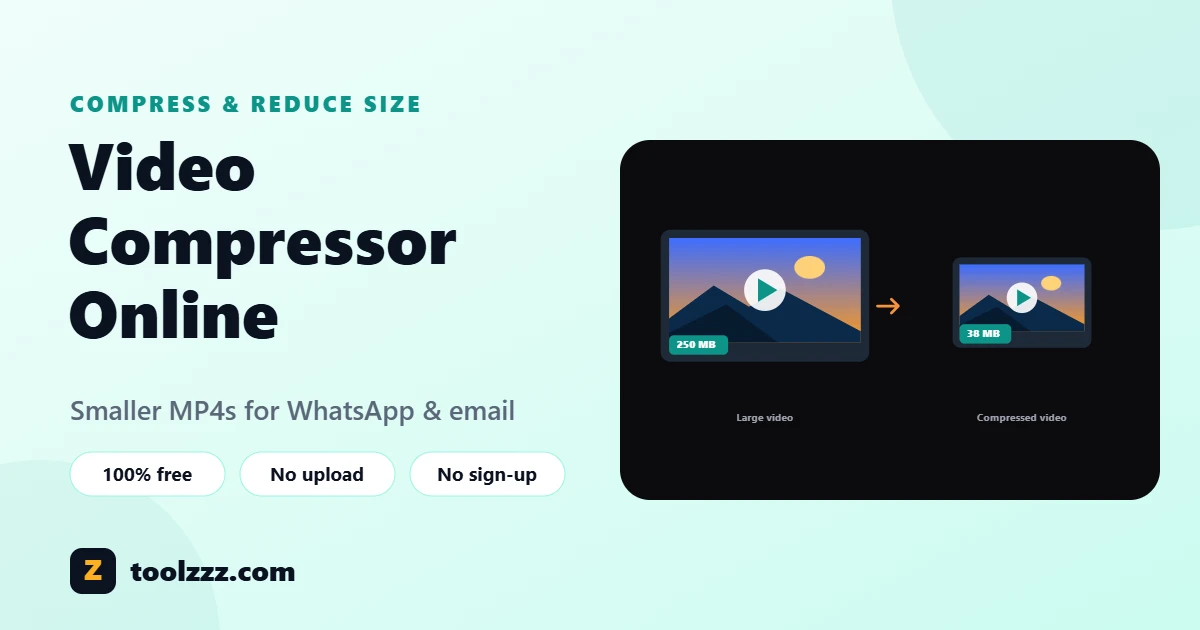
To compress a video, drop an MP4, MOV or WebM into Toolzzz Video Compressor, choose 720p and Medium quality (or a target size in MB), and press Compress video. The video is re-encoded in your browser in real time and downloads automatically, typically 60–90% smaller. Your video is never uploaded, so it stays completely private.
- Target size in MB
- Remove audio option
- 100% free, no sign-up
- Files never uploaded
- No file size limit
- Windows, Mac, iPhone & Android
- No watermark
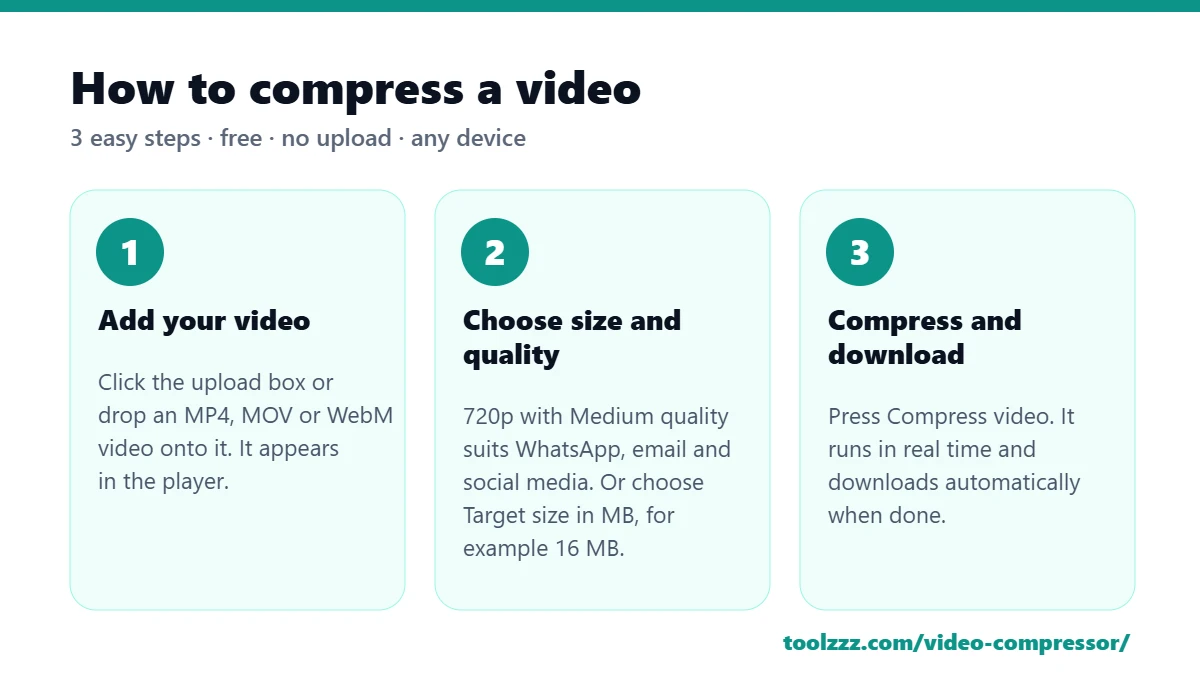
How to compress a video
Phone videos are huge: one minute of 4K can be 300 MB. Most sharing needs only a fraction of that.
Add your video
Click the upload box or drop an MP4, MOV or WebM video onto it. It appears in the player.
Choose size and quality
720p with Medium quality suits WhatsApp, email and social media. Or choose Target size in MB, for example 16 MB.
Compress and download
Press Compress video. It runs in real time and downloads automatically when done.
Watch: compress a video for WhatsApp and email
Where smaller videos help
WhatsApp and Telegram
Send clips that fit the upload limit and play instantly on any phone.
Email attachments
Get short clips under 25 MB to attach them directly.
Instagram, TikTok and Facebook
Upload faster on mobile data.
School and work submissions
Fit assignment and portal limits for video files.
Free up phone storage
Keep memories while using a fraction of the space.
Private videos
Family and work videos never leave your device.
Choosing resolution and quality
| Resolution | Medium quality | About per minute |
|---|---|---|
| 1080p (Full HD) | 3.2 Mbps | ≈ 25 MB |
| 720p (HD) | 1.6 Mbps | ≈ 13 MB |
| 480p | 0.85 Mbps | ≈ 7 MB |
| 360p | 0.55 Mbps | ≈ 5 MB |
How it works, and why it takes real time
Most online compressors upload your video to a server. Toolzzz plays the video inside your browser, draws each frame at the new size and records it again with your browser's built-in video encoder. That is why the video never leaves your device, and also why compression takes about as long as the video plays. Chrome and Edge save MP4, while some browsers save WebM, which plays everywhere except in very old apps.
How to compress a video on Windows, Mac, iPhone and Android
No app to install. The tool works in any modern browser, so the steps are almost the same everywhere.
On Windows
- Open toolzzz.com/video-compressor/ in Chrome, Edge or Firefox.
- Drag your video from File Explorer onto the upload box.
- Choose resolution and quality (or a target size), press Compress video and keep the tab open until it finishes.
- The new file is saved to your Downloads folder.
On Mac
- Open the page in Safari, Chrome or Firefox.
- Drag the video from Finder onto the upload box.
- Choose resolution and quality (or a target size), press Compress video and keep the tab open until it finishes.
- Find the new file in Downloads.
On iPhone and iPad
- Open the page in Safari.
- Tap the upload box, then Browse to pick the video from Files or Photos.
- Choose resolution and quality (or a target size), press Compress video and keep the tab open until it finishes.
- Tap Download and find the file in Files → Downloads.
On Android
- Open the page in Chrome.
- Tap the upload box and pick the video from Files, Gallery or Downloads.
- Choose resolution and quality (or a target size), press Compress video and keep the tab open until it finishes.
- The new file is saved in your Downloads folder.
Toolzzz vs. typical online compressors
| Feature | Toolzzz Video Compressor | Typical online compressors |
|---|---|---|
| Your file is uploaded to a server | Never. It is processed in your browser | Usually |
| File size and page limits | None, only your device memory | Often 10 to 100 MB, or a few files per day |
| Watermark on the result | Never | Sometimes on free plans |
| Account or e-mail needed | No | Often for larger files |
| Video uploaded to a server | Never, compressed on your device | Usually, often kept for hours |
| Target file size in MB | Yes | Sometimes |
| File size limit | None | Often 100 MB–2 GB on free plans |
| Price | Free | Free with limits, or a paid plan |
"Typical" describes common limits of free online services. Plans and limits differ between sites.
Compress videos privately on your own device
100% private
No upload at all, ideal for personal and work videos.
Target size in MB
Aim for 16 MB for WhatsApp or 25 MB for email.
Resolution presets
1080p, 720p, 480p or 360p in one click.
Three quality levels
Choose the balance between size and sharpness.
Keep or remove sound
Drop the audio track for even smaller files.
Free, no watermark
No account, no watermark and no time limit.
Key terms explained
- Bitrate
- How much data a video uses per second, in megabits per second (Mbps). Lower bitrate means a smaller file.
- Resolution
- The video's width and height in pixels, such as 1280 × 720 (720p).
- Codec
- The method used to compress video, such as H.264 (MP4) or VP9 (WebM).
Frequently asked questions
How do I compress a video without losing quality?
Keep the original resolution or 1080p and choose High quality. The file gets smaller while staying sharp. For bigger savings, 720p Medium looks great on phones.
How do I compress a video for WhatsApp?
Choose 720p and Target size in MB = 16. The compressed video then fits WhatsApp's limit for videos.
How long does compression take?
About as long as the video plays, because it is re-encoded in real time in your browser. Keep the tab open.
Why is my compressed video a WebM file?
Some browsers can only record WebM. Chrome and Edge save MP4. WebM plays in all modern browsers and most apps.
Can I remove the sound?
Yes. Untick Keep sound for a silent and even smaller video.
Is there a file size limit?
No fixed limit. Very long videos simply take longer to compress.
Can I compress videos on my phone?
Yes, on most Android phones in Chrome. On iPhone, Safari can compress shorter clips. Keep the screen on while it runs.
Is my video uploaded?
No. The video is compressed inside your browser and never leaves your device.