
Reduce photo size in one step
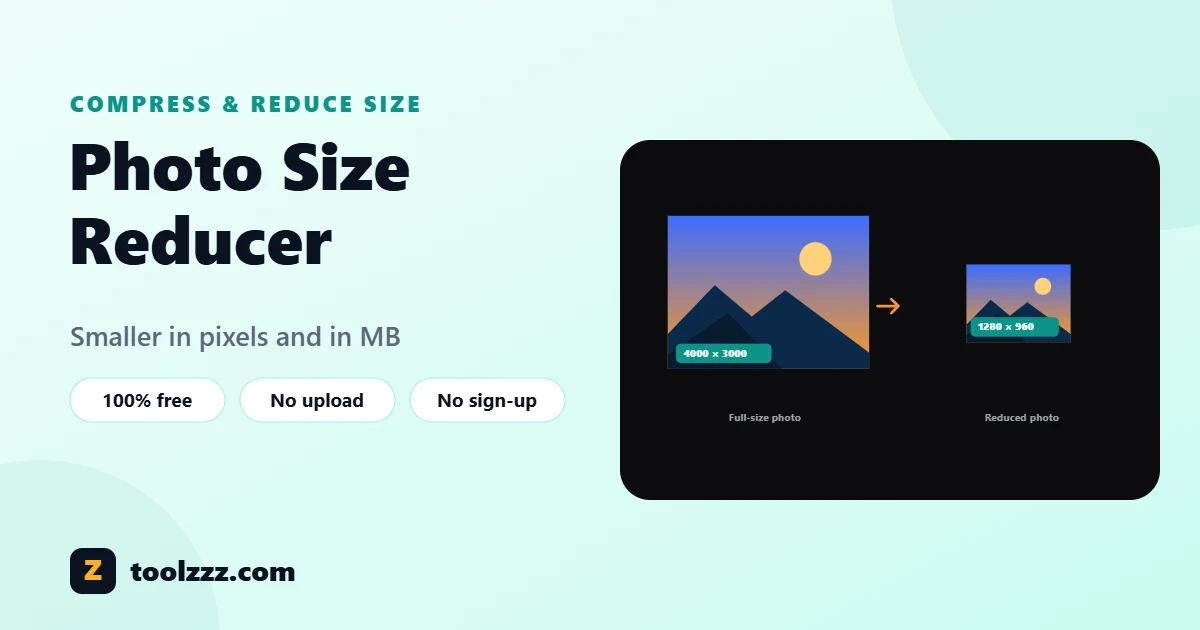
To reduce a photo's size, drop it into Toolzzz Photo Size Reducer, choose a preset like WhatsApp & email (1600 px) or By percentage, keep Balanced quality and press Download all. Both the width × height and the file size in MB/KB get smaller, usually by 80–95% for phone photos. Nothing is uploaded.
- Size presets
- By percentage
- 100% free, no sign-up
- Files never uploaded
- No file size limit
- Windows, Mac, iPhone & Android
- No watermark
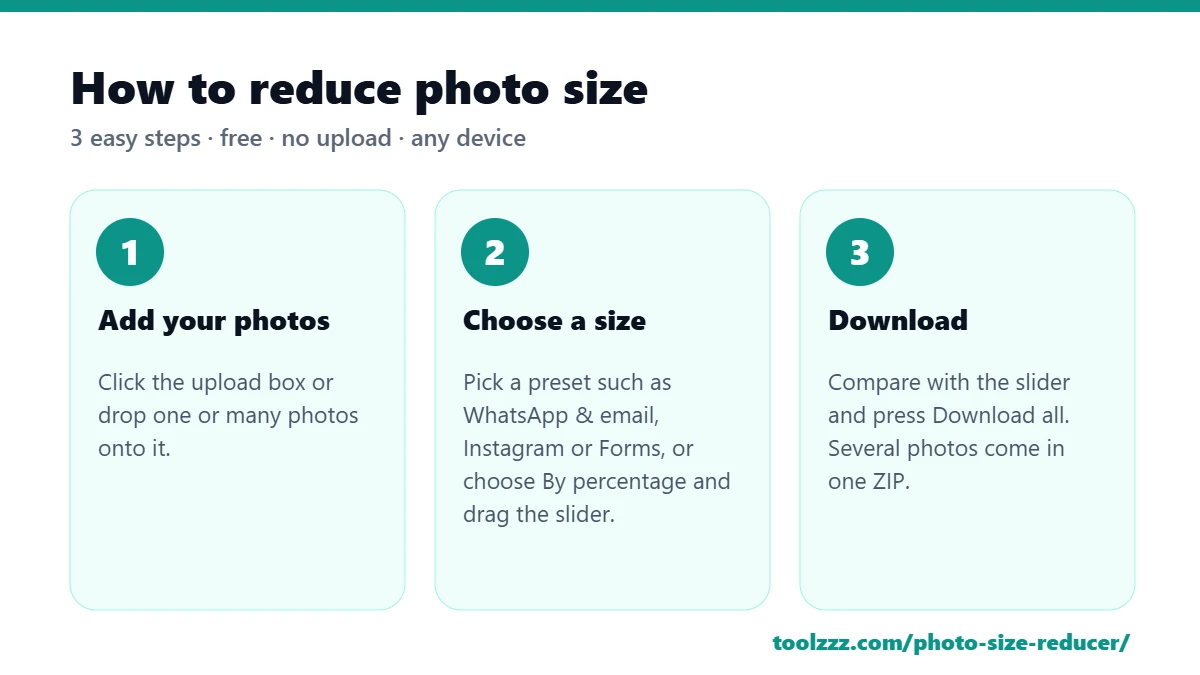
How to reduce photo size
Phone photos are often 4000 px wide and 3–8 MB. Most uses need far less.
Add your photos
Click the upload box or drop one or many photos onto it.
Choose a size
Pick a preset such as WhatsApp & email, Instagram or Forms, or choose By percentage and drag the slider.
Download
Compare with the slider and press Download all. Several photos come in one ZIP.
Watch: reduce photo size for WhatsApp and email
Ready-made sizes for every use
WhatsApp and Telegram
1600 px photos look sharp in chats and send in a second.
Attach 10 or more photos without hitting the size limit.
Instagram and Facebook
1080–1280 px matches what social networks show anyway.
Websites and blogs
1920 px for full-width images, smaller for content images.
Forms and documents
800 px is enough for most application forms and reports.
Thumbnails and previews
400 px for avatars, catalogues and galleries.
Pixels vs. file size
Every photo has two different "sizes": its dimensions in pixels (for example 4000 × 3000) and its file size in KB or MB. Reducing the dimensions is the most effective way to make the file smaller, because halving the width and height leaves only a quarter of the pixels.
| Photo size | Pixels | Typical JPG size |
|---|---|---|
| Phone original | 4000 × 3000 | 3–6 MB |
| Full HD | 1920 × 1440 | 400–800 KB |
| WhatsApp & email | 1600 × 1200 | 250–500 KB |
| 1080 × 810 | 120–250 KB | |
| Thumbnail | 400 × 300 | 20–50 KB |
Need an exact file size instead? Use Compress Image to 100KB. Need an exact width and height? Use Resize Image.
How to reduce photo size on Windows, Mac, iPhone and Android
No app to install. The tool works in any modern browser, so the steps are almost the same everywhere.
On Windows
- Open toolzzz.com/photo-size-reducer/ in Chrome, Edge or Firefox.
- Drag your photos from File Explorer onto the upload box.
- Choose a preset or a percentage, then press Download all.
- The new file is saved to your Downloads folder.
On Mac
- Open the page in Safari, Chrome or Firefox.
- Drag the photos from Finder onto the upload box.
- Choose a preset or a percentage, then press Download all.
- Find the new file in Downloads.
On iPhone and iPad
- Open the page in Safari.
- Tap the upload box, then Browse to pick the photos from Files or Photos.
- Choose a preset or a percentage, then press Download all.
- Tap Download and find the file in Files → Downloads.
On Android
- Open the page in Chrome.
- Tap the upload box and pick the photos from Files, Gallery or Downloads.
- Choose a preset or a percentage, then press Download all.
- The new file is saved in your Downloads folder.
Toolzzz vs. typical online compressors
| Feature | Toolzzz Photo Size Reducer | Typical online compressors |
|---|---|---|
| Your file is uploaded to a server | Never. It is processed in your browser | Usually |
| File size and page limits | None, only your device memory | Often 10 to 100 MB, or a few files per day |
| Watermark on the result | Never | Sometimes on free plans |
| Account or e-mail needed | No | Often for larger files |
| Ready-made sizes for WhatsApp, email, Instagram and forms | Yes | Usually manual numbers |
| Reduce many photos at once | Yes, plus ZIP | Often limited |
| Price | Free | Free with limits, or a paid plan |
"Typical" describes common limits of free online services. Plans and limits differ between sites.
Reduce photos the quick and private way
Smart presets
Sizes for chat, email, social media, web, forms and thumbnails.
By percentage
Shrink to any percentage of the original.
Smaller files too
Pixels and quality are optimised together for the smallest file.
Before/after slider
Make sure it still looks good.
Bulk + ZIP
Reduce an entire album at once.
Never uploaded
Family photos stay on your device.
Key terms explained
- Resolution
- The number of pixels in a photo, usually written as width × height.
- Megapixels
- Millions of pixels. A 4000 × 3000 photo has 12 megapixels.
- Downscaling
- Reducing the number of pixels in an image, which also reduces the file size.
Frequently asked questions
How do I reduce the size of a photo?
Drop it here, choose a preset such as WhatsApp & email, and press Download all. Both pixels and MB are reduced.
How do I reduce photo size in MB?
Reducing the pixel size is the fastest way. A 1600 px photo is usually under 0.5 MB, compared to 3–6 MB for the original.
How do I reduce a photo by 50%?
Choose By percentage… and set the slider to 50%. Width and height are halved, and the file is usually about 4 times smaller.
Will my photo be enlarged if it is already small?
No. Photos smaller than the chosen size are kept at their size and only compressed.
What size should photos be for WhatsApp?
About 1600 px on the longest side looks sharp in WhatsApp and sends quickly.
Can I reduce many photos at once?
Yes. Add them all and download them in a single ZIP.
Does it remove location data?
Yes. Reduced photos are saved without EXIF data such as GPS location.
Are my photos uploaded?
No. Everything happens in your browser on your own device.