
Compress JPG photos in seconds
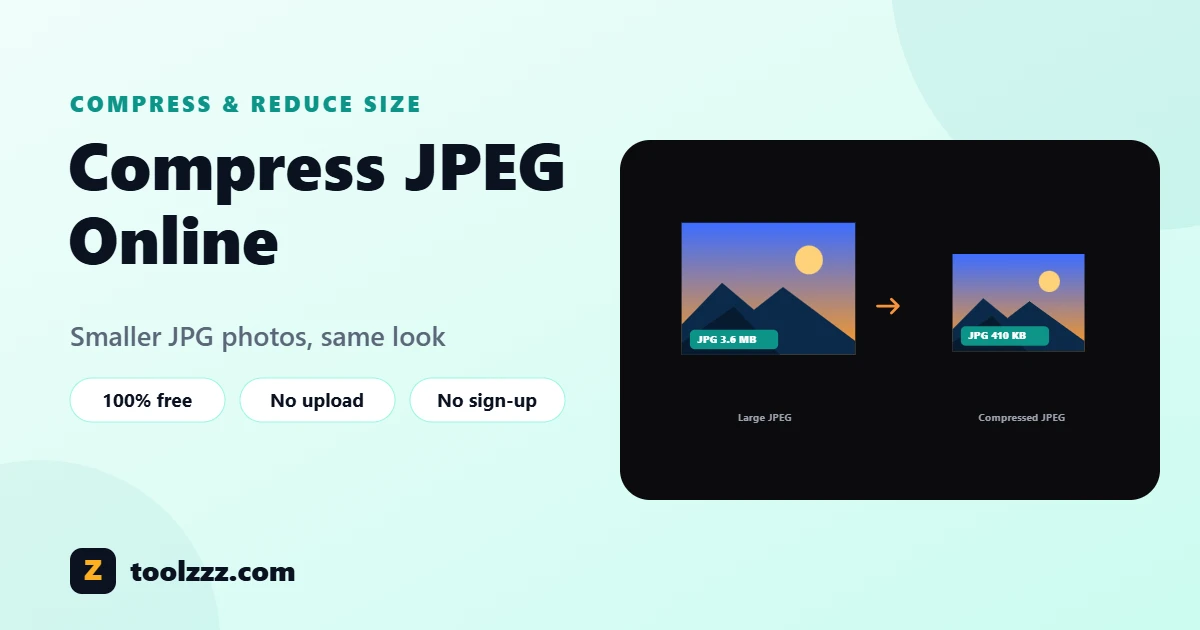
To compress a JPEG, drop your JPG photos into Toolzzz Compress JPEG, pick Balanced (75% quality) or set the slider, optionally limit the width, and press Download all. Photos usually become 60–85% smaller with no visible difference. Everything runs in your browser, so photos are never uploaded.
- Quality 10–100%
- Batch + ZIP
- 100% free, no sign-up
- Files never uploaded
- No file size limit
- Windows, Mac, iPhone & Android
- No watermark
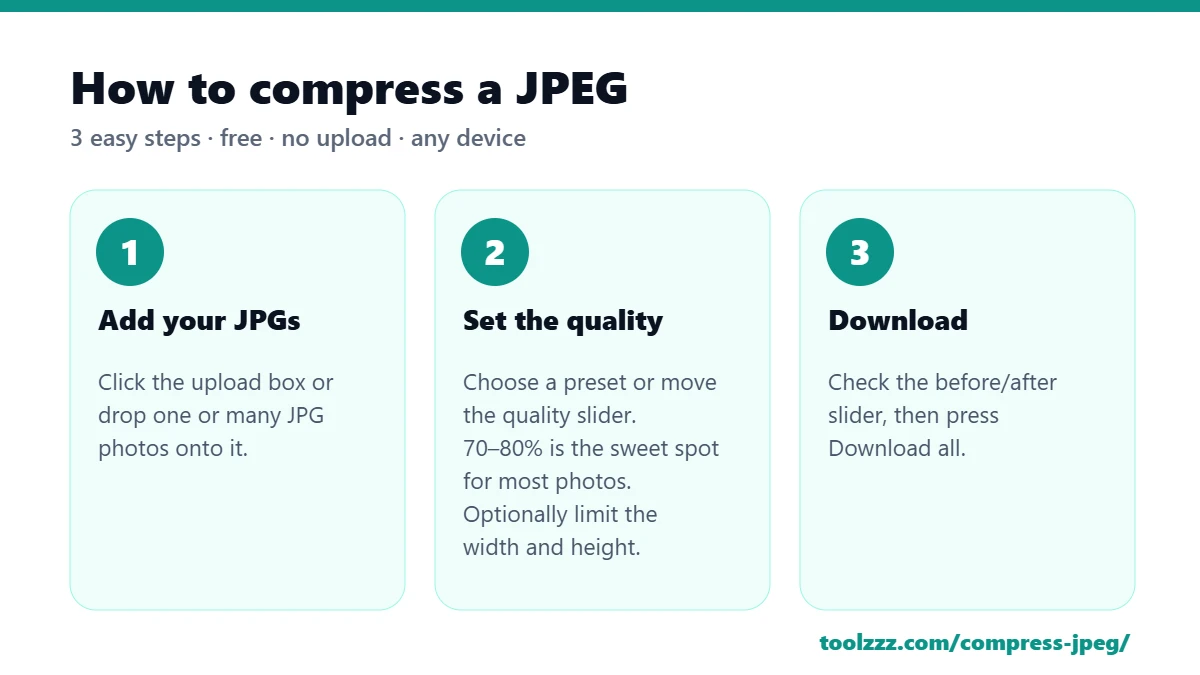
How to compress a JPEG
JPEG (also written JPG) is the most common photo format. Compressing it saves space and makes sharing easier.
Add your JPGs
Click the upload box or drop one or many JPG photos onto it.
Set the quality
Choose a preset or move the quality slider. 70–80% is the sweet spot for most photos. Optionally limit the width and height.
Download
Check the before/after slider, then press Download all.
Watch: compress JPG photos without losing quality
Popular reasons to compress JPEGs
Phone camera photos
Modern phones save 3–8 MB per photo. Compressing them to under 1 MB keeps them sharp on any screen.
Website and blog images
Smaller JPGs load faster and improve your page speed score.
Email and messaging
Attach more pictures without size errors.
Upload forms
Fit photos into job, visa and exam upload limits.
Online marketplaces
Product photos for Amazon, eBay, Etsy or Daraz upload faster.
Photo archives
Store years of photos in a fraction of the space.
How JPEG quality works
JPEG quality is a number from 0 to 100 that controls how much detail is thrown away. Higher numbers keep more detail but make bigger files. The relationship is not linear: going from 100% to 85% often halves the file size with no visible change, while going below 50% starts to show blocky edges and colour bands.
| Quality | Look | Use for |
|---|---|---|
| 90–100% | Visually identical | Printing, photo editing, archives |
| 70–85% | Excellent on screens | Websites, email, social media |
| 50–65% | Good, slight softness | Thumbnails, chat apps, previews |
| Below 50% | Visible artefacts | Only for very strict size limits |
Need an exact size like 100 KB? Use Compress Image to 100KB, which finds the highest quality that fits.
How to compress JPEG images on Windows, Mac, iPhone and Android
No app to install. The tool works in any modern browser, so the steps are almost the same everywhere.
On Windows
- Open toolzzz.com/compress-jpeg/ in Chrome, Edge or Firefox.
- Drag your JPG photos from File Explorer onto the upload box.
- Set the quality, compare with the slider, then press Download all.
- The new file is saved to your Downloads folder.
On Mac
- Open the page in Safari, Chrome or Firefox.
- Drag the JPG photos from Finder onto the upload box.
- Set the quality, compare with the slider, then press Download all.
- Find the new file in Downloads.
On iPhone and iPad
- Open the page in Safari.
- Tap the upload box, then Browse to pick the JPG photos from Files or Photos.
- Set the quality, compare with the slider, then press Download all.
- Tap Download and find the file in Files → Downloads.
On Android
- Open the page in Chrome.
- Tap the upload box and pick the JPG photos from Files, Gallery or Downloads.
- Set the quality, compare with the slider, then press Download all.
- The new file is saved in your Downloads folder.
Toolzzz vs. typical online compressors
| Feature | Toolzzz Compress JPEG | Typical online compressors |
|---|---|---|
| Your file is uploaded to a server | Never. It is processed in your browser | Usually |
| File size and page limits | None, only your device memory | Often 10 to 100 MB, or a few files per day |
| Watermark on the result | Never | Sometimes on free plans |
| Account or e-mail needed | No | Often for larger files |
| Exact quality control (10–100%) | Yes, slider and presets | Often only "low/medium/high" |
| Removes GPS location from photos | Yes, automatically | Varies |
| Price | Free | Free with limits, or a paid plan |
"Typical" describes common limits of free online services. Plans and limits differ between sites.
A JPEG compressor with real control
Precise quality
Presets for speed, a slider for full control.
Before/after slider
Zoom in with your eyes before you download.
Bulk compression
Compress hundreds of photos and get one ZIP.
Optional resizing
Limit photos to 4K, Full HD or smaller in the same step.
Private by design
Photos never leave your device.
Free, no watermark
No account, no limits, nothing added to your photos.
Key terms explained
- JPEG / JPG
- The same photo format with two spellings. It uses lossy compression to keep files small.
- Quality factor
- The 0–100 setting that controls how much detail a JPEG keeps.
- Artefacts
- Blocky or blurry patches that appear when a JPEG is compressed too strongly.
Frequently asked questions
What is the best JPEG quality for the web?
Between 70% and 85%. It looks the same as the original on screens and is usually 60–80% smaller.
How do I compress a JPG to a smaller size?
Drop the JPG here, pick Balanced or Smallest and download. To reach an exact size, use Compress Image to 100KB.
Is JPG the same as JPEG?
Yes. Both names mean the same format. Windows used three-letter extensions, so .jpg became common.
Will compressing a JPEG lose quality?
A little detail is removed, but at 70% or higher it is very hard to see. Use the slider on the picture to compare.
Can I compress PNG to JPG here?
Yes. Any image you add is saved as a compressed JPG. Transparent areas become white.
Can I compress many JPGs at once?
Yes. Add as many as you like and press Download all for a ZIP.
Does it remove location data from photos?
Yes. The compressed copies are saved without EXIF data such as GPS location.
Are my photos uploaded?
No. All compression happens in your browser.