
Compress PNG and keep transparency
To compress a PNG, drop it into Toolzzz Compress PNG and keep Balanced (256 colours). The tool reduces the number of colours the way pro tools do, so the file is often 50–80% smaller while transparency and sharp edges are kept. Choose Lossless if every pixel must stay identical. Nothing is uploaded.
- Transparency kept
- Lossless option
- 100% free, no sign-up
- Files never uploaded
- No file size limit
- Windows, Mac, iPhone & Android
- No watermark
How to compress a PNG
PNG is perfect for logos, icons, screenshots and graphics with transparency, but files can get large.
Add your PNGs
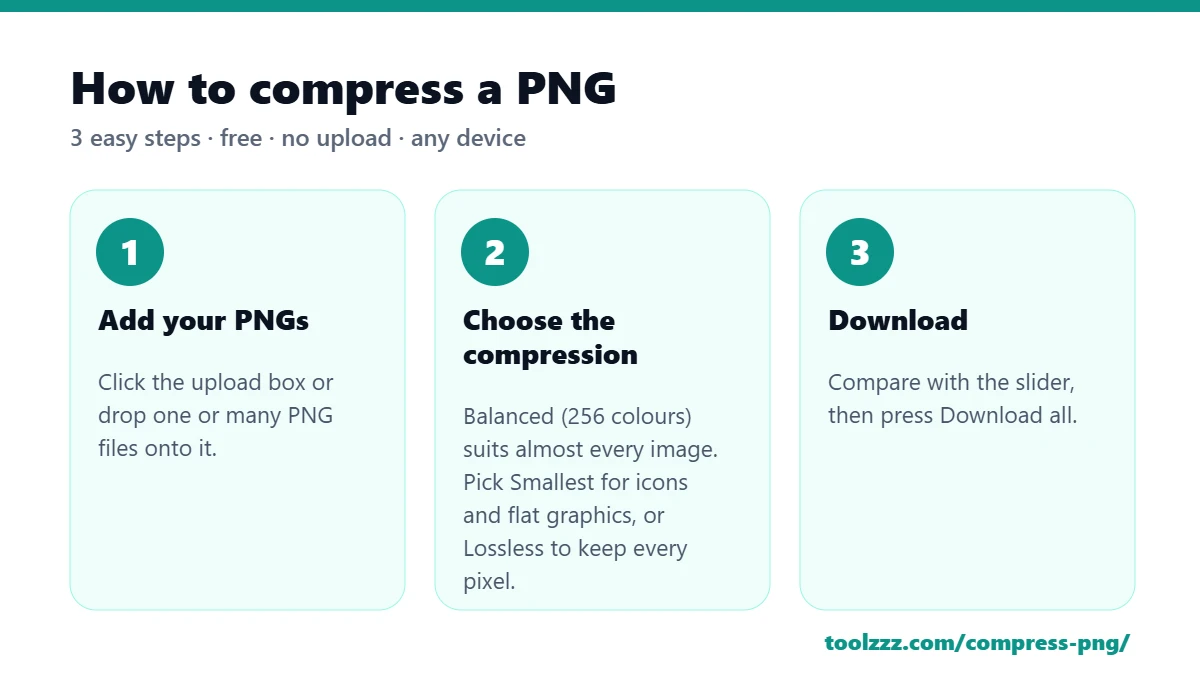
Click the upload box or drop one or many PNG files onto it.
Choose the compression
Balanced (256 colours) suits almost every image. Pick Smallest for icons and flat graphics, or Lossless to keep every pixel.
Download
Compare with the slider, then press Download all.
Watch: make PNG files smaller without losing transparency
Popular reasons to compress PNGs
Logos and icons
Flat graphics shrink dramatically with colour reduction, often by 70% or more.
Screenshots
Screenshots and UI captures stay crisp while files get much lighter.
Website graphics
Smaller PNG banners and illustrations load faster.
Transparent product images
Keep cut-out backgrounds for shops and catalogues.
Documents and slides
Lighter PNGs make Word, PowerPoint and PDF files smaller.
App and game assets
Reduce sprite and asset sizes for faster downloads.
How PNG compression works
PNG is a lossless format: it never blurs pixels. That is why PNG files are bigger than JPG. There are two ways to make them smaller:
- Colour reduction (lossy PNG). Most images do not need millions of colours. Reducing them to 256 carefully chosen colours, with smart dithering, makes the file far smaller, and the difference is very hard to see. This is the same idea used by popular tools like TinyPNG and pngquant.
- Lossless optimisation. Every pixel stays identical and only the way the data is stored is improved. Savings are smaller, typically 5–30%.
PNG or something else?
For photos without transparency, a JPG or WebP is usually much smaller than any PNG. Convert with PNG to JPG or use Compress Image and save as WebP.
How to compress PNG images on Windows, Mac, iPhone and Android
No app to install. The tool works in any modern browser, so the steps are almost the same everywhere.
On Windows
- Open toolzzz.com/compress-png/ in Chrome, Edge or Firefox.
- Drag your PNG images from File Explorer onto the upload box.
- Choose Balanced, Smallest or Lossless, compare with the slider, then press Download all.
- The new file is saved to your Downloads folder.
On Mac
- Open the page in Safari, Chrome or Firefox.
- Drag the PNG images from Finder onto the upload box.
- Choose Balanced, Smallest or Lossless, compare with the slider, then press Download all.
- Find the new file in Downloads.
On iPhone and iPad
- Open the page in Safari.
- Tap the upload box, then Browse to pick the PNG images from Files or Photos.
- Choose Balanced, Smallest or Lossless, compare with the slider, then press Download all.
- Tap Download and find the file in Files → Downloads.
On Android
- Open the page in Chrome.
- Tap the upload box and pick the PNG images from Files, Gallery or Downloads.
- Choose Balanced, Smallest or Lossless, compare with the slider, then press Download all.
- The new file is saved in your Downloads folder.
Toolzzz vs. typical online compressors
| Feature | Toolzzz Compress PNG | Typical online compressors |
|---|---|---|
| Your file is uploaded to a server | Never. It is processed in your browser | Usually |
| File size and page limits | None, only your device memory | Often 10 to 100 MB, or a few files per day |
| Watermark on the result | Never | Sometimes on free plans |
| Account or e-mail needed | No | Often for larger files |
| Keeps transparent background | Yes, always | Yes |
| Choice of colour count (16–256) or lossless | Yes | Usually one fixed setting |
| File limits | None | Often 20 files or 5 MB each |
| Price | Free | Free with limits, or a paid plan |
"Typical" describes common limits of free online services. Plans and limits differ between sites.
A PNG compressor that keeps edges sharp
Smart colour reduction
Up to 80% smaller with quality that is hard to tell apart.
Transparency kept
Cut-outs, logos and icons keep their see-through background.
Lossless or lossy
From all colours to 16, your choice.
Bulk + ZIP
Compress many PNGs at once and download them together.
Never uploaded
Your graphics stay on your device.
Free, no limits
No sign-up, no file cap and no watermark.
Key terms explained
- PNG
- Portable Network Graphics: a lossless image format that supports transparency.
- Colour quantization
- Reducing an image to a limited palette of colours to save space, often with dithering to hide the change.
- Alpha channel
- The part of an image that stores transparency for each pixel.
Frequently asked questions
How do I compress a PNG without losing transparency?
Drop the PNG here and keep Balanced. Colours are reduced, but the transparent background is kept exactly.
How much smaller will my PNG get?
Logos, icons and screenshots often get 60–80% smaller. Photos saved as PNG get smaller too, but JPG or WebP would be smaller still.
What is lossless PNG compression?
It keeps every pixel identical and only stores the data more efficiently. Choose Lossless for that.
Is this like TinyPNG?
It uses the same idea, smart colour reduction, but runs fully in your browser, with no upload and no 20-file limit.
Why is my PNG still big?
Large photos stored as PNG have many colours. Reduce the size with Max width / height, or save as JPG or WebP with Compress Image.
Can I compress many PNGs at once?
Yes. Add them all, then press Download all for a ZIP.
Will my image look different?
At 256 colours the difference is very hard to see. Use the slider on the picture to check before you download.
Are my images uploaded?
No. Compression happens in your browser on your own device.