
Add a sepia effect in seconds
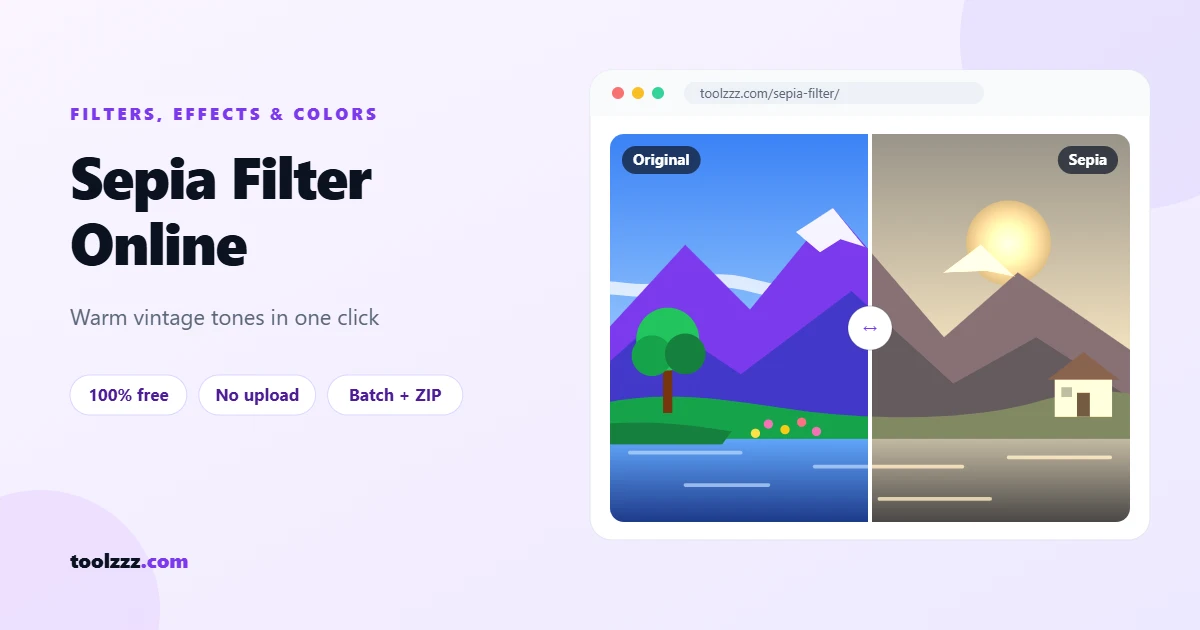
To make a photo sepia, drop it into Toolzzz Sepia Filter, pick the Classic preset (or Light, Old photo or Faded), adjust the Sepia strength if you like, and press Download image. Add Fade, Vignette and Film grain for an authentic antique print. Everything runs in your browser, so photos are never uploaded.
- 4 vintage presets
- Strength 0 to 100%
- Fade, vignette and grain
- Batch + ZIP
- Full resolution
- 100% free, no sign-up
- No watermark
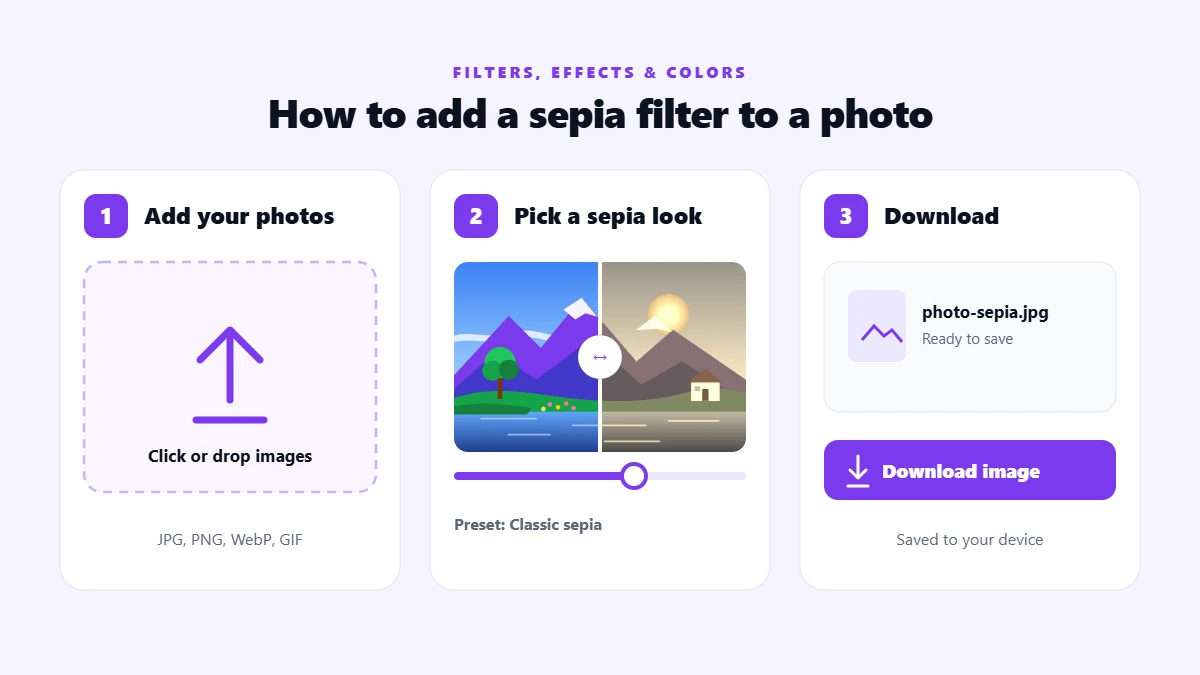
How to add a sepia filter to a photo
Sepia is the warm reddish-brown tone of old photographs. Originally it came from a chemical toning process that also made prints last longer. Today it is a quick way to make any picture feel nostalgic.
Add your photos
Click the upload box or drop one or many JPG, PNG or WebP images. You can also paste an image with Ctrl + V.
Pick a sepia look
Start with a preset. Classic is a rich brown, Light is subtle, Old photo adds fade, vignette and grain, and Faded looks like a sun-bleached print.
Download
Compare with the before/after slider, then press Download image or Download all (ZIP).
Watch: make photos look old with a sepia filter
Popular reasons to use a sepia filter
Family history and memorials
Give scanned or modern family photos a matching heritage look for albums, memorial slides and genealogy books.
Wedding and anniversary
Sepia portraits feel romantic and timeless on invitations, thank-you cards and anniversary gifts.
Instagram and Pinterest
A warm vintage tone makes feeds look cohesive and suits travel, food and fashion posts.
Period-style designs
Create props and graphics for history projects, theater programs, escape rooms and retro posters.
Rustic product photos
Sepia suits antiques, leather goods, coffee and handmade crafts on Etsy or eBay listings.
Fix mixed lighting
When colors are off from orange indoor light, a sepia version often looks better than the original.
What each sepia setting does
| Setting | Effect | Try |
|---|---|---|
| Sepia strength | How much of the original color is replaced by the brown sepia tone | 85% classic, 45% subtle |
| Fade | Lifts blacks toward warm cream, like paper aging over decades | 20 to 45% |
| Vignette | Darkens the corners to draw the eye to the center, like old lenses | 30 to 60% |
| Film grain | Adds fine random noise that mimics silver halide film | 10 to 20 |
The sepia tone uses the widely used sepia color matrix (the same one behind the CSS sepia() filter), applied at full resolution.
Where the sepia look comes from
In the late 1800s, photographers toned silver prints with sepia, a pigment originally made from cuttlefish ink. The chemical swap turned metallic silver into silver sulfide, which gave the brown color and protected the image from fading. That is why so many surviving photos from 1880 to 1920 are brown rather than gray.
Digital sepia recreates the look by mapping each pixel's brightness to a warm brown scale. Combine it with fade, vignette and grain for a convincing antique print, or keep the strength low for a gentle warm filter.
How to add a sepia filter to a photo on Windows, Mac, iPhone and Android
No app to install. The tool works in any modern browser, so the steps are almost the same everywhere.
On Windows
- Open toolzzz.com/sepia-filter/ in Chrome, Edge or Firefox.
- Drag your photo from File Explorer onto the upload box.
- Pick a preset such as Classic or Old photo, then press Download image.
- The new file is saved to your Downloads folder.
On Mac
- Open toolzzz.com/sepia-filter/ in Safari or Chrome.
- Drag the photo from Finder or the Photos app onto the upload box.
- Pick a preset such as Classic or Old photo, then press Download image.
- Find the result in Downloads (Safari asks first if set to).
On iPhone and iPad
- Open toolzzz.com/sepia-filter/ in Safari.
- Tap the upload box and choose Photo Library, Take Photo or Choose File.
- Pick a preset such as Classic or Old photo, then tap Download image.
- Tap Download, then open it from the Files app and choose Save Image to add it to Photos.
On Android
- Open toolzzz.com/sepia-filter/ in Chrome.
- Tap the upload box and pick the photo from your Gallery, Files or camera.
- Pick a preset such as Classic or Old photo, then tap Download image.
- The image appears in your Downloads folder and in Google Photos under Downloads.
Toolzzz vs. typical online photo editors
| Feature | Toolzzz Sepia Filter | Typical online editors |
|---|---|---|
| Your photo is uploaded to a server | Never. It is processed in your browser | Usually |
| Sepia strength control | Yes, 0 to 100% | Often on/off only |
| Fade, vignette and film grain | Yes | Rare |
| Batch processing + ZIP | Yes | Often paid |
| Before/after slider | Yes | Rare |
| Full resolution download | Yes | Often reduced on free plans |
| Watermark or sign-up | None | Common |
"Typical" describes common limits of free online services. Plans and limits differ between sites.
A sepia filter with the details that matter
Four ready-made looks
Classic, Light, Old photo and Faded presets get you a great result with one click.
Fine control
Tune sepia strength, fade, vignette and grain separately for exactly the age you want.
Before and after
Drag the comparison slider to judge the effect against the original.
Batch + ZIP
Apply the same vintage look to a whole album and download everything at once.
No upload
Your photos stay on your device. The filter runs in your browser.
Any format
Open JPG, PNG, WebP, GIF or BMP and save as JPG, PNG or WebP.
Tips for the best result
- For the most convincing antique photo, use Old photo and then lower the grain a little for small images.
- Faces look best between 60 and 85% strength. Above that, skin can look flat.
- Convert a scanned print with Faded to match old photos in the same album.
- Want gray instead of brown? Use Photo to Black and White.
- Combine with Add Text to Image for retro posters and cards.
Key terms explained
- Sepia
- A reddish-brown monochrome tone named after the cuttlefish ink once used to make it.
- Vignette
- Gradual darkening toward the edges of a photo, common with early lenses.
- Film grain
- The fine random texture of analog film, caused by tiny silver crystals.
Frequently asked questions
How do I put a sepia filter on a photo for free?
Drop your photo into the upload box on this page, pick the Classic preset and press Download image. There is no sign-up and no watermark.
What is the difference between sepia and black and white?
Black and white uses neutral grays. Sepia uses warm brown tones, which makes a photo look older and softer.
How do I make a photo look old?
Use the Old photo preset. It combines full sepia with faded blacks, a dark vignette and film grain. Adjust each slider to taste.
Can I make the sepia effect lighter?
Yes. Choose the Light preset or move Sepia strength below 50% to keep some of the original colors.
Can I apply sepia to many photos at once?
Yes. Add several images and press Download all (ZIP). Every photo gets the same settings.
Will the sepia photo lose quality?
No. The full resolution is kept. Choose PNG output if you want to avoid any JPG compression.
Does the sepia filter work on phones?
Yes. It works in Safari on iPhone and iPad and in Chrome on Android. Tap the upload box to choose a photo from your gallery.
Are my pictures stored anywhere?
No. The sepia effect is applied inside your browser. Your pictures are never uploaded to Toolzzz.