
How do I sort lines alphabetically?
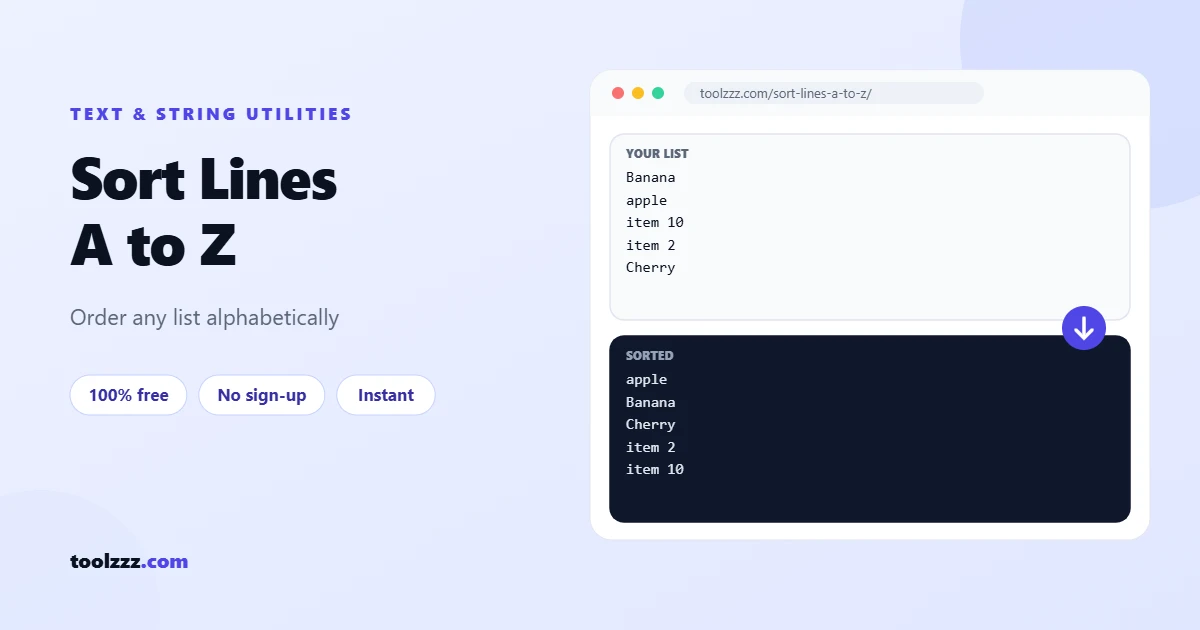
Paste your list with one item per line and choose A to Z. The Toolzzz Sort Lines tool sorts it instantly using natural order, so "item 2" comes before "item 10", and it can ignore upper and lower case. You can also sort Z to A, by number or length, reverse the list or shuffle it.
- A to Z and Z to A
- Natural order (2 before 10)
- Sort by number or length
- Reverse or shuffle randomly
- Ignore case option
- Remove duplicates and empty lines
- Language-aware sorting for accents
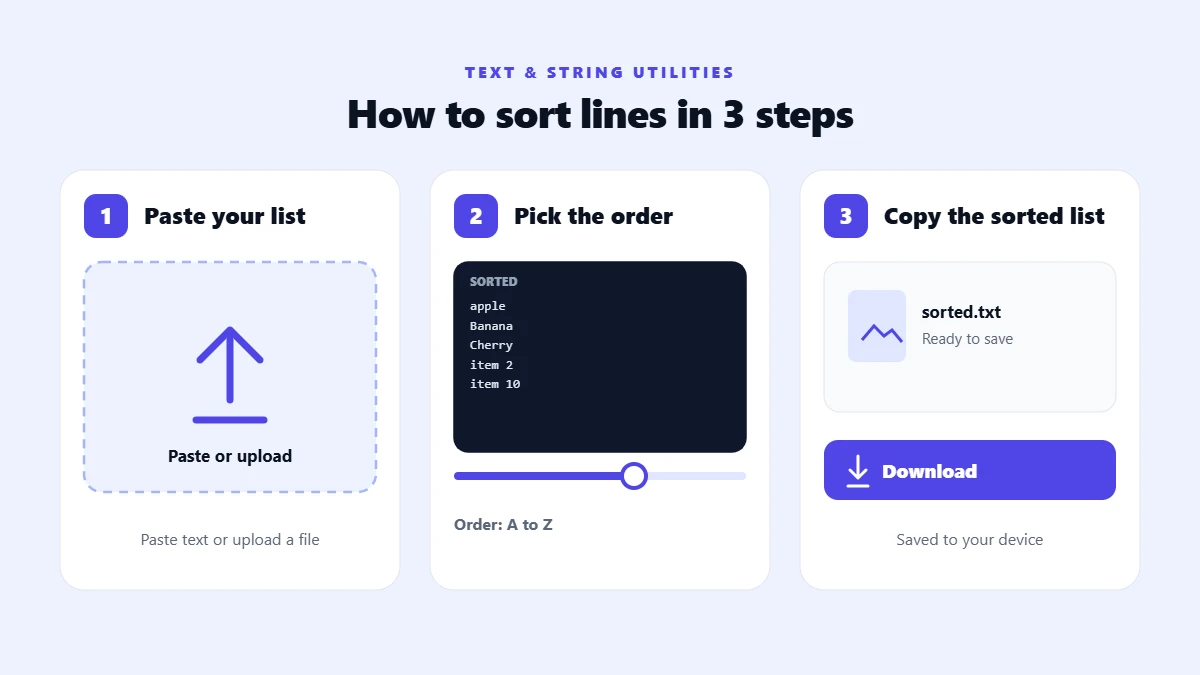
How to sort lines in 3 steps
The list re-sorts as soon as you change an option.
Paste your list
One item per line, or press Upload to open a file.
Pick the order
Choose A to Z, Z to A, Numbers, By length, Reverse or Shuffle.
Copy the sorted list
Press Copy or Download.
Watch: how to use the free Sort Lines A to Z
Lists people sort
Names and guest lists
Put names in alphabetical order.
Keywords and tags
Organise keyword and tag lists.
Bibliographies
Order references and glossaries.
Code and imports
Sort import lines, CSS properties or config keys.
Product lists
Sort SKUs and product names.
Random draws
Shuffle names for a fair draw or team picks.
How to use the Sort Lines A to Z on Windows, Mac, iPhone and Android
No app to install. The tool works in any modern browser, so the steps are almost the same everywhere.
On Windows
- Open toolzzz.com/sort-lines-a-to-z/ in Chrome, Edge or Firefox.
- Paste (Ctrl+V) your list into the left box, or press Upload to open a file.
- Choose the sort order.
- Press Copy to put the result on your clipboard, or Download to save it. Files go to your Downloads folder.
On Mac
- Open toolzzz.com/sort-lines-a-to-z/ in Safari or Chrome.
- Paste (Cmd+V) your list into the left box, or press Upload to open a file.
- Choose the sort order.
- Press Copy to put the result on your clipboard, or Download to save it.
On iPhone and iPad
- Open toolzzz.com/sort-lines-a-to-z/ in Safari.
- Touch and hold the box, tap Paste to add your list into the left box, or tap Upload to open a file.
- Choose the sort order.
- Tap Copy to put the result on your clipboard, or Download to save it. Downloads appear in the Files app.
On Android
- Open toolzzz.com/sort-lines-a-to-z/ in Chrome.
- Long-tap the box and tap Paste to add your list into the left box, or press Upload to open a file.
- Choose the sort order.
- Tap Copy to put the result on your clipboard, or Download to save it. Downloads go to the Downloads folder.
Toolzzz vs. other online text tools
| Feature | Toolzzz Sort Lines A to Z | Typical online text tools |
|---|---|---|
| Price | Free, no limits | Free with ads or word limits |
| Where your text goes | Stays in your browser | Often sent to a server |
| Sign-up | Not needed | Sometimes needed for long texts |
| Speed | Updates as you type | Often needs a button press |
| Text length | Only your device memory | Often capped on free plans |
| Unicode and emoji | Fully supported | Sometimes broken or miscounted |
"Typical" describes common limits of free online services. Plans and limits differ between sites.
Why use Toolzzz for text
Your text stays private
Everything runs in this browser tab. Your words are never uploaded, stored or logged.
Live results
The result updates as you type, paste or change an option.
Every language
Built on Unicode, so accented letters, Arabic, Urdu, Chinese and emoji all work.
Copy or download
Copy the result to the clipboard or save it as a .txt file.
Any device
Works the same on desktop, tablet and phone browsers.
Free forever
No account, no word limits and no paywall.
Tips for the best result
- Keep Natural order on for lists with numbers, such as chapters or file names.
- Use Numbers to sort by the number in each line, like prices or scores.
- Shuffle uses the browser’s secure random source, so every order is equally likely.
- Need just the unique items? Tick Remove duplicates, or use Remove Duplicate Lines to keep the order.
- For random numbers instead of a list, use the Random Number Generator.
Key terms explained
- Natural sort
- Sorting numbers inside text by value, so 2 comes before 10.
- Collation
- Language rules for ordering letters, including accents.
- Shuffle
- Putting items in a random order where every order is equally likely.
Frequently asked questions
Is the sorter free?
Yes. Free and unlimited.
Is my list uploaded?
No. Sorting runs in your browser.
Why does item 10 come after item 2?
Natural order is on. Untick it for strict character order, where 10 comes before 2.
Can I sort Z to A?
Yes. Choose Z to A.
How do I sort numbers?
Choose Numbers. Each line is sorted by the first number in it.
Is the shuffle truly random?
It uses crypto.getRandomValues with a fair Fisher-Yates shuffle.
Does it handle accents?
Yes. Sorting follows Unicode collation, so é sorts with e.
Can I remove empty lines?
Yes. Keep Remove empty lines ticked.