
Redact a PDF so the text is really gone
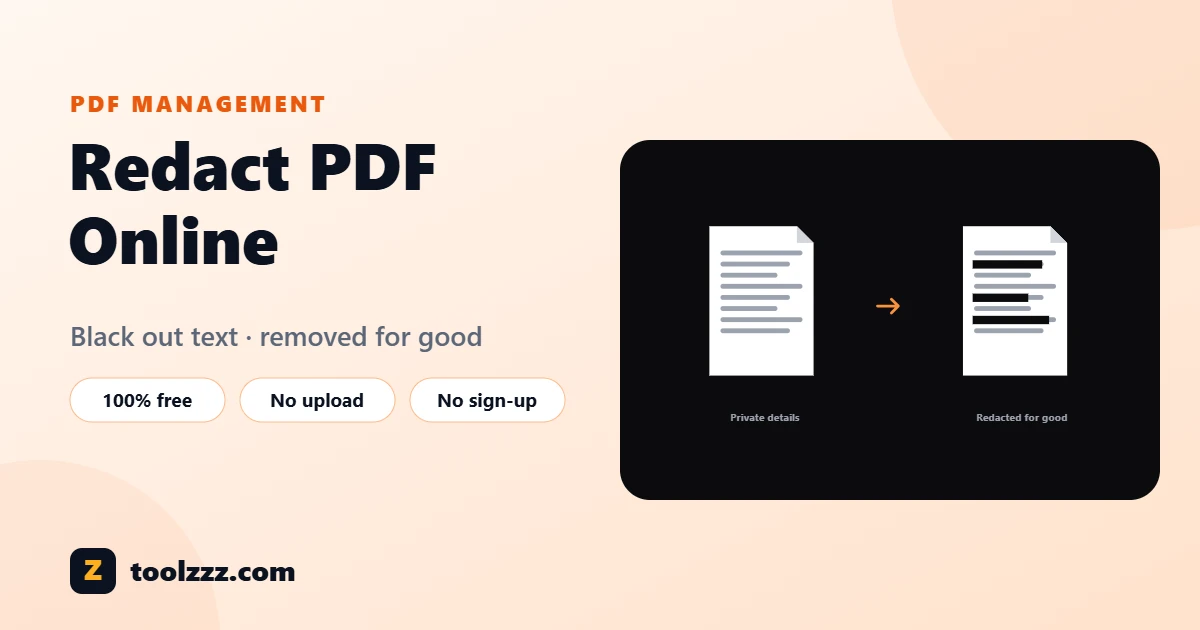
To redact a PDF, upload it to Toolzzz Redact PDF, drag black boxes over the private details (or search for a word, or press Emails, Phones or Card / account no. to find them automatically), then press Redact and download PDF. Pages with redactions are flattened, so the hidden text is removed from the file and cannot be copied or recovered. Nothing is uploaded.
- True redaction (text removed)
- Auto-find emails & numbers
- 100% free, no sign-up
- Files never uploaded
- No file size limit
- Windows, Mac, iPhone & Android
- No watermark
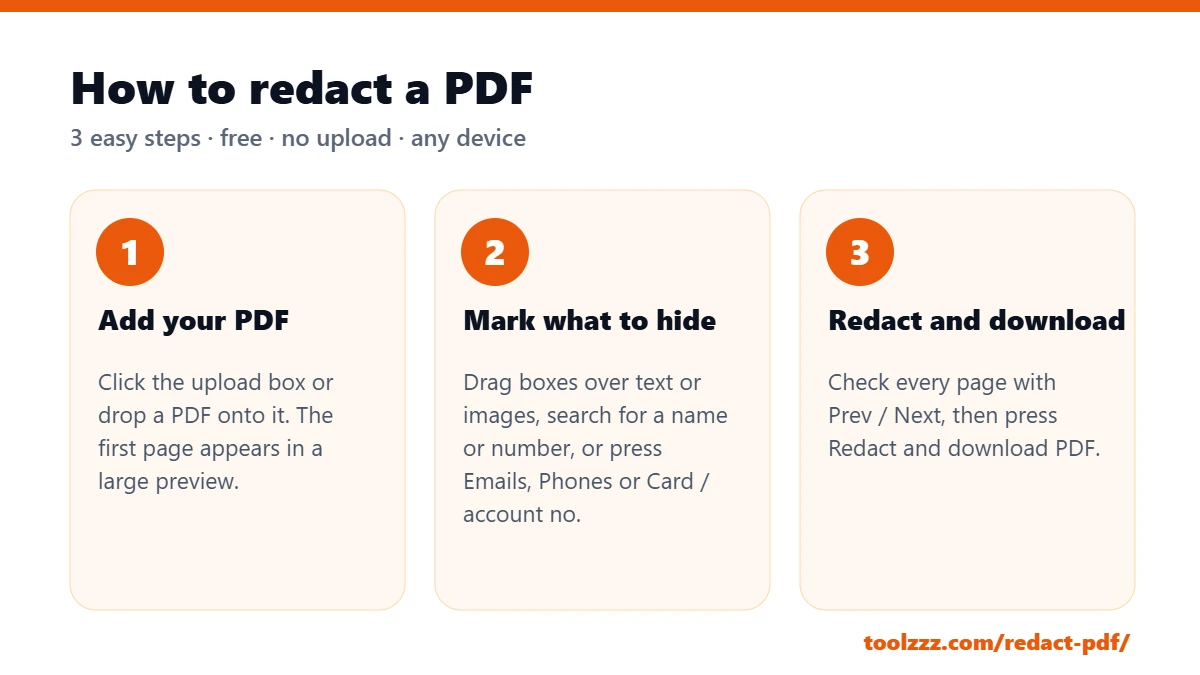
How to redact a PDF
Remove personal and confidential information before you share a document, safely and permanently.
Add your PDF
Click the upload box or drop a PDF onto it. The first page appears in a large preview.
Mark what to hide
Drag boxes over text or images, search for a name or number, or press Emails, Phones or Card / account no.
Redact and download
Check every page with Prev / Next, then press Redact and download PDF.
Watch: redact names and numbers in a PDF permanently
What people redact most often
Personal data (GDPR)
Hide names, addresses and ID numbers before sharing records, as privacy laws often require.
Bank and card details
Black out account, IBAN and card numbers on statements you send as proof.
Legal and court documents
Redact privileged or third-party information before disclosure.
HR and medical records
Remove employee and patient details from reports and examples.
Emails and phone numbers
Find and hide every email address or phone number in one click.
Screenshots and invoices
Hide prices, customer names or reference numbers before posting examples.
Why a black box is not always enough
Many people "redact" by drawing a black rectangle in a PDF editor. The text underneath is often still in the file: anyone can select it, copy it, or remove the rectangle. This has caused real data leaks in court filings and government reports.
Toolzzz avoids this. Every page that has at least one redaction is rendered as an image with the black boxes burned in, and that image replaces the original page. The original text, fonts and hidden layers of that page are not copied into the new file, so there is nothing left to recover. Pages without redactions are copied unchanged, so they keep sharp, selectable text.
Checklist before you share
- Search for every version of a name. Try first name, last name, initials and email address.
- Use the automatic finders. Emails, phone numbers and card or account numbers are easy to miss by eye.
- Check images and signatures too. Drag boxes over photos, stamps and signatures that identify someone.
- Remove document properties. Keep the checkbox on so the author name and title are not left in the file. You can check with Edit PDF Metadata.
How to redact a PDF on Windows, Mac, iPhone and Android
No app to install. The tool works in any modern browser, so the steps are almost the same everywhere.
On Windows
- Open toolzzz.com/redact-pdf/ in Chrome, Edge or Firefox.
- Drag your PDF from File Explorer onto the upload box.
- Drag boxes over the private details or use search, then press Redact and download PDF.
- The new PDF is saved to your Downloads folder.
On Mac
- Open the page in Safari, Chrome or Firefox.
- Drag the PDF from Finder onto the upload box.
- Drag boxes over the private details or use search, then press Redact and download PDF.
- Find the new file in Downloads.
On iPhone and iPad
- Open the page in Safari.
- Tap the upload box, then Browse to pick the PDF from the Files app.
- Drag boxes over the private details or use search, then press Redact and download PDF.
- Tap Download and find the file in Files → Downloads.
On Android
- Open the page in Chrome.
- Tap the upload box and pick the PDF from Files or Downloads.
- Drag boxes over the private details or use search, then press Redact and download PDF.
- The new PDF is saved in your Downloads folder.
Toolzzz vs. typical online PDF tools
| Feature | Toolzzz Redact PDF | Typical online PDF tools |
|---|---|---|
| Your file is uploaded to a server | Never. It is processed in your browser | Usually |
| File size and page limits | None, only your device memory | Often 10 to 100 MB, or a few files per day |
| Watermark on the result | Never | Sometimes on free plans |
| Account or e-mail needed | No | Often for larger files |
| Hidden text really removed | Yes, redacted pages are flattened | Sometimes only covered with a box |
| Auto-find emails, phones and card numbers | Yes | Usually a paid feature |
| Removes author and title metadata | Yes, optional | Rarely |
| Price | Free | Free with limits, or a paid plan |
"Typical" describes common limits of free online PDF services. Plans and limits differ between sites.
Redaction you can trust, without uploading the document
Never uploaded
The documents you need to protect most never leave your device.
True redaction
Hidden text is removed from redacted pages, not just covered.
Search and redact
Find every copy of a name, word or number across all pages.
Smart finders
One-click detection of emails, phone numbers and card or account numbers.
Clean metadata
Optionally removes author, title and other document properties.
Free, no watermark
No sign-up, no page limit and no watermark.
Key terms explained
- Redaction
- Permanently removing sensitive information from a document before sharing it, as opposed to only hiding it.
- Flattening
- Turning a page into a single image so text, layers and annotations can no longer be selected or edited.
- Metadata
- Hidden document properties such as author, title, software and dates stored inside the PDF.
Frequently asked questions
How do I redact a PDF for free?
Upload the PDF, drag black boxes over the information you want to hide (or use search), and press Redact and download PDF.
Is the redacted text really removed?
Yes. Pages with redactions are rebuilt as images with the black boxes burned in, so the original text on those pages is not in the new file.
How do I find and redact all email addresses?
Press Emails. Every email address in the document is marked. Check the pages, then download.
Can I redact a word everywhere in the PDF?
Yes. Type it in Search and redact and press Find. Every match on every page is marked.
Why can I no longer select text on some pages?
Redacted pages are flattened for safety. Pages without redactions keep selectable text. To make a page searchable again, you can run OCR PDF afterwards.
Does redacting remove the author name?
Keep Also remove document properties ticked. The author, title and other properties are then left out of the new file.
Can I redact images and signatures?
Yes. Drag a box over any part of the page, including photos, stamps and signatures.
Is my PDF uploaded?
No. Redaction happens entirely in your browser, which is essential for confidential documents.