
Convert SVG to PNG in seconds
To convert SVG to PNG, drop your .svg files into Toolzzz SVG to PNG, choose a Scale (1x, 2x, 3x or 4x) or type an exact width in pixels, keep Transparent background on, and press Download PNG. Because SVG is a vector format, the PNG is rendered sharply at any size. You can also export JPG or WebP.
- Scale 1x to 4x
- Exact width in px
- Transparent or colored background
- PNG, JPG or WebP
- Batch convert + ZIP
- 100% free, no sign-up
- No upload
How to convert SVG to PNG
SVG files describe shapes with math, so they stay sharp at any size, but many apps, social networks and documents only accept raster images. Converting to PNG renders the vector at a pixel size you choose, keeping crisp edges and transparency.
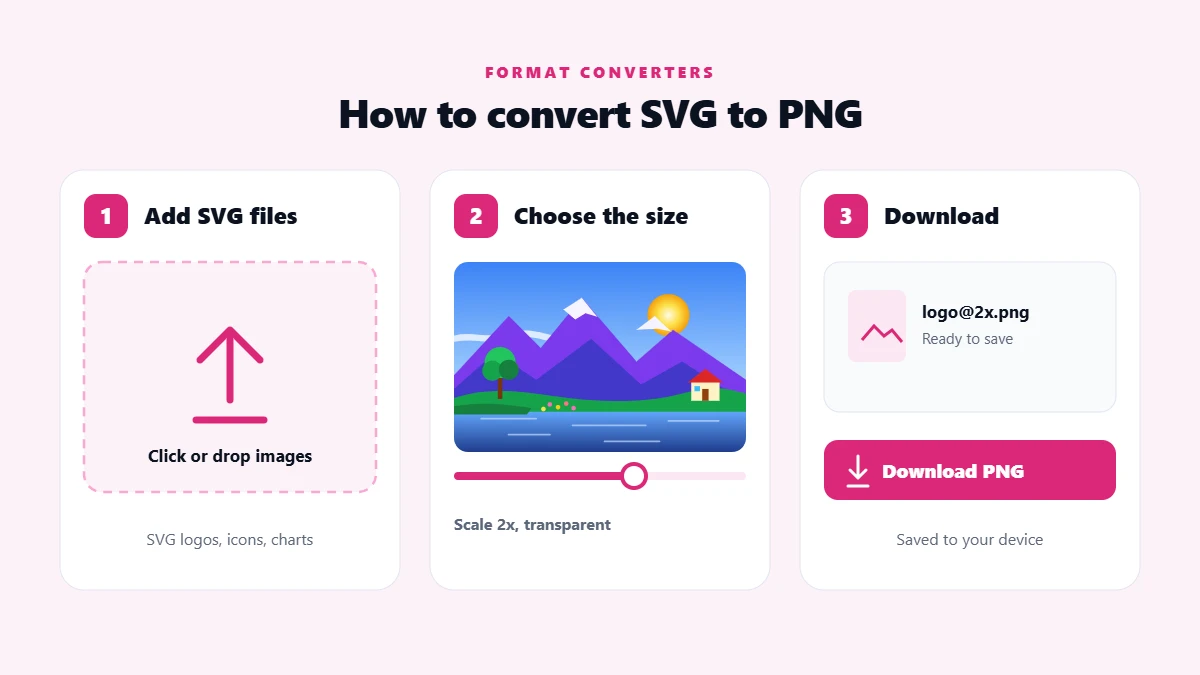
Add SVG files
Click the upload box or drop one or many .svg files, such as logos, icons and charts.
Choose the size
Pick 2x for retina screens or type an exact width (for example 1024 px). Keep the background transparent or choose a color.
Download
Press Download PNG or Download all as PNG (ZIP).
Watch: export SVG files as high-resolution PNG
Popular reasons to convert SVG to PNG
Logos for social media
Upload your logo to Facebook, Instagram, LinkedIn and YouTube, which do not accept SVG.
Documents and slides
Insert sharp logos and diagrams into Word, Google Docs and older PowerPoint.
App icons
Export icons at exact pixel sizes for iOS, Android and favicons.
Stickers and emojis
Turn vector stickers into transparent PNGs for chats and streams.
Print previews
Render vector artwork as high-resolution PNGs for proofs and mockups.
Email newsletters
Email clients rarely support SVG, but PNG works everywhere.
What size should my PNG be?
| Use | Suggested setting |
|---|---|
| Website logo (retina) | 2x of the displayed size |
| Social media profile picture | Width 800 px |
| App icon | Width 1024 px |
| Favicon | Use Image Converter and choose ICO |
| Print (300 DPI, 10 cm wide) | Width about 1181 px |
The size is based on the SVG width and height, or its viewBox if no size is set.
Why SVG stays sharp and PNG does not
SVG is a vector format: lines, curves and text are stored as instructions, so they can be drawn at any size without blur. PNG is a raster format: a fixed grid of pixels. When you convert, the vector is drawn once at your chosen size. Pick a large enough size up front, because scaling a PNG up later makes it blurry.
Fonts that are not embedded in the SVG are drawn with a similar system font. For exact typography, convert text to outlines in your design app before exporting the SVG.
How to convert SVG to PNG on Windows, Mac, iPhone and Android
No app to install. The tool works in any modern browser, so the steps are almost the same everywhere.
On Windows
- Open toolzzz.com/svg-to-png/ in Chrome, Edge or Firefox.
- Drag your SVG files from File Explorer onto the upload box.
- Pick a Scale (2x for sharp screens) or an exact width, then press Download PNG.
- The new file is saved to your Downloads folder.
On Mac
- Open toolzzz.com/svg-to-png/ in Safari or Chrome.
- Drag the SVG files from Finder or the Photos app onto the upload box.
- Pick a Scale (2x for sharp screens) or an exact width, then press Download PNG.
- Find the result in Downloads (Safari asks first if set to).
On iPhone and iPad
- Open toolzzz.com/svg-to-png/ in Safari.
- Tap the upload box and choose Photo Library, Take Photo or Choose File.
- Pick a Scale (2x for sharp screens) or an exact width, then tap Download PNG.
- Tap Download, then open it from the Files app and choose Save Image to add it to Photos.
On Android
- Open toolzzz.com/svg-to-png/ in Chrome.
- Tap the upload box and pick the SVG files from your Gallery, Files or camera.
- Pick a Scale (2x for sharp screens) or an exact width, then tap Download PNG.
- The image appears in your Downloads folder and in Google Photos under Downloads.
Toolzzz vs. typical online converters
| Feature | Toolzzz SVG to PNG | Typical online converters |
|---|---|---|
| Your files are uploaded to a server | Never. Rendered in your browser | Usually |
| Scale and exact width | 1x to 4x or any width | Often original size only |
| Transparent background | Yes, or any color | Sometimes |
| Output formats | PNG, JPG or WebP | PNG only |
| Batch conversion + ZIP | Unlimited | Often limited |
| Preview before download | Yes | Rare |
| Watermark or sign-up | None | Common |
"Typical" describes common limits of free online services. Plans and limits differ between sites.
SVG to PNG with full control over size
Sharp at any size
Vectors are rendered directly at your chosen pixel size, not upscaled.
Scale or exact width
1x, 2x, 3x, 4x or a precise width up to 8000 px.
Transparency
Keep a transparent background or fill with any color.
Three formats
Export PNG, JPG or WebP from the same SVG.
Batch + ZIP
Export a full icon set in one go.
Private
SVG code and artwork never leave your device.
Key terms explained
- SVG
- Scalable Vector Graphics, an XML-based vector image format for the web.
- viewBox
- The SVG attribute that defines the coordinate system and proportions of the drawing.
- Retina (2x)
- High-density screens that need images at twice the displayed pixel size to look sharp.
Frequently asked questions
How do I convert SVG to PNG for free?
Drop the SVG on this page, choose a scale and press Download PNG. No sign-up and no watermark.
How do I make a high-resolution PNG from SVG?
Choose 3x or 4x, or type an exact width such as 2000 px. The vector is rendered sharply at that size.
Will the PNG have a transparent background?
Yes, if Transparent background is checked. Uncheck it to fill with a color.
Why does the text look different?
Fonts that are not embedded in the SVG are replaced by a similar system font. Convert text to outlines before exporting.
Can I convert SVG to JPG?
Yes. Choose JPG in Convert to. Transparent areas get the background color.
Can I convert many SVG files at once?
Yes. Add them all and press Download all as PNG (ZIP).
Does it work on mobile?
Yes, on iPhone, iPad and Android.
Are my SVG files uploaded?
No. Rendering happens in your browser.