
Make a photo black and white in seconds
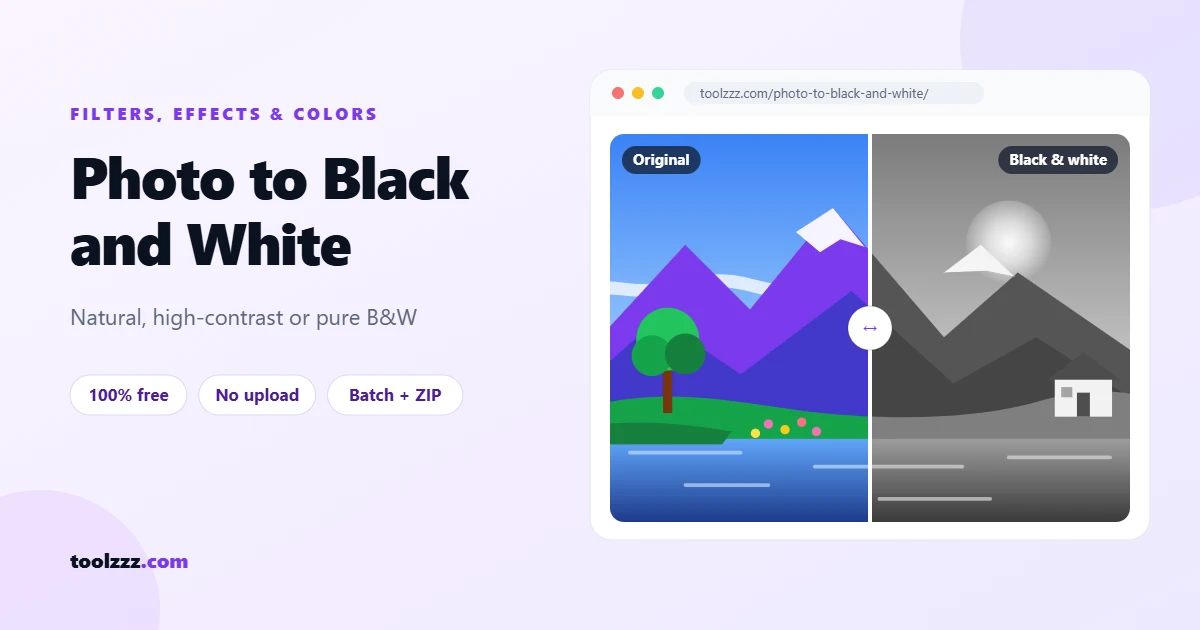
To turn a photo black and white, drop it into Toolzzz Photo to Black and White, keep the Natural style (or try High contrast, Soft or Red filter), and press Download image. The tool converts colors to gray using perceptual luminance weights, so skies, skin and foliage keep their natural brightness. It runs in your browser, so your photos are never uploaded.
- 5 grayscale styles
- Partial desaturation
- Pure B&W threshold
- Batch + ZIP
- Keeps PNG transparency
- 100% free, no sign-up
- No watermark
How to convert a photo to black and white
Black and white (also called grayscale or monochrome) removes color and keeps only brightness. It is a classic look for portraits, street and architecture photos, and it also makes documents print cleanly.
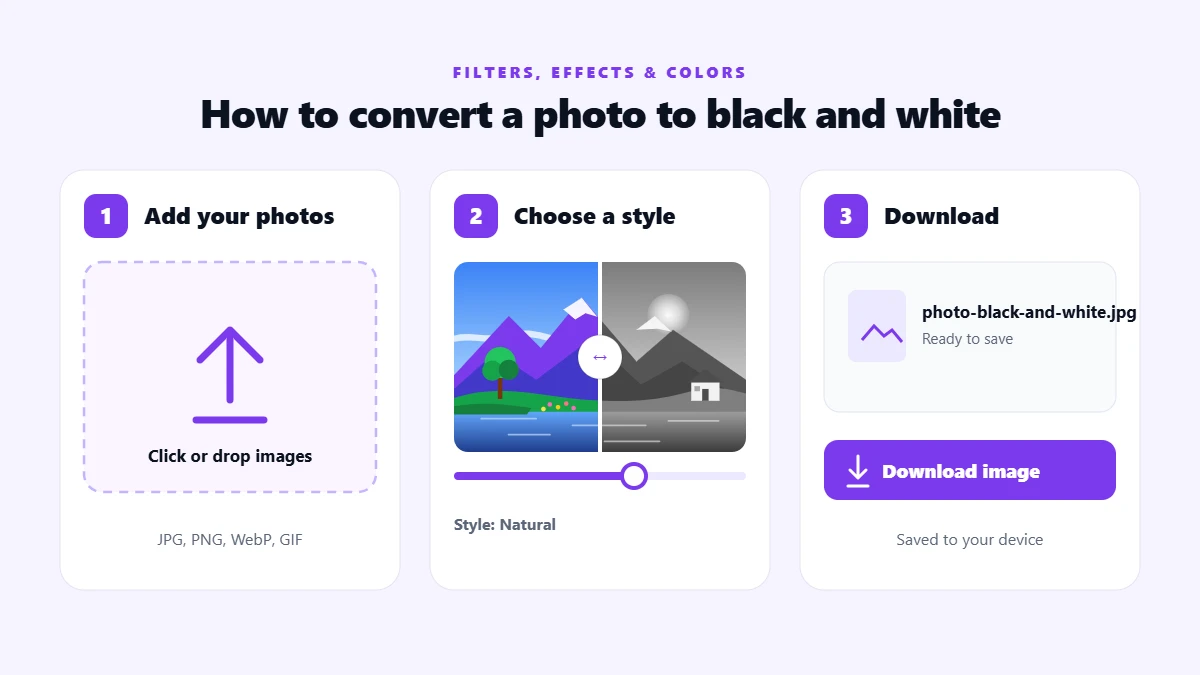
Add your photos
Click the upload box or drop one or many JPG, PNG or WebP images onto it. You can also paste a screenshot with Ctrl + V.
Choose a style
Natural is a faithful grayscale. High contrast adds drama, Soft lifts the shadows, Red filter darkens blue skies, and Pure B&W makes only black and white pixels.
Download
Drag the before/after slider to check, then press Download image, or Download all (ZIP) for a batch.
Watch: convert any photo to black and white for free
Popular reasons to make photos black and white
Timeless portraits
Grayscale hides skin redness and mixed lighting, so portraits look calm, classic and flattering.
Street and architecture
Removing color puts the focus on shapes, lines, light and shadow, the core of strong street photography.
Cheaper, cleaner printing
Convert images before printing on a laser printer to save color ink and avoid muddy color-to-gray conversions.
Scanned documents
Pure B&W turns a phone photo of a page into crisp black text on a white background.
Consistent social feeds
A monochrome series looks curated on Instagram, LinkedIn and portfolios, even when the originals clash.
Memorial and vintage designs
Grayscale photos suit memorial cards, anniversary slideshows and invitations with a nostalgic feel.
Which black and white style should you pick?
Every style uses a different recipe to turn red, green and blue into a single gray value. The right choice depends on the subject.
| Style | What it does | Best for |
|---|---|---|
| Natural | Luminance weights (21% red, 72% green, 7% blue), the same formula used by HDTV and sRGB | Most photos |
| High contrast | Natural grayscale with deeper blacks and brighter whites | Street, architecture |
| Soft | Lifted shadows and gentler highlights for a matte look | Portraits, weddings |
| Red filter | Mimics a red lens filter on film: darker skies, lighter skin | Landscapes, clouds |
| Pure B&W | Every pixel becomes black or white at the threshold you set | Documents, line art, stencils |
Tip: lower Strength below 100% for a desaturated, muted-color look instead of full grayscale.
Is grayscale the same as black and white?
In everyday speech, yes: a "black and white photo" is a grayscale photo with many shades of gray. Strictly speaking, a pure black and white (1-bit or bitonal) image has only two colors. Toolzzz offers both: the first four styles create smooth grayscale, while Pure B&W creates a true two-tone image, useful for stencils, laser engraving, signatures and fax-like documents.
A simple "average" of red, green and blue looks wrong because our eyes are far more sensitive to green than to blue. That is why a pure blue sky turns almost black with averaging but stays mid-gray with the Natural luminance formula used here.
How to convert a photo to black and white on Windows, Mac, iPhone and Android
No app to install. The tool works in any modern browser, so the steps are almost the same everywhere.
On Windows
- Open toolzzz.com/photo-to-black-and-white/ in Chrome, Edge or Firefox.
- Drag your photo from File Explorer onto the upload box.
- Pick a style such as Natural or High contrast, then press Download image.
- The new file is saved to your Downloads folder.
On Mac
- Open toolzzz.com/photo-to-black-and-white/ in Safari or Chrome.
- Drag the photo from Finder or the Photos app onto the upload box.
- Pick a style such as Natural or High contrast, then press Download image.
- Find the result in Downloads (Safari asks first if set to).
On iPhone and iPad
- Open toolzzz.com/photo-to-black-and-white/ in Safari.
- Tap the upload box and choose Photo Library, Take Photo or Choose File.
- Pick a style such as Natural or High contrast, then tap Download image.
- Tap Download, then open it from the Files app and choose Save Image to add it to Photos.
On Android
- Open toolzzz.com/photo-to-black-and-white/ in Chrome.
- Tap the upload box and pick the photo from your Gallery, Files or camera.
- Pick a style such as Natural or High contrast, then tap Download image.
- The image appears in your Downloads folder and in Google Photos under Downloads.
Toolzzz vs. typical online photo editors
| Feature | Toolzzz Photo to Black and White | Typical online editors |
|---|---|---|
| Your photo is uploaded to a server | Never. It is processed in your browser | Usually |
| Grayscale styles | 5, including Red filter and Pure B&W | 1 (plain grayscale) |
| Partial desaturation (strength) | Yes, 0 to 100% | Rare |
| Batch convert + ZIP | Yes | Often paid |
| Before/after slider | Yes | Rare |
| Keeps PNG transparency | Yes | Sometimes |
| Watermark or sign-up | None | Common on free plans |
"Typical" describes common limits of free online services. Plans and limits differ between sites.
A black and white converter with real control
Five looks, one click
Switch between Natural, High contrast, Soft, Red filter and Pure B&W and see the result instantly.
Live before and after
Drag the slider across your photo to compare the color original with the grayscale version.
Batch conversion
Drop a whole folder of photos and download them all as one ZIP with the same settings.
Private by design
Photos are converted with your device's own processor. Nothing is sent to a server.
Full resolution
The download keeps the original width and height, with no resizing or watermark.
Transparency kept
PNG and WebP images keep their transparent background. Choose PNG, JPG or WebP output.
Tips for the best result
- For portraits, try Soft with Strength 100%, then raise Brightness slightly under More options.
- Landscapes with blue sky look dramatic with the Red filter style.
- For a phone photo of a document, use Pure B&W and move the Threshold until the text is solid and the paper is clean white.
- Save as PNG when you need sharp text or line art. Use JPG for normal photos to keep files small.
- Want a warm vintage look instead? Try the Sepia Filter.
Key terms explained
- Grayscale
- An image that stores only brightness, from black through gray to white, with no color information.
- Luminance
- The perceived brightness of a color. Green contributes most, blue least, which is why weighted formulas look natural.
- Threshold
- The brightness level that splits pixels into pure black or pure white in a bitonal image.
Frequently asked questions
How do I make a picture black and white for free?
Open this page, drop your picture onto the upload box, keep the Natural style and press Download image. There is no sign-up, no watermark and no limit on the number of photos.
Will converting to black and white reduce quality?
No. The image keeps its full resolution. Only the color information is removed. Choose PNG output if you want zero compression loss.
What is the best black and white filter for portraits?
Soft or Natural. Soft lifts the shadows for a flattering matte look, while Natural is the most faithful conversion. Avoid Pure B&W for faces.
Can I convert many photos to black and white at once?
Yes. Select or drop several images. They all use the same style, and Download all (ZIP) saves every converted photo in one file.
Can I make an image only partly black and white?
Yes. Lower the Strength slider to keep some of the original color. Around 40 to 60% gives a muted, desaturated film look.
How do I turn a photo into pure black and white with no gray?
Choose the Pure B&W style and adjust the Threshold. Pixels brighter than the threshold become white, the rest become black.
Does it work on iPhone and Android?
Yes. It works in Safari, Chrome and other mobile browsers. Tap the upload box, pick a photo from your gallery and tap Download image.
Are my photos uploaded or stored?
No. All processing happens inside your browser on your own device. Toolzzz never receives, stores or sees your photos.