
How do I convert JSON to TypeScript?
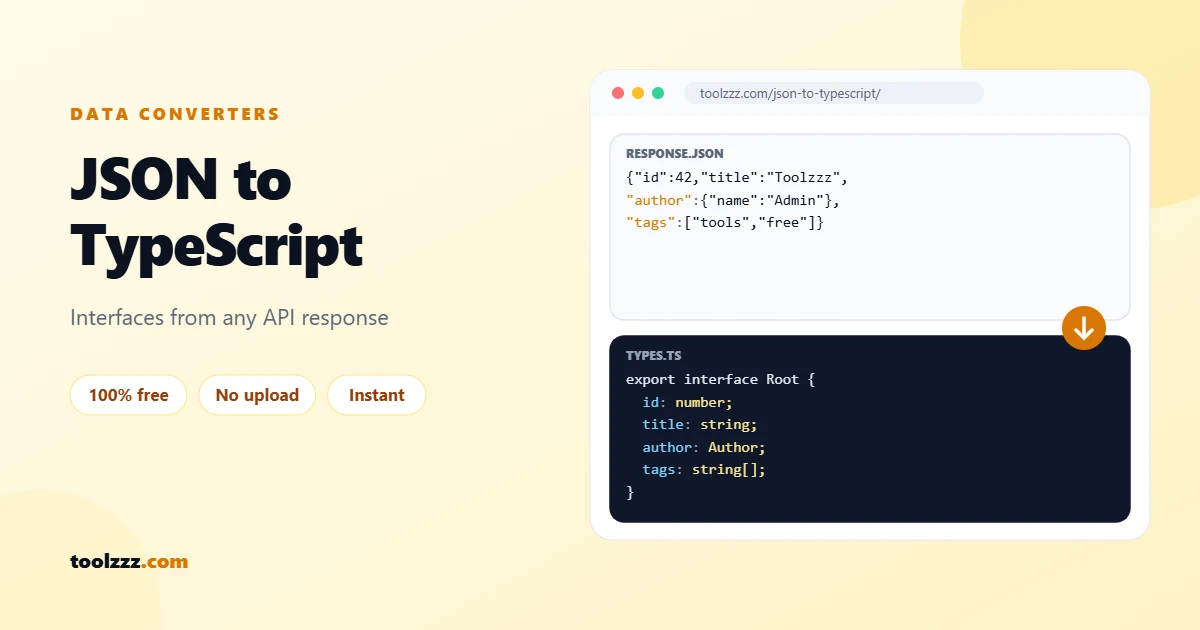
Paste a JSON object or API response. The Toolzzz JSON to TypeScript converter creates an interface or type for the root and for every nested object, infers string, number, boolean and array types, merges array items, and marks fields that are missing in some items as optional.
- Generates interface or type declarations
- Separate named types for nested objects
- Merges array items into one type
- Marks missing fields optional (?)
- Union types for mixed values
- Optional export and readonly
- Quotes keys that are not valid identifiers
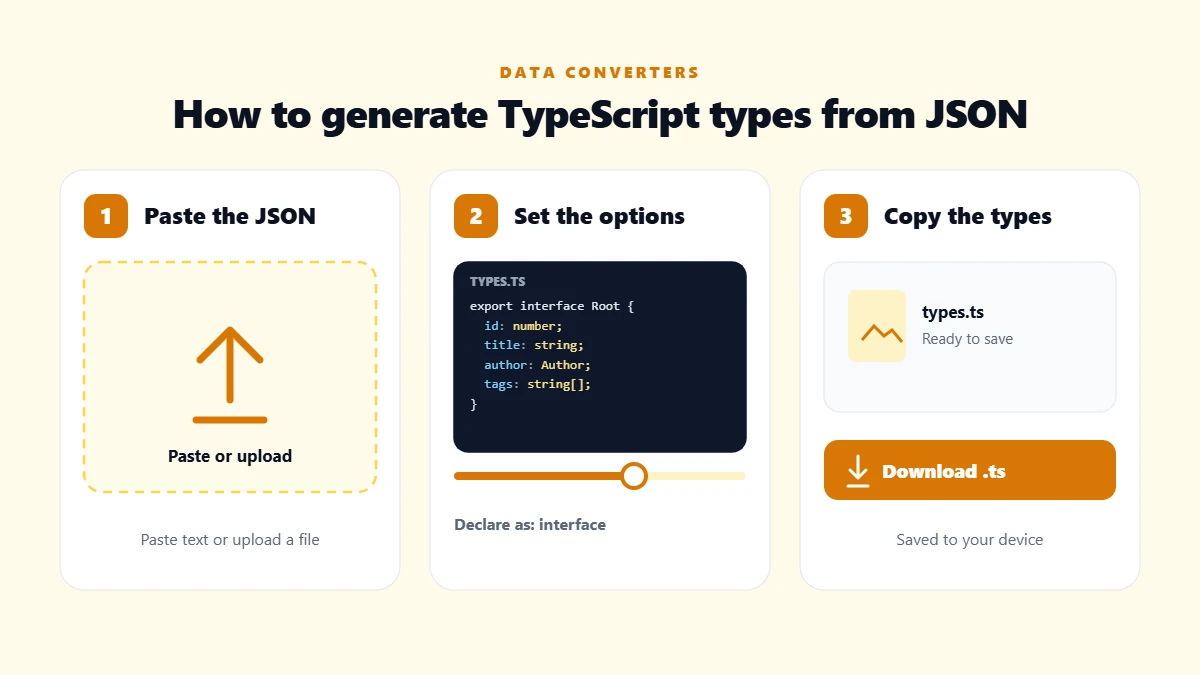
How to generate TypeScript types from JSON
Types are generated the moment the JSON is valid.
Paste the JSON
Paste an API response or press Upload to open a .json file.
Set the options
Name the root type, choose interface or type, and set export, optional and readonly.
Copy the types
Press Copy and paste into your .ts file, or Download types.ts.
Watch: how to use the free JSON to TypeScript
Why generate types from JSON
Typing API responses
Get autocompletion and type checks for fetch results.
Faster onboarding
Understand an unfamiliar API by reading its types.
Catch bugs early
Let the compiler flag wrong property names.
Frontend and backend
Share types between React, Vue, Angular and Node.
Documentation
Use the interfaces as readable docs for a payload.
Config files
Type your JSON settings files.
How to use the JSON to TypeScript on Windows, Mac, iPhone and Android
No app to install. The tool works in any modern browser, so the steps are almost the same everywhere.
On Windows
- Open toolzzz.com/json-to-typescript/ in Chrome, Edge or Firefox.
- Paste (Ctrl+V) your JSON into the left box, or press Upload to open a file.
- Name the root type and pick interface or type.
- Press Copy to put the result on your clipboard, or Download .ts to save it. Files go to your Downloads folder.
On Mac
- Open toolzzz.com/json-to-typescript/ in Safari or Chrome.
- Paste (Cmd+V) your JSON into the left box, or press Upload to open a file.
- Name the root type and pick interface or type.
- Press Copy to put the result on your clipboard, or Download .ts to save it.
On iPhone and iPad
- Open toolzzz.com/json-to-typescript/ in Safari.
- Touch and hold the box, tap Paste to add your JSON into the left box, or tap Upload to open a file.
- Name the root type and pick interface or type.
- Tap Copy to put the result on your clipboard, or Download .ts to save it. Downloads appear in the Files app.
On Android
- Open toolzzz.com/json-to-typescript/ in Chrome.
- Long-tap the box and tap Paste to add your JSON into the left box, or press Upload to open a file.
- Name the root type and pick interface or type.
- Tap Copy to put the result on your clipboard, or Download .ts to save it. Downloads go to the Downloads folder.
Toolzzz vs. other online converters
| Feature | Toolzzz JSON to TypeScript | Typical online converters |
|---|---|---|
| Price | Free, no limits | Free tier, then paid plans |
| Where your data goes | Stays in your browser | Often uploaded to a server |
| Sign-up | Not needed | Sometimes needed to download |
| Speed | Converts as you type | Upload, wait, then download |
| Size limit | Only your device memory | Often 1 to 10 MB on free plans |
| Error messages | Line and column shown | Often just "invalid input" |
"Typical" describes common limits of free online services. Plans and limits differ between sites.
Why convert data with Toolzzz
Private by design
Your data is converted by JavaScript in this tab. Nothing is sent to Toolzzz or anyone else.
Instant results
The output updates while you type or paste. There is no queue and no waiting.
Clear errors
Invalid input is flagged with the reason and, where possible, the exact line and column.
Copy or download
Copy the result in one click or save it as a ready-to-use file.
Works everywhere
Windows, Mac, Linux, iPhone, iPad and Android. Any modern browser will do.
Free forever
No account, no limits, no watermark and no trial period.
Tips for the best result
- Paste a response that includes all fields. Fields not in the sample cannot be typed.
- For arrays of objects, items are merged, and fields missing in some items become optional.
- Null values become optional when Make null values optional is on. Turn it off to keep "| null".
- Rename generated types to match your project naming.
- Validate the JSON first with the JSON Formatter.
Key terms explained
- Interface
- A TypeScript declaration that describes the shape of an object.
- Optional property
- A property marked with ? that may be missing.
- Union type
- A type that allows several kinds of values, such as string | number.
Frequently asked questions
Is JSON to TypeScript free?
Yes, free and unlimited.
Is my JSON uploaded?
No. Types are generated in your browser, so private API data stays on your device.
Interface or type: which should I choose?
Both work for object shapes. Interfaces can be extended and merged; type aliases can express unions. Pick what your project uses.
How are arrays typed?
Arrays of one kind become string[] or Item[]. Mixed arrays become a union such as (string | number)[].
What about empty arrays?
They become unknown[] because there is no sample item to infer from.
Are nested objects named?
Yes. A key like "author" becomes an Author type. Duplicate names get a number suffix.
Does it handle invalid key names?
Yes. Keys with spaces or dashes are quoted, such as "first-name": string.
Can I get readonly properties?
Yes. Tick readonly properties.