
Reverse a GIF in seconds
To reverse a GIF, drop it into Toolzzz Reverse GIF, keep Reverse selected (or choose Boomerang to play forward and then backward), check the live preview, and press Create GIF. Each frame keeps its original duration. The GIF is processed in your browser, so it is never uploaded.
- Reverse playback
- Boomerang loop
- Live preview
- Timing preserved
- Loop and color options
- 100% free, no sign-up
- No watermark
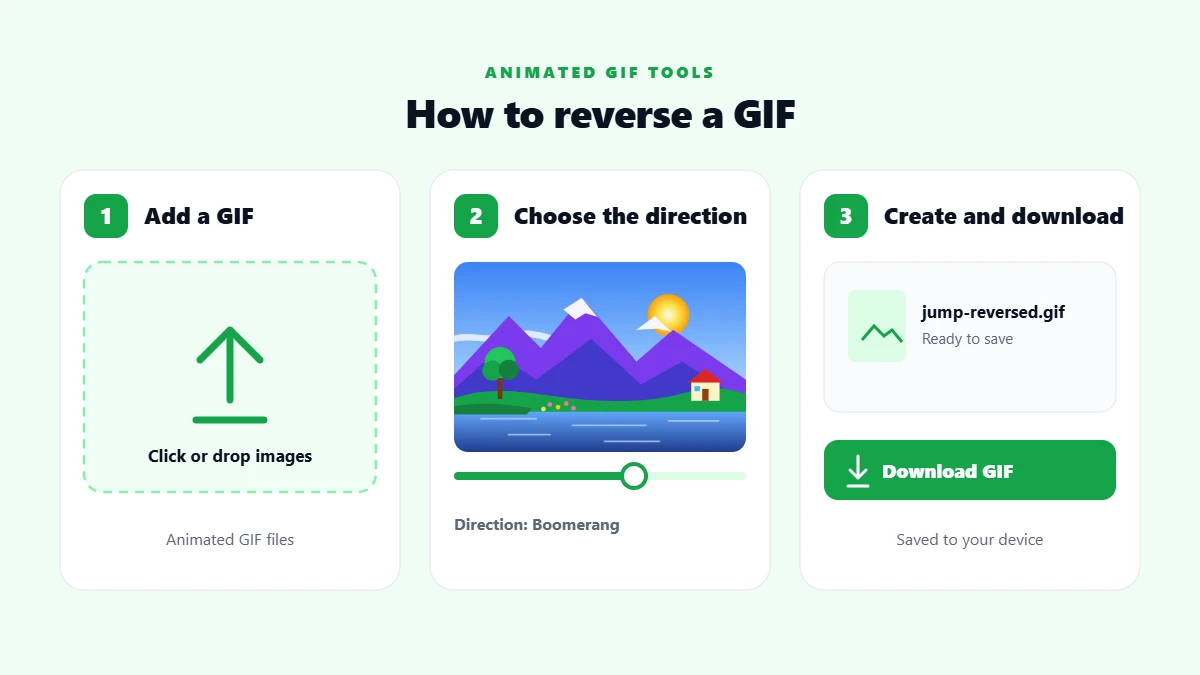
How to reverse a GIF
Playing a GIF backwards creates funny and surprising effects: water flowing up, people walking backwards, or objects reassembling. A boomerang loop plays forward and backward for a seamless, hypnotic effect like Instagram Boomerang.
Add a GIF
Click the upload box or drop an animated GIF.
Choose the direction
Reverse plays the frames in reverse order. Boomerang plays forward, then backward, without repeating the end frames.
Create and download
Press Create GIF and then Download GIF.
Watch: reverse a GIF and make a boomerang
Popular reasons to reverse GIFs
Funny effects
Rewind moments like jumps, splashes or falls for comedy.
Boomerang loops
Create smooth back-and-forth loops without a jump at the end.
Product reveals
Assemble a product instead of taking it apart.
Art and design
Make hypnotic, seamless background loops.
Undo animations
Show a process in reverse to explain it.
Reactions
Turn a reaction into its playful opposite.
Reverse vs. boomerang
| Mode | Frames | Effect |
|---|---|---|
| Reverse | Same count, last to first | The animation plays backwards |
| Boomerang | About twice as many | Forward then backward, a seamless loop |
Boomerang skips repeating the first and last frame, so the turnaround looks smooth. The file is roughly twice as large.
Make the boomerang lighter
Because a boomerang doubles the frames, trim the GIF first with Trim GIF to the most interesting part, or reduce Colors to 128. For social media, convert the result with GIF to MP4 for a much smaller file.
How to reverse a GIF on Windows, Mac, iPhone and Android
No app to install. The tool works in any modern browser, so the steps are almost the same everywhere.
On Windows
- Open toolzzz.com/reverse-gif/ in Chrome, Edge or Firefox.
- Drag your GIF from File Explorer onto the upload box.
- Choose Reverse or Boomerang, then press Create GIF, then press Download GIF.
- The new file is saved to your Downloads folder.
On Mac
- Open toolzzz.com/reverse-gif/ in Safari or Chrome.
- Drag the GIF from Finder or the Photos app onto the upload box.
- Choose Reverse or Boomerang, then press Create GIF, then press Download GIF.
- Find the result in Downloads (Safari asks first if set to).
On iPhone and iPad
- Open toolzzz.com/reverse-gif/ in Safari.
- Tap the upload box and choose Photo Library, Take Photo or Choose File.
- Choose Reverse or Boomerang, then press Create GIF, then tap Download GIF.
- Tap Download, then open it from the Files app and choose Save Image to add it to Photos.
On Android
- Open toolzzz.com/reverse-gif/ in Chrome.
- Tap the upload box and pick the GIF from your Gallery, Files or camera.
- Choose Reverse or Boomerang, then press Create GIF, then tap Download GIF.
- The image appears in your Downloads folder and in Google Photos under Downloads.
Toolzzz vs. typical online GIF reversers
| Feature | Toolzzz Reverse GIF | Typical tools |
|---|---|---|
| Your GIF is uploaded to a server | Never. Reversed in your browser | Usually |
| Boomerang mode | Yes | Rare |
| Live preview | Yes | Rare |
| Frame timing kept | Yes | Yes |
| Loop and color options | Yes | Rare |
| Watermark | None | Common |
| Sign-up required | No | Common |
"Typical" describes common limits of free online services. Plans and limits differ between sites.
Reverse and boomerang GIFs in one tool
Two directions
Plain reverse or a smooth boomerang loop.
Live preview
Watch the result loop before you save.
Timing kept
Every frame keeps its original duration.
Clean output
Optimized palettes per frame.
Instant
Processing happens on your device in seconds.
Private
No upload and no watermark.
Key terms explained
- Reverse
- Playing frames from last to first.
- Boomerang
- A loop that plays forward and then backward.
- Ping-pong loop
- Another name for a boomerang animation.
Frequently asked questions
How do I reverse a GIF for free?
Drop the GIF here, keep Reverse selected, press Create GIF and Download GIF.
How do I make a boomerang GIF?
Choose Boomerang. The GIF plays forward and then backward in a seamless loop.
Does reversing change the speed?
No. Each frame keeps its duration.
Why is my boomerang GIF bigger?
It has almost twice as many frames. Trim it or lower Colors to reduce size.
Can I reverse a video?
Convert it with Video to GIF first, then reverse the GIF.
Can I make it play once?
Yes. Set Loop to Play once.
Does it work on mobile?
Yes, in any modern browser.
Is my GIF uploaded?
No. Everything happens in your browser.