
Convert WebP to PNG in seconds
To convert WebP to PNG, drop your .webp files into Toolzzz WebP to PNG and press Download PNG (or Download all as PNG (ZIP)). PNG is lossless and supports transparency, so logos, stickers and icons keep their transparent background exactly. The conversion runs in your browser with no upload.
- Transparency preserved
- Lossless PNG
- Batch convert + ZIP
- Optional resize
- Animated WebP: first frame
- 100% free, no sign-up
- No watermark
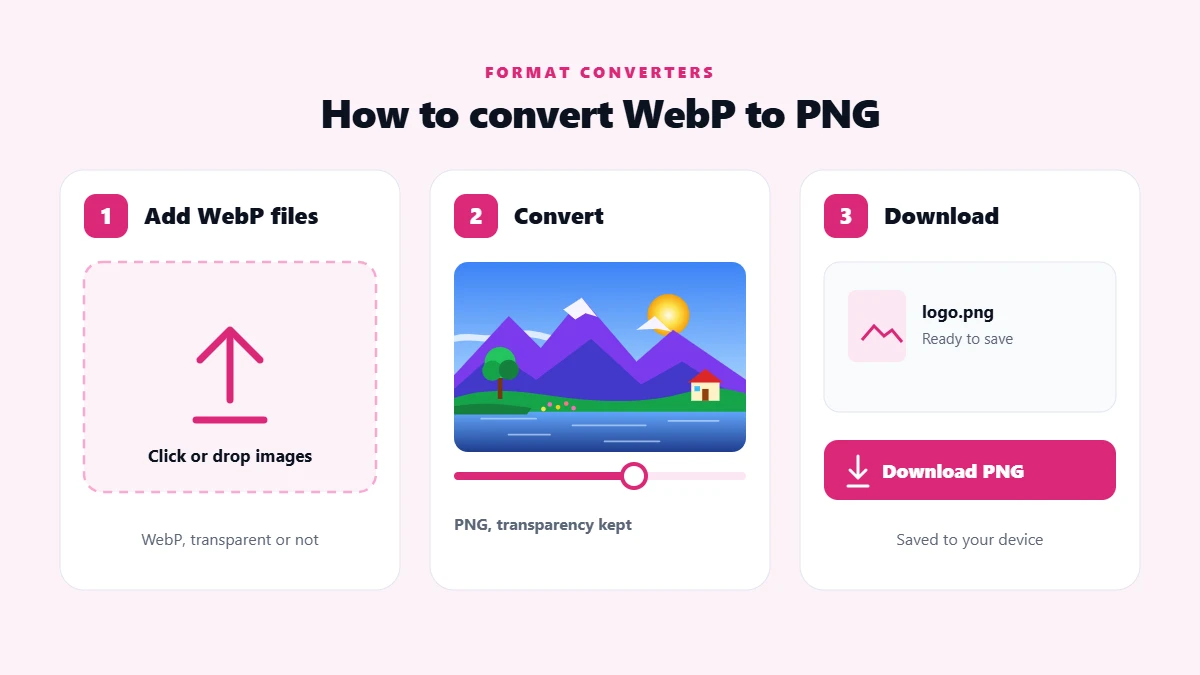
How to convert WebP to PNG
WebP images from websites often contain transparent backgrounds, for example logos, icons and stickers. PNG is the most widely supported format that keeps that transparency, which makes it the best choice for editing and design work.
Add WebP files
Click the upload box or drop one or many .webp files.
Convert
Each WebP becomes a lossless PNG with transparency. Set a Max width / height to resize at the same time.
Download
Press Download PNG or Download all as PNG (ZIP).
Watch: convert WebP to PNG with a transparent background
Popular reasons to convert WebP to PNG
Logos and icons
Keep transparent backgrounds for logos you place on slides, videos and designs.
Design tools
Import images into Canva, Figma, Photoshop or GIMP versions that prefer PNG.
Stickers and emotes
Convert transparent WebP stickers for Discord, Twitch or messaging apps.
Presentations
PNG with transparency sits cleanly on colored slides in PowerPoint and Keynote.
Older CMS uploads
Some website builders and email tools still reject WebP files.
Print-ready files
Lossless PNG avoids additional compression before printing.
WebP to PNG or WebP to JPG?
| Choose | When | Result |
|---|---|---|
| PNG | Logos, icons, screenshots, transparent images, editing | Lossless, transparency kept, larger file |
| JPG | Photos for sharing, email, printing | Small file, no transparency |
For photos, WebP to JPG gives much smaller files.
How transparency is preserved
WebP and PNG both store an alpha channel, a fourth value for every pixel that says how transparent it is. Toolzzz decodes the WebP with your browser's built-in decoder and writes every pixel, including partial transparency along soft edges and shadows, into a 32-bit PNG. Nothing is flattened onto white unless you choose JPG.
How to convert WebP to PNG on Windows, Mac, iPhone and Android
No app to install. The tool works in any modern browser, so the steps are almost the same everywhere.
On Windows
- Open toolzzz.com/webp-to-png/ in Chrome, Edge or Firefox.
- Drag your WebP files from File Explorer onto the upload box.
- Optionally choose a Max width / height, then press Download PNG.
- The new file is saved to your Downloads folder.
On Mac
- Open toolzzz.com/webp-to-png/ in Safari or Chrome.
- Drag the WebP files from Finder or the Photos app onto the upload box.
- Optionally choose a Max width / height, then press Download PNG.
- Find the result in Downloads (Safari asks first if set to).
On iPhone and iPad
- Open toolzzz.com/webp-to-png/ in Safari.
- Tap the upload box and choose Photo Library, Take Photo or Choose File.
- Optionally choose a Max width / height, then tap Download PNG.
- Tap Download, then open it from the Files app and choose Save Image to add it to Photos.
On Android
- Open toolzzz.com/webp-to-png/ in Chrome.
- Tap the upload box and pick the WebP files from your Gallery, Files or camera.
- Optionally choose a Max width / height, then tap Download PNG.
- The image appears in your Downloads folder and in Google Photos under Downloads.
Toolzzz vs. typical online converters
| Feature | Toolzzz WebP to PNG | Typical online converters |
|---|---|---|
| Your files are uploaded to a server | Never. Converted in your browser | Usually |
| Transparency preserved | Yes, full alpha | Usually |
| Batch conversion + ZIP | Unlimited | Often limited |
| Resize while converting | Yes | Rare |
| File size limit | None | Often limited |
| Waiting in a queue | No | Common |
| Watermark or sign-up | None | Common |
"Typical" describes common limits of free online services. Plans and limits differ between sites.
WebP to PNG with perfect transparency
Alpha kept
Soft edges, shadows and transparent backgrounds come through exactly.
Lossless
PNG stores every pixel exactly. Nothing is recompressed.
Batch + ZIP
Convert an entire icon or sticker pack at once.
Optional resize
Limit large images to 2048, 1080 or 512 px while converting.
Instant
Your browser decodes WebP natively, so it takes milliseconds.
Private
Nothing is uploaded or stored.
Key terms explained
- Alpha channel
- The part of an image that stores transparency for each pixel.
- Lossless
- Compression that keeps every pixel exactly.
- 32-bit PNG
- A PNG with red, green, blue and alpha (8 bits each), used for transparent images.
Frequently asked questions
How do I convert WebP to PNG for free?
Drop the WebP on this page and press Download PNG. No sign-up and no watermark.
Will the transparent background be kept?
Yes. PNG supports transparency, so transparent areas stay transparent.
Does WebP to PNG lose quality?
No. PNG is lossless, so the image looks exactly like the WebP.
Why is the PNG larger than the WebP?
WebP compresses better than PNG. Lossless PNGs are usually larger.
Can I convert animated WebP to PNG?
The first frame is saved as a PNG.
Can I convert several files at once?
Yes. Add them all and press Download all as PNG (ZIP).
Does it work on mobile?
Yes, on iPhone, iPad and Android.
Are my images uploaded?
No. Conversion happens in your browser.