

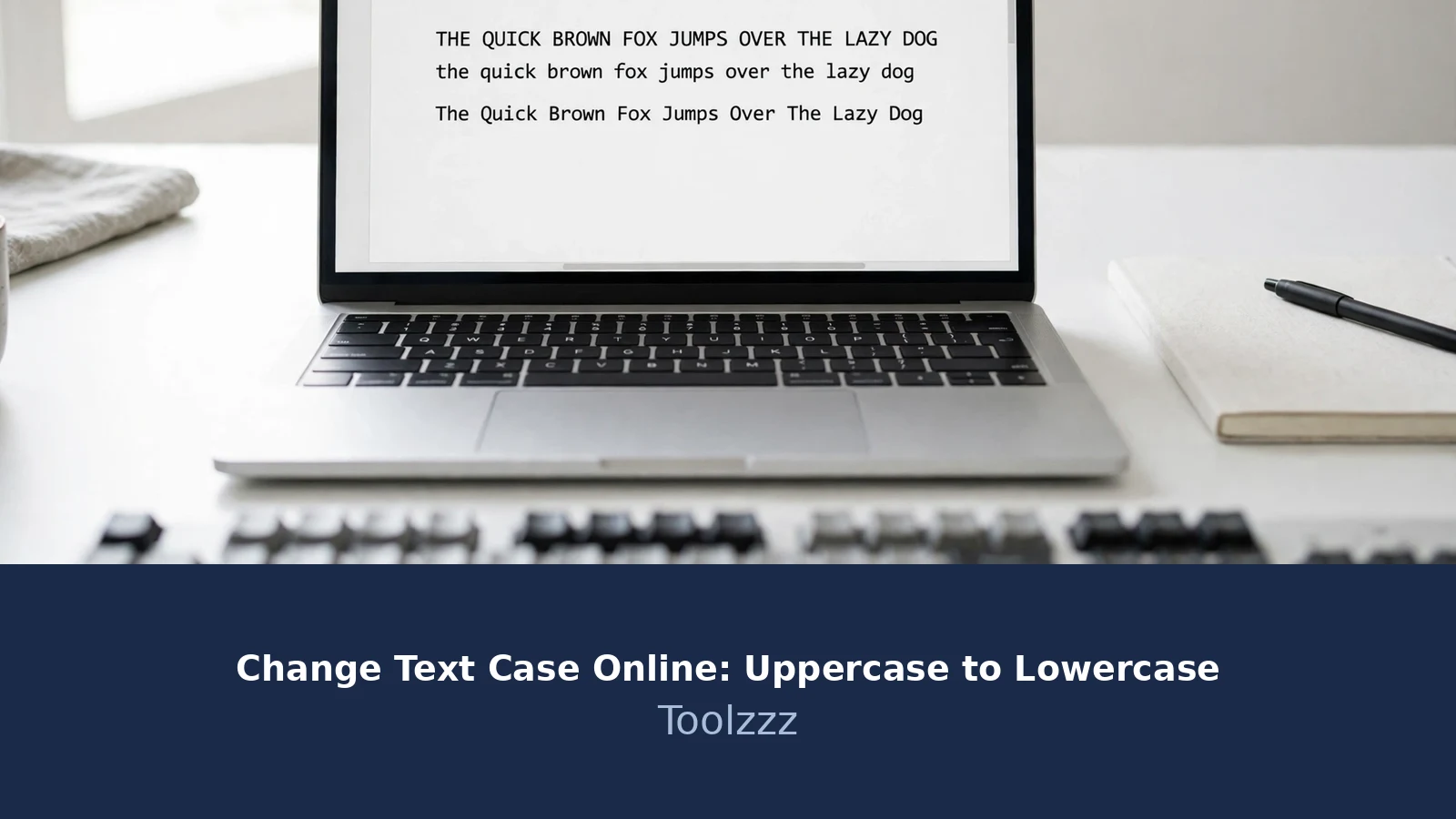
It happens to everyone. You type a whole paragraph, look up, and realise Caps Lock was on. Or a form forces your name into block capitals, and the heading you pasted into a slide looks like it is shouting. Retyping it all is slow, and fixing it letter by letter is worse.
A case converter fixes the whole block in one click. You paste the text, pick the case you want, and copy the result. This guide shows you how to change text case online free, using the Toolzzz Case Converter, with a real sample converted through all eleven of its cases so you can see exactly what each one does before you try it yourself.
Short answer: To change text case online, open the Toolzzz Case Converter, paste your text, and click the case you want: UPPERCASE, lowercase, Title Case, Sentence case, or a code style like camelCase. The result appears at once, and you copy it or download it as a .txt file. Nothing is uploaded, and there is no sign-up or limit.
How do I change text case online?
Most online converters follow the same few steps, and the Toolzzz one is no different. Here is the whole job, start to finish.
1. Open the tool. Go to the Toolzzz Case Converter. It opens with Title Case already selected, and the input box is ready for your text. There is no account to create and nothing to install.
2. Paste your text. Type or paste into the box under Your Text. You can also use the Upload button to load a text file, or the Example button to fill in a sample and see how the tool behaves. The tool shows a character count as you type. In our test, a three-sentence sample of 155 characters showed as 155 characters. There is no word count shown, and no limit on length beyond your own device memory, according to the tool page.
3. Click the case you want. Eleven buttons sit between the two boxes: UPPERCASE, lowercase, Title Case, Sentence case, camelCase, PascalCase, snake_case, kebab-case, CONSTANT_CASE, aLtErNaTiNg, and iNVERSE. Click one and the converted text appears in the box below at once. There is no convert button to press and no waiting.
4. Copy or download the result. Press Copy to put the converted text on your clipboard. We tested this, and the button changes to Copied when it works. Or press Download to save the result as a .txt file. The Clear button empties the input box so you can start again, and your original text stays in the input box, so you can switch to a different case and copy that too without pasting again.
That is the whole process. The next section shows what actually came out when we ran a real sample through every case, because the differences between some of them are easy to get wrong.
What did the tool do with a real sample?
We pasted this exact sample into the tool, three sentences with deliberately mixed capitalisation, including a shouty middle sentence and a lower-case Friday:
the quick brown fox jumps over the lazy dog. PACK YOUR BAGS for the trip on FRIDAY! meeting notes: review the budget, email the client, and book the venue.
Here is what each of the eleven cases produced, word for word. The tool reported the sample as 155 characters.
| Case | What it produced |
|---|---|
| UPPERCASE | THE QUICK BROWN FOX JUMPS OVER THE LAZY DOG. PACK YOUR BAGS FOR THE TRIP ON FRIDAY! MEETING NOTES: REVIEW THE BUDGET, EMAIL THE CLIENT, AND BOOK THE VENUE. |
| lowercase | the quick brown fox jumps over the lazy dog. pack your bags for the trip on friday! meeting notes: review the budget, email the client, and book the venue. |
| Title Case | The Quick Brown Fox Jumps Over the Lazy Dog. Pack Your Bags for the Trip on Friday! Meeting Notes: Review the Budget, Email the Client, and Book the Venue. |
| Sentence case | The quick brown fox jumps over the lazy dog. Pack your bags for the trip on friday! Meeting notes: review the budget, email the client, and book the venue. |
| camelCase | theQuickBrownFoxJumpsOverTheLazyDogPackYourBagsForTheTripOnFridayMeetingNotesReviewTheBudgetEmailTheClientAndBookTheVenue |
| PascalCase | TheQuickBrownFoxJumpsOverTheLazyDogPackYourBagsForTheTripOnFridayMeetingNotesReviewTheBudgetEmailTheClientAndBookTheVenue |
| snake_case | the_quick_brown_fox_jumps_over_the_lazy_dog_pack_your_bags_for_the_trip_on_friday_meeting_notes_review_the_budget_email_the_client_and_book_the_venue |
| kebab-case | the-quick-brown-fox-jumps-over-the-lazy-dog-pack-your-bags-for-the-trip-on-friday-meeting-notes-review-the-budget-email-the-client-and-book-the-venue |
| CONSTANT_CASE | THE_QUICK_BROWN_FOX_JUMPS_OVER_THE_LAZY_DOG_PACK_YOUR_BAGS_FOR_THE_TRIP_ON_FRIDAY_MEETING_NOTES_REVIEW_THE_BUDGET_EMAIL_THE_CLIENT_AND_BOOK_THE_VENUE |
| aLtErNaTiNg | tHe QuIcK bRoWn FoX jUmPs OvEr ThE lAzY dOg. PaCk YoUr BaGs FoR tHe TrIp On FrIdAy! MeEtInG nOtEs: ReViEw ThE bUdGeT, eMaIl ThE cLiEnT, aNd BoOk ThE vEnUe. |
| iNVERSE | THE QUICK BROWN FOX JUMPS OVER THE LAZY DOG. pack your bags FOR THE TRIP ON friday! MEETING NOTES: REVIEW THE BUDGET, EMAIL THE CLIENT, AND BOOK THE VENUE. |
Four things in that table are worth noticing, because they catch people out.
Title Case is not capitalise-every-word. The tool keeps short words like the, for, and on in lower case, except at the start of a sentence. That is why the sample reads “Jumps Over the Lazy Dog” and “for the Trip on Friday”, not “Over The Lazy Dog”. The tool page says the same thing: Title Case keeps short words like a, and, of, the and to lower case. If you need every word capitalised, that is a different style, and Word calls it Capitalize Each Word.
Sentence case lowercases names too. Look at “friday” in the Sentence case row. The original sample had FRIDAY in capitals, and Sentence case turned it into lower case because it only capitalises the first letter of each sentence. The tool page warns about this directly: Sentence case lowercases everything first, so names need a quick check afterwards. Any name, place, or acronym in your text needs the same check. Monday, London, NASA, and the pronoun I all lose their capitals, and you have to put them back by hand.
The code cases remove punctuation. camelCase, PascalCase, snake_case, kebab-case, and CONSTANT_CASE all strip spaces and punctuation. Full stops, exclamation marks, colons, and commas all disappear, because a variable name cannot hold them. That is correct behaviour for code, but it means you should never run a normal paragraph through one of these cases and paste the result back into a document. The words join into one long string with nothing between the sentences.
aLtErNaTiNg counts letters only. Spaces and punctuation do not break the alternation. The first letter is lower case, the second is upper case, and the pattern carries straight across word gaps, so “tHe QuIcK” rather than a fresh pattern at each word. It is a joke style for memes and chat messages, and it has no serious use, but it works exactly as labelled.
Which case should I use?
Eleven buttons is a lot of choice, and most people only ever need four of them. The right case depends on where the text is going, not on which button looks interesting.
| Case | What it does | Use it for |
|---|---|---|
| UPPERCASE | Every letter becomes a capital. | Short warnings, form fields that demand capitals, and headings you want to shout. Never use it for a whole paragraph, because it is hard to read and feels like shouting. |
| lowercase | Every letter becomes small. | Normalising text for file names, tags, email addresses, and search. Also the first step in fixing a Caps Lock accident, before you apply Sentence case. |
| Title Case | Capitalises the main words, keeps short words lower case. | Headings, slide titles, book and article titles, and table column names. |
| Sentence case | Capitalises only the first letter of each sentence. | Body text, paragraphs typed in all capitals, and any normal prose. This is the one to reach for first when rescuing a Caps Lock paragraph. |
| camelCase | First word lower case, later words capitalised, no spaces. | Variable and function names in JavaScript, Java, and Swift. |
| PascalCase | Every word capitalised, no spaces. | Class and component names in most programming languages, including React. |
| snake_case | Lower case words joined with underscores. | Variable names in Python and Ruby, and column names in SQL databases. |
| kebab-case | Lower case words joined with hyphens. | URL slugs, CSS class names, and npm package names. |
| CONSTANT_CASE | Upper case words joined with underscores. | Constants and environment variables, where the shouting is the point. |
| aLtErNaTiNg | Alternates upper and lower case letter by letter. | Memes and joke messages. Do not use it anywhere serious. |
| iNVERSE | Flips the case of every letter. | Fixing text typed with Caps Lock on but Shift held down, which produces the exact reverse of what you wanted. |
Two of those deserve a closer look. Sentence case is the best rescue tool for a whole paragraph, because it puts a capital where each sentence starts and calms everything else down. But it is a blunt tool, and you must re-check names afterwards. And Title Case is the one people argue about most, because every style guide draws the line on small words in a slightly different place. The Toolzzz tool keeps a, and, of, the and to lower case. If you follow a strict guide such as AP or Chicago, check its exact word list before you publish a headline, because the guides disagree on words like “with” and “is”.
One more thing the table makes clear: changing case never changes your word count. The words are the same, only their capitalisation changes. If you are working to a word limit for an essay, a cover letter, or a form, the count stays put, and you can check it with our word counter before and after the change.
How does Toolzzz compare with the other free converters?
Google’s AI Overview for “change text case online” names three tools: Convert Case, the Phoenix Code Case Converter, and CaseConverter.com. All three are free, and all three work in the browser. We opened the first two and read them in full to see where each one is stronger, and where Toolzzz stands. CaseConverter.com would not open when we tried it, its page returned almost no content, so the row below describes it only as the AI Overview describes it: a simple interface for upper case, lower case, proper case, and sentence case.
| Tool | Cases offered | Privacy and limits | What stands out |
|---|---|---|---|
| Toolzzz Case Converter | 11, including CONSTANT_CASE, aLtErNaTiNg, and iNVERSE | Runs in your browser, never uploaded, free with no account and no word limit | All eleven cases in one place, plus Upload, Example, Copy, and Download as .txt |
| Convert Case | Sentence, lower, upper, Capitalized, Alternating, and Title Case with eight style guides (AP, APA, Chicago, MLA, AMA, NYT, Wikipedia, Bluebook) | Free online converter, no sign-up mentioned | Its Sentence case keeps about 3,000 known names and places capitalised, with custom terms you can add. It also has many extra text generators, from bold text to Morse code. |
| Phoenix Code Case Converter | UPPERCASE, lowercase, Title Case, Sentence case, camelCase, snake_case, and more | Runs in your browser, never uploaded or stored, no length limit, works offline once loaded | Converts as you type, with Undo, a convert-each-line-separately mode for spreadsheet columns, a keep-these-words-as-is list for acronyms, word and line counts, a Title Case style guide selector, and a button that shows the equivalent code in JavaScript, Python, CSS, or SQL. |
| CaseConverter.com | Upper case, lower case, proper case, and sentence case, as described by the AI Overview | Free online tool, per the Overview | The simplest of the five, with only the four everyday cases and nothing extra to learn. |
| Aconvert | Sentence, Upper, Lower, Capitalized, Title, Alternating and Inverse Case | Free, no account; files uploaded to Aconvert servers and deleted after 1-2 hours | Load a document file and save the result as a TXT file |
Be honest about the trade-offs. Convert Case is stronger than Toolzzz on names: its Sentence case knows about 3,000 terms and keeps NASA and London capitalised on its own, while Toolzzz lowercases them and leaves the fix to you. Phoenix Code is stronger on workflow: its per-line mode turns a whole spreadsheet column into proper case in one paste, and its keep-as-is list protects product names and acronyms across every conversion. If either of those jobs is your daily work, those tools are worth a look.
Toolzzz wins on breadth and simplicity. It is the only one of the five with all eleven cases on one page, including the three fun and code styles the others skip, and it asks nothing of you in return: no account, no limit, no upload. For the everyday jobs, fixing a Caps Lock paragraph, tidying a heading, or renaming a variable, that is enough.
How do I change case in Word, Google Docs, and Excel without a tool?
You do not always need a website. If the text already lives in a document or a spreadsheet, the built-in option is faster, and it works offline. The steps differ by program, and each one has a gap worth knowing about.
Microsoft Word. Select the text, then press Shift and F3 together. Each press cycles through lowercase, UPPERCASE, and Capitalize Each Word. Or use the Change Case button on the Home tab, which opens a menu with five options: Sentence case, lowercase, UPPERCASE, Capitalize Each Word, and tOGGLE cASE, which reverses the case of every letter. Microsoft’s own support page lists these options and the shortcut, and it notes that Word for the web does not support changing case, so a document in the browser version needs the desktop app. The full list is on Microsoft’s change case support page.
Word’s Capitalize Each Word is not true Title Case. It capitalises every word without exception, including the, of, and and, which a style guide would leave lower case. It is fine for a quick heading, but it is not a substitute for a proper Title Case tool when a headline has to follow AP or Chicago rules.
Google Docs. Select the text, then open Format, then Text, then Capitalization, and choose lowercase, UPPERCASE, Title Case, or small caps. Google’s help page lists the same four options. There is no keyboard shortcut for changing case in Docs, and there is no Sentence case option, which is the biggest gap: a paragraph typed in all capitals cannot be rescued with one click in Docs. Docs also capitalises every word in its Title Case, including short words, so it has the same weakness as Word’s Capitalize Each Word. The official steps are on Google’s Docs help page.
Excel and Google Sheets. There is no case button in a spreadsheet. Instead, use a formula in a helper column: =UPPER(A1) for capitals, =LOWER(A1) for lower case, and =PROPER(A1) to capitalise each word. Copy the helper column and paste it back as values to keep the result, or the cells will change again if the original column moves. PROPER behaves like Word’s Capitalize Each Word: it capitalises every word, so a name like “McDonald” or “O’Brien” comes out wrong, and it has no idea which words are acronyms.
Spreadsheets have no built-in Sentence case and no developer styles at all. That is the gap where an online converter earns its keep: paste the column into the Toolzzz tool, pick Sentence case or snake_case, and copy the result back. If the column has repeated entries, remove the duplicate lines first so the case conversion runs on a clean list. If your list starts life as a CSV file rather than a spreadsheet, our guide to converting CSV to Excel shows how to open it as a proper spreadsheet first.
When is an online converter better than the built-in tools?
The built-in tools win when the text is already open in Word, Docs, or Excel. The converter wins in four situations.
You need Sentence case in Docs or Excel. Neither program offers it. A paragraph pasted into the Toolzzz tool comes back in Sentence case in one click, and the only extra work is re-checking names.
You need a developer style. camelCase, snake_case, kebab-case, PascalCase, and CONSTANT_CASE do not exist in any word processor or spreadsheet. If you are renaming variables, the converter is the only route that does not involve retyping.
You are working with a list. A column of names copied out of a spreadsheet, a set of file names, or a batch of headings all convert in one paste. Doing the same job with Shift and F3 means selecting each item on its own.
You are on a phone or a borrowed computer. The converter runs in any browser with nothing to install, while the desktop shortcuts need the desktop app. The Docs app on a phone does not offer the Capitalization menu at all, so the converter is the only way to change case on mobile without retyping.
There is also a quiet advantage for developers. JSON keys and database columns usually follow one naming style, and a file that mixes styles is a small mess that grows. If you are tidying a data file and the keys need to become snake_case, our CSV to JSON guide shows how the data moves, and the case converter handles the key names.
What mistakes should I avoid?
Changing case is simple, which is exactly why the mistakes are easy to make. Most of them come from treating the conversion as reversible. It is not. Once a capital is gone, no tool can tell whether a word was a name, a place, or an ordinary word, so the original is lost unless you kept a copy.
Lowercasing a whole paragraph and forgetting the names. Plain lowercase strips every capital, including Monday, London, NASA, and the pronoun I. If the paragraph matters, use Sentence case instead, and then read it once for names. A two-minute check beats retyping a name you can no longer spot.
Using Title Case for body text. Title Case belongs on headings. A paragraph written in Title Case reads like a headline that never ends, and it looks like a mistake. Body text takes Sentence case, and headings take Title Case.
Mixing up Capitalize Each Word and Title Case. Word and Google Docs capitalise every word, including the, of, and and. A proper Title Case tool leaves those short words lower case. If your heading has to follow a style guide, use the converter, not the word processor menu.
Running prose through a code case. camelCase and snake_case strip spaces and punctuation. A paragraph that goes in comes back as one long word with no full stops. Those cases are for variable names only, never for sentences.
Converting twice. If you turn a paragraph into lowercase and then into Sentence case, the second conversion works from the lowered text, not from your original. Names that the first pass removed stay removed. Always convert from the original text, and keep the original until you have checked the result. To see exactly what a conversion changed, run the original and the converted text through our text diff checker.
Trusting the result without reading it. Product names are the usual casualty. iPhone, eBay, and McDonald all have capitals in odd places, and no case tool knows them. A quick read of the converted text catches what the tool cannot.
Is it safe to paste private text into a case converter?
It depends on the tool, and the difference is worth checking before you paste anything sensitive. The Toolzzz Case Converter runs entirely in your browser. Its page says your data never leaves your device, and that your words are never uploaded, stored, or logged. The conversion happens in the tab itself, so a draft, a client list, or an unpublished paragraph never travels over the network at all. The same is true of the Phoenix Code converter, which states the same promise on its page.
Not every converter works that way. Some tools send your text to a server to convert it, and the page will usually say so in its privacy note if you look. For ordinary text that makes no difference, but for client names, internal copy, or anything under an NDA, an in-browser tool is the safer choice. And one rule holds for every converter: never paste a password into any online tool, whatever its privacy page says. A case converter has no reason to see a password, and a password changed to a different case is a password you can no longer use.
Change text case online, the quick way
A case converter is a small tool for a small job, and that is its charm. The job that takes ten minutes by hand takes ten seconds in the browser: paste the text, click the case, copy the result. The sample in this guide shows exactly what each of the eleven cases does, including the two traps, Sentence case lowering names and the code cases eating punctuation, so you can pick the right one first time. Keep the original until you have read the result once, and the Caps Lock accident becomes a five-second fix instead of a retype.
Frequently asked questions
How do I change text case online?
Open the Toolzzz Case Converter, paste your text into the input box, and click the case you want. The result appears at once. Press Copy to put it on your clipboard, or Download to save it as a .txt file. There is no sign-up, no limit, and nothing is uploaded, because the conversion runs in your browser.
How do I change uppercase to lowercase?
Paste the text into the Toolzzz Case Converter and click lowercase to turn every capital into a small letter. For a whole paragraph, pick Sentence case instead, because plain lowercase also removes the capitals from names, places, and the pronoun I. Sentence case puts a capital back at the start of each sentence, so the paragraph reads naturally.
What is the difference between Title Case and Sentence case?
Title Case capitalises the main words of a heading and keeps short words like the, of, and and in lower case. Sentence case capitalises only the first letter of each sentence and leaves everything else lower case. Use Title Case for headings and titles, and Sentence case for body text, because it reads like ordinary prose.
Can I change text case in Word without a tool?
Yes. Select the text in Word and press Shift and F3 to cycle through lowercase, UPPERCASE, and Capitalize Each Word. The Change Case button on the Home tab opens a menu with five options, including Sentence case and tOGGLE cASE. Word for the web does not support changing case, so use the desktop app.
How do I change text to camelCase or snake_case?
Paste the text into the Toolzzz Case Converter and click camelCase or snake_case. camelCase joins the words with no spaces and capitalises each word after the first, which suits JavaScript variable names. snake_case joins lower case words with underscores, which suits Python variables and database columns.
Is my text private when I use an online case converter?
It depends on the tool. The Toolzzz Case Converter runs entirely in your browser, so your text never leaves your device and is never uploaded, stored, or logged. Some converters send your text to a server, so check the tool page before pasting anything sensitive. As a rule, never paste a password into any online tool.
