

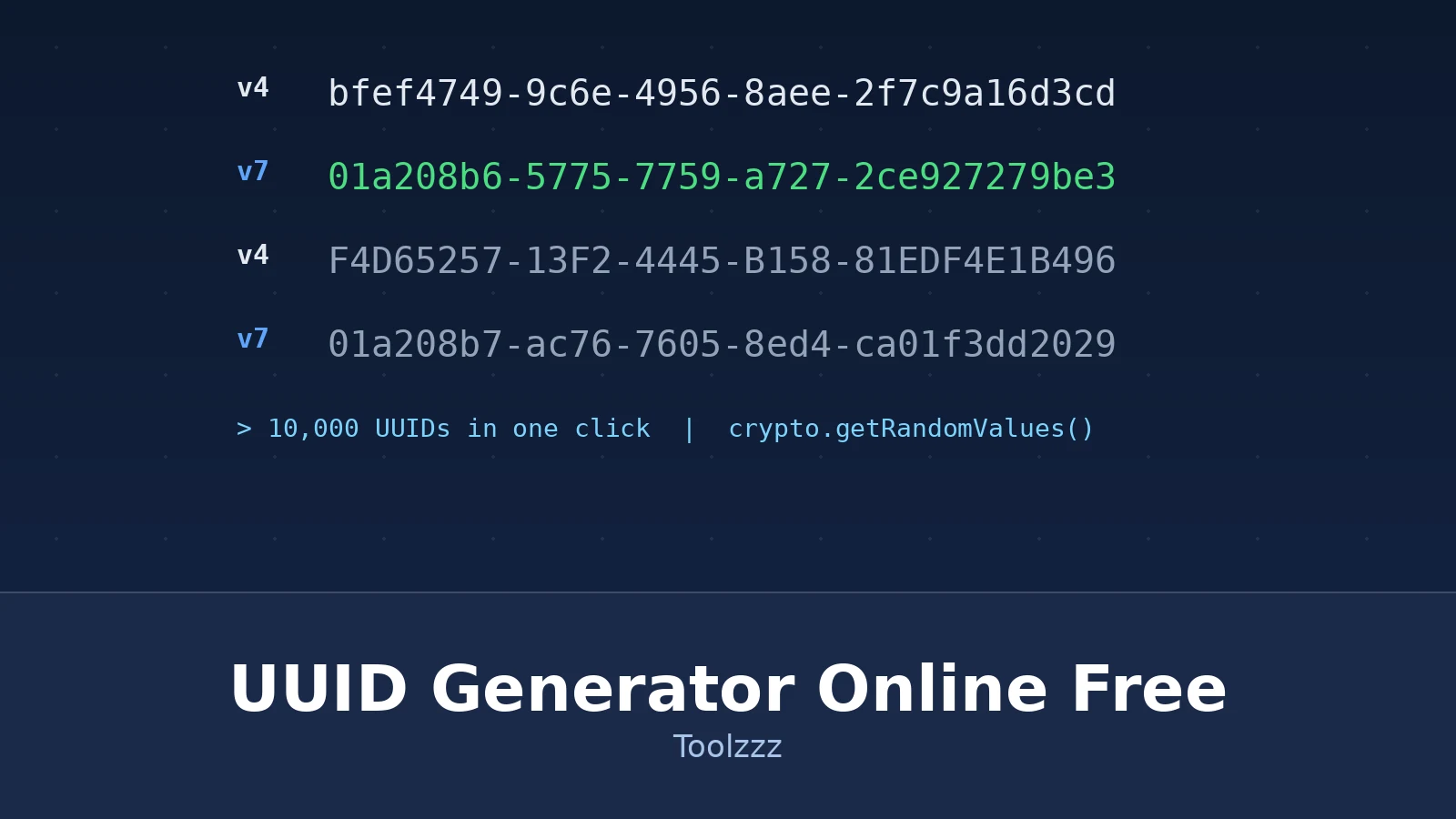
You need a unique ID. Maybe a database row needs a primary key, an API needs a resource ID, or a test file needs a thousand realistic values. You could use a counter, but a counter needs one central list, and two servers will hand out the same number. A UUID solves that: a 128-bit ID you can make anywhere, without asking anyone, and it will still be unique.
This guide shows you how to generate a UUID online free with the Toolzzz UUID Generator, which version to pick, and what the tool really produced when we ran it. Every value below is a real UUID the tool made on 23 November 2026, and every number comes from the output we downloaded, not from a brochure.
Short answer: Open the Toolzzz UUID Generator, pick v4 for a random ID or v7 for a time-ordered ID, set how many you need, and press Generate. The tool makes up to 10,000 UUIDs at once in your browser with the secure random source crypto.getRandomValues, and nothing is uploaded or stored.
What is a UUID, and what do the parts mean?
A UUID, short for Universally Unique Identifier, is a 128-bit value written as 32 hexadecimal digits in five groups: 8, 4, 4, 4 and 12 digits, joined by hyphens. With the hyphens it is 36 characters long. Here is a real one the Toolzzz tool made:
bfef4749-9c6e-4956-8aee-2f7c9a16d3cd
The digits are not all random. Two small pieces are fixed so that anyone reading the value can tell which kind it is. In a version 4 UUID, the first digit of the third group is always 4. Look at the example: the third group is 4956. The first digit of the fourth group is always 8, 9, a or b, which marks the variant. Here the fourth group is 8aee, so it starts with 8. The other 122 bits are random, and that is where the uniqueness comes from.
A version 7 UUID reads differently. Its first 12 hex digits are a Unix timestamp in milliseconds, so you can read the creation time straight out of the ID. The Toolzzz tool made this one:
01a208b6-5775-7759-a727-2ce927279be3
The timestamp part is 01a208b65775, which decodes to 23 November 2026, 14:01:37.397 UTC, the exact moment it was generated. The third group starts with 7, which marks the version. The rest is random.
Two special values are worth knowing. The nil UUID is all zeros, 00000000-0000-0000-0000-000000000000, and it is used as a placeholder for “no value yet”. The max UUID is all f’s, ffffffff-ffff-ffff-ffff-ffffffffffff, and it is the largest value the format can hold. Microsoft calls the same 128-bit format a GUID, short for Globally Unique Identifier, so a GUID and a UUID are the same thing in a different name.
The current standard is RFC 9562, published in May 2024, which replaced the older RFC 4122. It defines versions 1 to 8. Most tools only offer two or three of them, and that is fine, because v4 and v7 cover nearly every job a developer has.
Which UUID version should you use, v4 or v7?
Pick v4 when you want a plain random ID and you do not care about ordering. Pick v7 when the ID will be a database primary key, a log entry, or anything that works better sorted by time. The table below is the Toolzzz tool’s real menu: it offers v4, v7 and Nil, and nothing else. The other versions exist in the standard, but this tool does not make them, so the table says so plainly.
| Version | How it is made | Use it for | Example the tool made | Offered by Toolzzz? |
|---|---|---|---|---|
| v4 (random) | 122 random bits, no timestamp | General IDs, API resources, public IDs where creation time should stay private | bfef4749-9c6e-4956-8aee-2f7c9a16d3cd |
Yes |
| v7 (time-ordered) | 48-bit millisecond timestamp, then 74 random bits | Database primary keys, logs, event IDs, anything sorted by creation time | 01a208b6-5775-7759-a727-2ce927279be3 |
Yes |
| Nil | All zeros, no randomness | A placeholder for “no value yet” in code and test data | 00000000-0000-0000-0000-000000000000 |
Yes |
| v1 (time-based) | Timestamp plus a node value; old form used the machine MAC address | Legacy systems that ask for it | Not made by this tool | No |
| v3 and v5 (name-based) | A namespace plus a name, hashed with MD5 (v3) or SHA-1 (v5); the same name always gives the same ID | Stable IDs made from a name, such as a fixed ID for a known file | Not made by this tool | No |
| v6 and v8 | v6 is v1 with its fields reordered to sort; v8 is a custom layout for one application | Specialist uses only | Not made by this tool | No |
The v7 privacy note matters. A v7 UUID shows its creation time to the millisecond to anyone who reads it. If the ID will be public and you do not want strangers to know when it was made, use v4 instead. A v4 UUID leaks nothing: no time, no machine, no order.
If your system asks for v1, v3 or v5, this tool cannot help you, and it is better to know that before you start. The comparison table near the end of this article lists free generators that do offer those versions, and the code section shows how to make any version in a few lines.
How do you generate a UUID online free?
The Toolzzz UUID Generator Online Free is one page with one job. Here are the three steps, exactly as we ran them on 23 November 2026.
Step 1: Pick the version. Open the UUID Generator. The version buttons are v4 (random), v7 (time-ordered) and Nil. v4 is selected by default. Click v7 if you want time-ordered IDs for a database, or Nil if you need the all-zero placeholder.
Step 2: Set the amount and format. The “How many” field defaults to 10. Type any number up to 10,000. Then choose the format: tick UPPERCASE for capital letters, untick Hyphens for a compact 32-character string, tick “Wrap in {braces}” for the Microsoft GUID style, or tick “Wrap in quotes with commas” for a list you can paste straight into code. You do not need to press Generate after changing an option: new UUIDs appear the moment you change anything, which we verified by ticking UPPERCASE alone and watching the whole list refresh.
Step 3: Copy them. Press Copy to put the whole list on your clipboard, or Download to save it as a .txt file, one UUID per line. The page says everything runs in your browser, and the tool page also says your data never leaves your device. No account, no sign-up, no install.
One warning before you trust the page’s own claims. The tool page says “no limits” in two places, but there is a limit: generation stops at 10,000 UUIDs at once. We typed 10001 into the count field and pressed Generate, and the status line read “10000 UUIDs generated”. The field kept showing 10001, but only 10,000 values came out. Ten thousand is a generous cap, and it is far above what most people need, but it is a cap, and the article says so because the tool page does not.
What did the Toolzzz tool actually produce?
This is the worked example, done live on the tool on 23 November 2026. Nothing below is a sample from a manual. Every UUID is copied character for character from the tool’s output box, and the checks after them were run on the downloaded files.
First, one UUID of each version in the default format, lowercase with hyphens:
| Version | UUID the tool made | What the check showed |
|---|---|---|
| v4 | bfef4749-9c6e-4956-8aee-2f7c9a16d3cd |
Third group starts with 4, fourth group starts with 8, so it is a valid v4 with the RFC 4122 variant |
| v7 | 01a208b6-5775-7759-a727-2ce927279be3 |
Timestamp part decodes to 23 November 2026, 14:01:37.397 UTC, the moment it was made; third group starts with 7 |
Next, five v4 UUIDs in UPPERCASE, which some systems, such as older Microsoft tools, expect:
F4D65257-13F2-4445-B158-81EDF4E1B496

0D38AC2C-6934-4EAC-80BB-05F81391B4C4

09D282F3-EC39-49AE-BD14-24BD08ED2208

077C20B1-9639-4980-95B3-CEEAD7D977D5

82B72058-54A4-401E-96AF-447F85E7B62B
Then the other formats, one UUID each. With hyphens off, the same 128 bits become 32 plain characters:
fc959b07858b4aed9aacc70754f0b8b4
Wrapped in braces, for the GUID style:
{5ec73437-4523-41ec-bb1d-cc09abe53ae2}
And as a quoted, comma-separated list, ready to paste into code. Note the comma after the first two lines and none after the last:
"addad377-5421-42f6-bc51-dd26930bf5ae",

"227c06cf-b948-4944-854a-292f83706323",

"ef7a1004-1187-474d-9cb9-ba81c36b9cc6"
Some systems want the raw 16 bytes instead of the 36 characters, and the usual way to carry binary data as text is base64. The same site has a base64 encoder decoder that turns bytes into text and back, which is handy when an API expects a compact ID.
The most useful test is the v7 sorting check, because time ordering is the whole reason v7 exists. We generated five v7 UUIDs in one batch:
01a208b7-ac76-7605-8ed4-ca01f3dd2029

01a208b7-ac77-7204-9b66-1fc53283a486

01a208b7-ac78-7b6e-8a0a-65cd2c898939

01a208b7-ac7a-7cda-a569-a8e26c38f349

01a208b7-ac7b-7deb-9cc5-7c75671eeb5f
They sort in strictly increasing order. The first 12 hex characters, the timestamp, run ac76, ac77, ac78, ac7a, ac7b, each one millisecond after the last. Decoded, they span 14:03:04.694 to 14:03:04.699 UTC, one per millisecond. That is exactly what v7 promises: newer IDs sort after older ones, so a database index stays tidy instead of scattering new rows at random.
Two more checks. The Download button saved a 110-byte .txt file for three UUIDs, which is exactly three lines of 36 characters plus two line breaks, so the file holds plain text with nothing extra. And the Nil button returned the all-zero UUID, 00000000-0000-0000-0000-000000000000, as expected. One small quirk: the status line still says the values were made “with a cryptographically secure random source” even for Nil, whose output is fixed, not random. It is a label, not a fact about that one value, so do not quote it as proof of anything.
We also checked the samples with Python’s uuid module on our own machine. It confirmed the v4 sample carries version 4 and the RFC 4122 variant, and the v7 sample carries version 7 and the same variant. The tool’s output is well formed, and the version bits are where the standard says they should be.
If you need a thousand IDs for test data, generate them in bulk here and paste them into your fixture. If you need test rows to go with them, the same site has a dummy data generator that fills tables with realistic names, emails and dates.
How unique is a UUID really?
A v4 UUID has 122 random bits. That is a very large number of combinations, but it is not infinite, so collisions are possible in theory and vanishingly unlikely in practice. The maths is the birthday problem: with 122 random bits, you need about 2.7 quintillion UUIDs, that is 2,700,000,000,000,000,000, before the chance of even one clash reaches 50 percent. To put that in human terms, if you made a billion UUIDs every second, it would take about 86 years to reach that point. The tool page says you would need to make billions per second for decades to expect one clash, and that checks out against the maths.
A v7 UUID is slightly different. Its timestamp is fixed within one millisecond, so inside a single millisecond only 74 random bits are left. Two v7 values made in the same millisecond would need about 161 billion of them before the chance of a clash reached 50 percent. A well made v7 also steps its counter up inside the same millisecond, which pushes real collisions lower still. Our five-value sample cannot prove that step, because each value landed in its own millisecond, so the article does not claim it for this tool.
None of this is a guarantee. “Practically unique” is not the same as “certainly unique”. If two records must never share an ID, keep a uniqueness check in the database as well, and treat the UUID as the fast path, not the proof. And never use a UUID as a password, an API key or a secret token. A UUID is random, but it is not a secret: anyone who sees it can use it as the ID it is. If you need a password, make one properly and check it with a password strength checker instead.
How do you generate a UUID in code?
An online generator is the quick route for a handful of IDs. In code, every major language has a built-in call, and you do not need a package for v4. The table below lists the calls we verified. The JavaScript and Python rows were run on our own machine on 23 November 2026, and their outputs are shown. The Java, C# and Go rows are the standard library calls, confirmed against their documentation.
| Language | Code | What we ran, and what came out |
|---|---|---|
| JavaScript / Node.js | crypto.randomUUID() |
Run in Node 24: 42870a1e-79d6-4161-860f-f45acc7fbac2 and 6f468a95-74af-4a7f-872a-240531758e1a. Works in modern browsers and Node 19 and later. Full details are in the MDN page for crypto.randomUUID. |
| Python | import uuid; uuid.uuid4() |
Run in Python 3.12: eb300f0f-c083-4b35-bb53-6c6c64340c7b. For v7, Python 3.14 adds uuid.uuid7(); our Python 3.12 machine does not have it, so on older versions use the uuid6 package instead. |
| Java | UUID.randomUUID() |
Built into java.util.UUID. Returns a v4 UUID. No extra library needed. |
| C# / .NET | Guid.NewGuid() |
Built into System.Guid. Returns a v4 UUID in the GUID style. |
| Go | uuid.New() |
From the github.com/google/uuid package. v7 needs package version 1.6 or later, with uuid.NewV7(). |
| Command line | uuidgen |
On Linux and macOS, uuidgen prints one v4 UUID. On Windows PowerShell, use [guid]::NewGuid(). |
Use the online tool when you need values to paste into a config, a test or a database row right now. Use code when the IDs must come from inside your program, or when you need thousands of them as part of a build or a seed script. Either way, check the randomness source: crypto.getRandomValues in the browser, or the platform secure random in code. Never use Math.random() for IDs. It is predictable, and predictable IDs are not unique in any sense that matters.
How does the Toolzzz generator compare with other free generators?
The search results for this keyword are nearly all small single-purpose tools, and most of them are good. The differences are in versions, bulk limits and extras such as a validator. The table below uses facts read on each tool’s own page, except for Kinde and uuidtools.com, whose rows are the figures the Google AI Overview gives for them.
| Generator | Versions | Bulk limit | Formats | Extras |
|---|---|---|---|---|
| Toolzzz | v4, v7, Nil | 10,000 | Uppercase, no hyphens, braces, quoted list | Copy, .txt download, in-browser, crypto.getRandomValues |
| nrtechstudio.com | v1, v3, v4, v5, v7 | 10,000 | Formats and base64url | Validator, decodes v1 and v7 timestamps, RFC 9562 monotonicity |
| toolpico.com | v1, v3, v4, v5, v7 | 1,000 | Uppercase, hyphens, braces, quotes | Validator, ULID mode, in-browser, crypto.getRandomValues |
| uuidgenerator.net | v1, v4, v7, GUID, Nil | Bulk on the site, no stated cap | Uppercase, no hyphens | Free HTTP API with no key, returns plain text or JSON |
| uuidtools.com | v1, v3, v4, v5, v6, v7, v8, Nil, Max | 1,000 | Uppercase, no hyphens | Copy and download (figures as the AI Overview lists them) |
| Kinde | v1, v4, v5, v7, v8 | Bulk, no stated cap | Uppercase, no hyphens | Copy, code examples in Python, JavaScript, Java, C# and Go (figures as the AI Overview lists them) |
Toolzzz wins on bulk size, tied with nrtechstudio at 10,000, and it is the only one of the six with a quoted-list format for pasting straight into code. It loses on versions: if you need v1, v3 or v5, nrtechstudio or toolpico will make them, and uuidgenerator.net has the only free API for scripts. Kinde is the pick if you want code examples on the same page as the tool.
One disagreement is worth stating plainly. The AI Overview credits uuidgenerator.net with v1, v3, v4 and v5, but a live comparison of that site found its API documents v1, v4, v7, GUID and nil, with no v3 or v5 endpoint. The table above follows the live comparison, not the Overview, and the Overview’s version list for that one site should be treated with care.
The AI Overview itself, checked live on 23 November 2026, says free tools need no sign-up and no install, recommends v4 for random IDs and v7 for time-ordered ones, and suggests picking a tool with bulk output and formatting options. All of those points are covered above: this article shows the free tool, both versions, bulk generation to 10,000, and four format options, plus the code examples the Overview mentions for Kinde, in the code table.
What mistakes should you avoid when you generate UUIDs?
Do not use Math.random. It is a predictable pseudo-random generator, and IDs made from it can be guessed. Use the browser’s crypto.getRandomValues, crypto.randomUUID, or your language’s secure random source.
Do not use a UUID as a secret. A UUID is an identifier, not a password. If it leaks in a log, a URL or a screenshot, anyone who sees it can present it as the ID. Secrets need entropy plus access control, and a UUID on its own gives you neither.
Do not pick v1 for new work. Old v1 UUIDs embed a MAC address and a timestamp, which leaks the machine and the time. Modern tools use a random node instead of a MAC, but v7 gives you the same time ordering without the hardware leak, so there is no reason to choose v1 now.
Do not assume v7 values are strictly ordered across machines. Two servers with clocks a few milliseconds apart will make v7 values that sort by the wrong clock, not by the real order. Inside one machine, and inside one millisecond with a monotonic counter, they order well. Across machines, treat the order as roughly right, not exact.
Do not store UUIDs as 36-character text when the database has a better column. Postgres, MySQL and SQL Server all have native UUID or 16-byte binary types. Storing the text form wastes space and slows indexes, and it invites badly formatted values into the table.
Do not reuse one UUID for two things. Generate a fresh value for each record, each file and each request. Reusing an ID defeats the purpose of having unique ones, and it is the most common UUID mistake in real code.
Do not trust a generator that cannot say where its randomness comes from. A tool page should name its source, such as crypto.getRandomValues, and it should run in your browser so nothing is sent to a server. If a generator hides that, use another one.
A UUID is a small thing, but it sits at the bottom of a lot of systems: database keys, API resources, file names, request tracing. Pick v4 for a plain random ID, pick v7 when order matters, make them with a secure random source, and never treat one as a secret. The Toolzzz UUID generator online free does the common cases well: two versions, four formats, up to 10,000 at once, all in your browser, free, with no account.
Is the UUID generator free?
Yes. The Toolzzz UUID Generator is free, with no account, no sign-up and no install. You can make one UUID or 10,000 at once, in any of the four formats, and copy or download the result. Everything runs in your browser, so nothing is uploaded, stored or logged.
Are the UUIDs really unique?
Practically, yes, but not by guarantee. A v4 UUID has 122 random bits, so you need about 2.7 quintillion of them before the chance of one clash reaches 50 percent. At a billion per second, that takes about 86 years. Keep a uniqueness check in the database as well, and never rely on the UUID alone.
What is the difference between UUID v4 and v7?
v4 is fully random, with 122 random bits and no timestamp, so it leaks nothing and never sorts. v7 starts with a 48-bit millisecond timestamp, so newer IDs sort after older ones, which keeps database indexes tidy. Use v4 for public IDs and v7 for database keys.
Is a GUID the same as a UUID?
Yes. GUID is Microsoft’s name for the same 128-bit format, usually written with braces, like {5ec73437-4523-41ec-bb1d-cc09abe53ae2}. A UUID made anywhere works as a GUID, and a GUID works as a UUID. The Toolzzz tool has a braces option for exactly that style.
Are the UUIDs generated securely?
Yes. The tool uses crypto.getRandomValues, the browser’s built-in secure random source, and everything runs on your device, so nothing is uploaded or stored. But a UUID is an identifier, not a secret, so never use one as a password or a token.
How many UUIDs can I generate at once?
Up to 10,000 at once. Type any number up to 10,000 in the count field and press Generate. Typing more still gives you 10,000, because the tool clamps the count to its cap. For larger batches, generate in groups of 10,000 or use code.
