

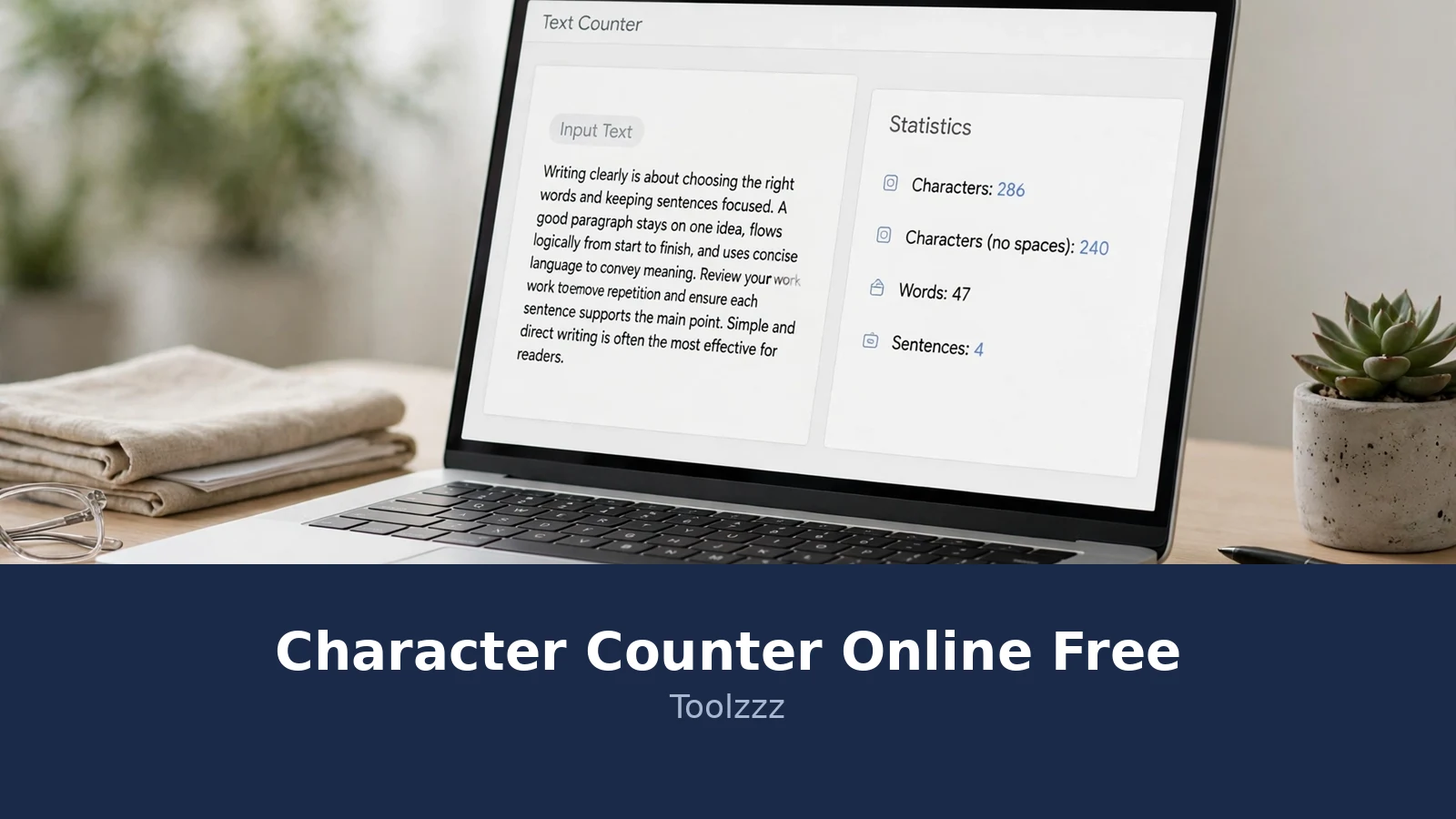
Every post, bio, text message and page title has a character limit, and the number that matters is rarely the one your word processor shows. A character counter online free gives you the exact count in seconds, with spaces and without, plus a check against the limit you are writing for. This guide uses the free Toolzzz character counter and four real texts to show you how.
Short answer: To count characters online free, paste your text into the Toolzzz character counter. It shows characters with and without spaces, letters, digits, spaces, words, lines and UTF-8 bytes, and checks your text against limits for X, meta descriptions, titles, SMS, Instagram, LinkedIn, YouTube and Google Ads. It runs in your browser, needs no sign-up, and never uploads your text.
How do I count characters online free?
Open the Toolzzz character counter and paste your text into the box. The counts update as you type, so there is no button to press and no page to reload. Read the main number first, then the breakdown below it, then the limit bars. That is the whole job of a character counter online free: one paste, every count, every limit.
The tool has three buttons above the text box. Upload opens a .txt file and loads it into the box. Example fills the box with a sample sentence so you can see the counts at work. Clear empties the box and resets every count to zero. I used Clear between each sample in the worked example below.
One honest note: the page says you can copy the result or save it as a .txt file, but no Copy or Download button was visible in the tool itself when I tested it on 21 November 2026. The counting works, the copy and download buttons do not appear. If you need the text itself, select it in the box and copy it the usual way.
What does the character counter show?
The tool shows nine figures for whatever you paste in. Characters is the total with spaces, which is the number every platform enforces. Characters without spaces strips every space and line break. Letters, digits and spaces are broken out separately, so you can see what your total is made of. Words and lines are counted too, and UTF-8 bytes shows the storage size of the text. Emoji get their own count.
| Figure | What it means | Who needs it |
|---|---|---|
| Characters | Total including spaces and line breaks | Everyone writing for a limit |
| Characters without spaces | Total after removing spaces and breaks | Translators and some academic submissions |
| Letters, digits, spaces | The make-up of the total | Anyone checking why a count is high |
| Words and lines | Word count and line count | Writers and editors |
| UTF-8 bytes | Storage size of the text | Developers checking database and API limits |
| Emoji | How many emoji are in the text | Social media and SMS writers |
Below the counts sit eight limit bars: X (Twitter) at 280, meta description at 160, title tag at 60, SMS at 160, Instagram caption at 2,200, LinkedIn post at 3,000, YouTube title at 100, and Google Ads headline at 30. A bar stays blue while your text fits and turns red with an over-by figure when it does not. A text exactly at the limit stays blue with a full bar, which I confirmed with the 160-character sample below.
Worked example: four real texts counted on the tool
I pasted four different texts into the tool on 21 November 2026 and recorded exactly what it showed. Nothing here is estimated. The first is a meta description draft, the second a post for X, the third a pangram paragraph that lands exactly on two limits, and the fourth a short line with one emoji.
Sample 1: a meta description draft
Learn how to count characters online free with the Toolzzz character counter. Check X, SMS and meta description limits in seconds, no sign-up needed.
The tool showed 149 characters, 126 without spaces, 121 letters, 0 digits, 23 spaces, 24 words, 1 line, 149 bytes, and 0 emoji. The limit bars read 149 of 280 for X, 149 of 160 for the meta description, and 149 of 160 for SMS, all blue and under. The same text was over for a title tag at 149 of 60, over by 89, for a YouTube title at 149 of 100, over by 49, and for a Google Ads headline at 149 of 30, over by 119. All three showed red. The lesson is plain: one text can fit three limits and break three others at the same time, which is why a single number is never enough.
Sample 2: a post for X
Just counted the characters in my new blog intro with the free Toolzzz character counter. It came to 251 characters, just under the X limit, and I did not have to sign up or install anything. Paste your text, read the count, then post with confidence.
The tool showed 251 characters, 206 without spaces, 196 letters, 3 digits, 45 spaces, 46 words, 1 line, 251 bytes, and 0 emoji. The X bar read 251 of 280, blue, with 29 characters to spare, and the text’s own claim of 251 characters was confirmed. The same post was over for a meta description at 251 of 160, over by 91, over for SMS at 251 of 160, over by 91, over for a YouTube title at 251 of 100, over by 151, and over for a Google Ads headline at 251 of 30, over by 221. It was under for Instagram at 251 of 2,200 and LinkedIn at 251 of 3,000. A post written for X is almost never short enough to reuse as a meta description or a text message, and the bars show that in one glance.
Sample 3: a pangram paragraph, exactly 160 characters
The quick brown fox jumps over the lazy dog. Pack my box with five dozen liquor jugs. How vexingly quick daft zebras jump! Sphinx of black quartz, judge my vow.
The tool showed 160 characters, 131 without spaces, 126 letters, 0 digits, 29 spaces, 30 words, 1 line, 160 bytes, and 0 emoji. The meta description bar read 160 of 160 and the SMS bar read 160 of 160. Both stayed blue with a full bar, not red, so exactly at the limit counts as fitting. The title tag bar read 160 of 60, over by 100, the YouTube title 160 of 100, over by 60, and the Google Ads headline 160 of 30, over by 130. This is the sample to remember when a limit looks tight: 160 characters is one SMS and one full meta description at the same time.
Sample 4: one emoji changes the bytes, not the characters
Hello, World! 🌍
The tool showed 15 characters, 13 without spaces, 10 letters, 0 digits, 2 spaces, 2 words, 1 line, 18 bytes, and 1 emoji. The globe counts as one character, so the character total is 15, but it takes 4 bytes in UTF-8, so the byte total is 18. Every limit bar stayed blue: 15 of 280 for X, 15 of 160 for the meta description, 15 of 60 for a title, 15 of 160 for SMS, and under for the rest. The gap between 15 characters and 18 bytes is the whole point of the bytes figure, and it grows with every emoji and accented letter you add.
I also pressed the Example button to see what it does. It fills the box with this sentence: Free online tools for PDF, images, GIFs, data and text. Fast, private and no sign-up needed. The tool counted 92 characters, 77 without spaces, 70 letters, 0 digits, 15 spaces, 16 words, 1 line, 92 bytes, and 0 emoji.
| Sample | Characters | Without spaces | Words | UTF-8 bytes | Emoji |
|---|---|---|---|---|---|
| Meta description draft | 149 | 126 | 24 | 149 | 0 |
| Post for X | 251 | 206 | 46 | 251 | 0 |
| Pangram paragraph | 160 | 131 | 30 | 160 | 0 |
| Hello, World! globe | 15 | 13 | 2 | 18 | 1 |
| Tool Example button text | 92 | 77 | 16 | 92 | 0 |
Which count do I need: with spaces or without spaces?
Use characters with spaces unless you have a specific reason not to. Every platform limit, every SMS segment, and every SEO character budget counts spaces. When X says 280 characters, the spaces count toward that 280. When a text message holds 160 characters, the spaces count toward that 160 too.
Characters without spaces matters in a smaller set of jobs. Translation agencies often price work per character without spaces. Some universities ask for abstracts in characters excluding spaces. Typesetters count visible glyphs, not whitespace. If nobody asked you for the without-spaces number, the with-spaces number is the one to use.
Spaces and line breaks usually make up 15 to 20 percent of English text. In my meta description sample, 23 of the 149 characters were spaces. In the X post sample, 45 of the 251 were spaces. A draft that looks fine at 136 characters without spaces can already be over a 160 limit once the spaces are counted, so always check the with-spaces figure first.
What are the character limits for X, Instagram, LinkedIn and the rest?
The table below lists the limits people ask about most. The figures come from TextCountify, a character counter site that lists its limits as last verified in September 2026, and from Twilio’s documentation for SMS. The Toolzzz tool itself checks eight of these live: X, meta description, title tag, SMS, Instagram caption, LinkedIn post, YouTube title, and Google Ads headline.
| Platform and field | Limit | Counted as | What the worked samples show |
|---|---|---|---|
| X post | 280 | Weighted | Sample 2 fits at 251; sample 3 fits at 160 |
| X bio | 160 | Weighted | Sample 3 fits exactly at 160 |
| Instagram caption | 2,200 | Raw characters | All four samples fit; feed shows about 125 first |
| Instagram bio | 150 | Raw characters | Sample 1 fits at 149; sample 3 is over by 10 |
| LinkedIn post | 3,000 | Raw characters | All four samples fit; feed shows about 210 first |
| LinkedIn headline | 220 | Raw characters | Sample 1 fits at 149; sample 2 is over by 31 |
| TikTok caption | 4,000 | Raw characters | All four samples fit; feed shows about 100 first |
| TikTok bio | 80 | Raw characters | Sample 4 fits at 15; sample 1 is over by 69 |
| Facebook post | 63,206 | Raw characters | All four samples fit with room to spare |
| Threads post | 500 | Raw characters | All four samples fit |
| YouTube title | 100 | Raw characters | Sample 4 fits at 15; sample 1 is over by 49 |
| YouTube description | 5,000 | Raw characters | All four samples fit |
| Reddit post title | 300 | Raw characters | All four samples fit |
| Pinterest description | 500 | Raw characters | All four samples fit |
| Bluesky post | 300 | Graphemes | All four samples fit |
| Discord message | 2,000 | Raw characters | All four samples fit |
| Meta description | 150 to 160 | Display width | Sample 1 fits at 149; sample 3 fits exactly at 160 |
| Title tag | About 60 | Display width | Sample 4 fits at 15; the rest are over |
| Google Ads headline | 30 | Characters | Sample 4 fits at 15; the rest are over |
| Google Ads description | 90 | Characters | Sample 4 fits at 15; sample 3 is over by 70 |
| SMS, one segment | 160 | GSM-7 characters | Sample 3 fits exactly at 160; sample 1 fits at 149 |
| SMS with emoji | 70 | UCS-2 characters | Sample 4 fits at 15; one emoji switches the encoding |
| Email subject | About 45 | Display width | Sample 4 fits at 15; sample 1 is over by 104 |
Three notes on this table. First, TikTok captions are listed at 4,000 here because that is the figure TextCountify gives, with a note that the limit was raised from 2,200 in 2023. Some older guides still say 2,200, so if you write long TikTok captions, check the current limit in the app before you post. Second, the meta description and title tag are display limits, not hard caps. Google cuts titles by width in pixels, not characters, so about 60 characters is a safe target and 150 to 160 is the usual range for descriptions. The Toolzzz bar uses 160 for the meta description. Third, the fold matters as much as the cap. Instagram shows about 125 characters before the reader has to tap more, LinkedIn about 210 on desktop, and TikTok about 100. Put the point of the post inside the visible part.
Why does X count differently from other platforms?
X is the only major platform that does not count characters one for one. It uses a weighted system, published in its developer documentation and built into the open-source twitter-text library. Latin letters, digits, punctuation and common symbols weigh 1. Most emoji weigh 2, and Chinese, Japanese and Korean characters weigh 2. Every link counts as 23, because X wraps it in its own t.co short link whatever its real length. Attached photos, videos and GIFs count as 0.
That is why a post can look short and still be refused. A 240-character post with two links counts as 288, because the two links add 46 instead of the 37 characters you typed. A post written entirely in Japanese fits about 140 characters, not 280, because each character weighs 2. A single family emoji counts as 2 on X even though it is built from several code points under the hood.
The Toolzzz counter counts characters the plain way: one code point is one character, so the globe in sample 4 counts as 1. That is the right count for most limits, but it is not the X weighted count. If you write for X, check the weighted total separately, and remember the three numbers: links 23, emoji 2, CJK 2. My sample 2 post has no links and no emoji, so its plain count of 251 is also its X weighted count, and it fits with 29 to spare.
How do SMS segments work?
One SMS holds 160 characters when every character is in the GSM-7 alphabet, which covers plain Latin letters, digits and common punctuation. Add one character outside that alphabet, an emoji, a curly quote, or an accented letter like ç, and the whole message switches to UCS-2 encoding, where one segment holds only 70 characters. The switch is per message, not per character, so one emoji can cut your limit by more than half.
Longer messages split into segments, and the segments are shorter than the first one because each part carries a header that tells the phone how to join them. A GSM-7 message over 160 splits into parts of 153 characters each. A UCS-2 message over 70 splits into parts of 67. Twilio’s documentation gives the example of a 161-character GSM-7 message sent as two segments, one with 153 characters and one with 8, and bills each segment separately. Its docs are the source for these figures: Twilio, how long can a message be.
My pangram sample is exactly 160 characters of plain text, so it fits in one GSM-7 segment. Add a single globe emoji to it and it would switch to UCS-2, need three segments, and cost three times as much to send. That is the most expensive single character in texting, and the character counter is how you catch it before you send.
Why do two character counters show different numbers?
The same text can show three different totals in three different tools, and all three can be correct. The reason is that computers count text in three different ways, and every counter has to pick one.
Code points are the entries in the Unicode catalogue. The letter A is one code point, é is one code point, and the globe emoji is one code point. The Toolzzz counter works this way: one code point, one character. That matches how most people think about text.
Grapheme clusters are what a reader sees as one character, defined in Unicode Standard Annex 29. A family emoji is one grapheme cluster even though it is built from seven code points, and a letter with a combining accent is one cluster made of two code points. Bluesky enforces its 300 limit in graphemes, so a counter that counts code points will disagree with Bluesky on text with combined emoji.
UTF-16 code units are how JavaScript stores strings. Ordinary letters take one unit, but most emoji take two, so JavaScript reports the length of “Hello, World! globe” as 16, not 15. Some counters use this figure, which is why a tool can show a higher total than the Toolzzz counter for the same text.
Then there is X’s weighted count, covered above, and UTF-8 bytes, covered below. None of these is wrong. They answer different questions: what a reader sees, what a platform enforces, what a database stores. When two counters disagree, check which unit each one is counting before you decide which one to trust.
What are UTF-8 bytes, and when do they matter?
A byte is the storage size of the text. English letters use 1 byte each, accented letters use 2, most emoji use 4. My emoji sample is 15 characters but 18 bytes, because the globe adds 4 bytes for 1 character. My other three samples are plain English, so their character counts and byte counts are identical: 149 and 149, 251 and 251, 160 and 160.
Bytes matter when a system enforces a byte limit instead of a character limit. Database fields like VARCHAR are often measured in bytes, APIs can cap a payload in bytes, and some form fields count bytes without saying so. A 160-character message full of emoji can be over 600 bytes, which is four times the size its character count suggests. If a field rejects text that looks short enough, check the byte count. That is what the UTF-8 bytes figure in the Toolzzz counter is for.
How do I trim text to fit a limit?
Start by reading the without-spaces figure. If the gap between the two counts is large, the text has a lot of spaces, which usually means long words and filler phrases. Cut the filler first: openings like “I have been thinking a lot about” and hedges like “in my opinion” rarely carry meaning.
Next, shorten the words themselves. “Use” beats “utilise”, “help” beats “assist with”, and “now” beats “at this point in time”. Each swap saves a few characters, and the savings add up across a paragraph. My X post sample was written this way: short words, no filler, 251 characters for 46 words, about 5.5 characters per word including spaces.
For X, cut links and emoji first, because they cost the most. One link costs 23 weighted characters, so removing a link frees almost a tenth of the post. One emoji costs 2, so a string of five emoji costs 10. For SMS, remove the single emoji or curly quote that switched the message to UCS-2 before you cut anything else: one character can win back 90 characters of limit.
For meta descriptions, write the key point in the first 120 characters. Google can show up to about 160, but the exact cut-off depends on pixel width, so a description that puts its point at the end risks losing it. My sample 1 puts “count characters online free” in the first sentence, inside the first 60 characters.
Character counter or word counter: which one do I need?
Use a character counter when a limit is measured in characters: posts, bios, text messages, titles, descriptions, ads, and form fields. Use a word counter when a limit is measured in words: essays, articles, assignments, and reports. The two tools answer different questions, and the same text gives different numbers in each.
My pangram sample is 30 words and 160 characters. A word counter would tell you it is a short paragraph. A character counter tells you it is exactly one SMS and exactly one meta description. If you are writing a university essay, count words. If you are writing a post, count characters. The Toolzzz word counter covers the word side, with reading time and sentence counts; this tool covers the character side.
If you need to compare two versions of a text, word by word, the text diff checker shows what changed between them. And if a block of text is in the wrong case, the change text case tool converts it between uppercase, lowercase, title case and sentence case. And if a list has repeated lines, the remove duplicate lines tool drops the repeats and keeps one copy of each line. Counting, comparing, changing case and removing duplicates are four separate jobs, and each has its own tool.
What the free options offer
Google’s AI Overview for this keyword lists four free counters alongside the Toolzzz tool. Grammarly’s character counter gives live counts for characters, words, sentences and paragraphs. Wordcount.website counts characters, words, lines, paragraphs and UTF-8 bytes locally in the browser, with no sign-in. MNCNF’s character counter tracks characters with and without spaces, bytes, lines and words in real time. The Online Word and Character Counter at ainforms.com shows live word, character and no-space character counts as you type or paste. Those descriptions come from the Overview itself, which I read on 21 November 2026; I did not open each tool’s own page for this article.
What none of those four offers, as the Overview describes them, is a live check against eight platform limits in the same view. That is the gap this guide fills: the count is only half the job, and the limit bars are the other half. The Toolzzz tool shows both, free, with no sign-up and no upload, on the same page as the counts. For a fuller comparison of the small tools in this space, TextCountify’s guide is the most detailed I found: 16 platform limits, SMS segment analysis, and the three counting units explained with examples.
The Toolzzz homepage lists the full set of free tools, including the PDF, image, GIF and text tools this site is built around. Every tool on the site works the same way: in your browser, free, with no account.
Is this character counter free?
Yes. The Toolzzz character counter is free with no sign-up, no account and no limit on how much text you paste in. It runs in your browser, so your text is never uploaded or stored, and there is no paywall for longer texts.
Does the character counter count spaces?
It shows both numbers side by side. Characters counts everything, including spaces and line breaks, and that is the figure every platform enforces. Characters without spaces strips all spaces and breaks, which is the figure some translation agencies and universities ask for.
How are emoji counted?
Each emoji counts as one character, because the tool counts code points and most emoji are one code point. The same emoji takes 4 bytes in UTF-8, so the byte count is higher. On X, an emoji weighs 2, so a post can be over the X limit while the plain count says it fits.
Why is my text message over the limit at 71 characters?
One character outside the GSM-7 alphabet switches the whole message to UCS-2 encoding, where one segment holds 70 characters instead of 160. A single emoji, curly quote or accented letter can do it. Remove that character and the limit goes back to 160.
What is the difference between characters and bytes?
Characters are what you see, and bytes are the storage size. English letters are 1 byte each, accented letters are 2, and most emoji are 4. A 15-character line with one emoji is 18 bytes. Bytes matter for database fields and APIs that cap a payload in bytes rather than characters.
Do line breaks count as characters?
Yes. Every line break counts as one character, and the tool also shows a line count so you can see how many breaks there are. Pressing Enter twice adds two characters, which is why a text with blank lines between paragraphs counts higher than the same words on one line.
