
Crop an animated GIF in seconds
To crop a GIF, drop it into Toolzzz Crop GIF, drag the crop box to the area you want (drag the corner handle to resize), or choose an aspect ratio such as 1:1, 16:9, 4:5 or 9:16, then press Create GIF. The same crop is applied to every frame and the animation timing is kept. Nothing is uploaded.
- Drag-to-crop box
- 1:1, 16:9, 4:5, 9:16
- Exact crop size shown
- Every frame cropped
- Timing preserved
- 100% free, no sign-up
- No watermark
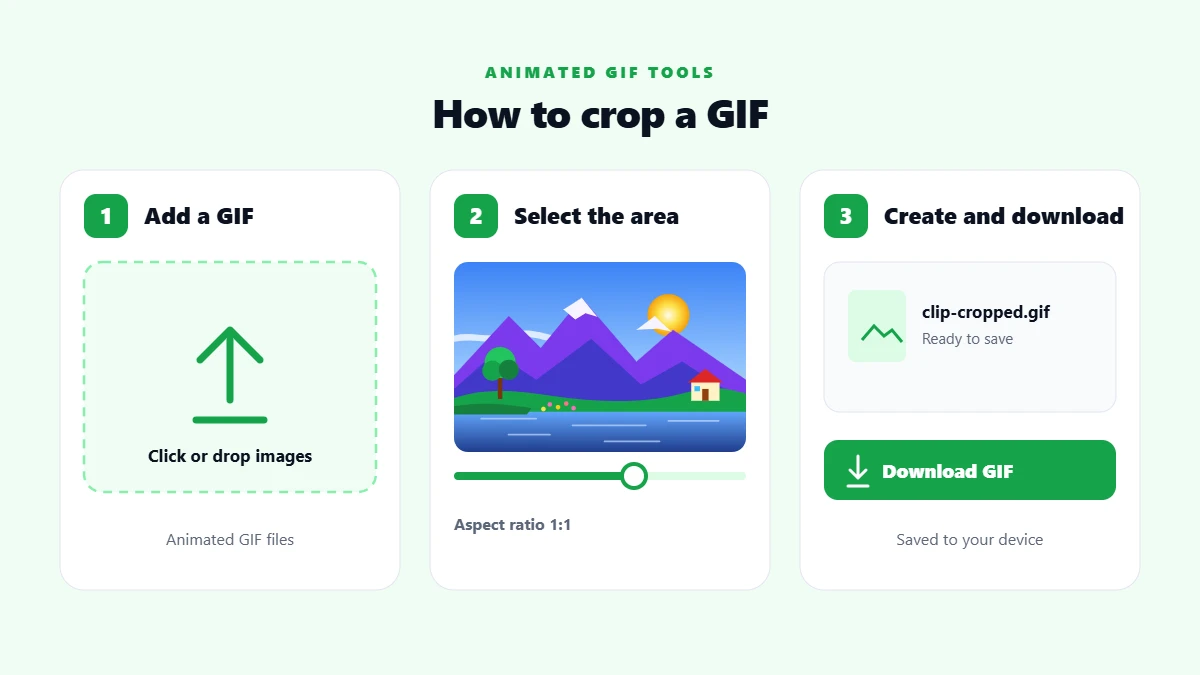
How to crop a GIF
Cropping removes unwanted borders, black bars, watermarks at the edges, or extra background, and lets you reshape a GIF for square posts, stories or emojis.
Add a GIF
Click the upload box or drop an animated GIF.
Select the area
Drag the box to move it and the corner handle to resize. Choose an aspect ratio for exact shapes.
Create and download
Press Create GIF and then Download GIF.
Watch: crop an animated GIF to a square
Popular reasons to crop GIFs
Square and story formats
Reshape GIFs to 1:1 for posts or 9:16 for stories and reels.
Focus on the action
Remove distracting background and zoom in on the subject.
Remove black bars
Cut letterbox bars from GIFs made from movies or videos.
Emojis and avatars
Crop a face or object to a square for emotes and profile pictures.
Screen recordings
Remove the taskbar, browser chrome or other screen areas.
Smaller files
Fewer pixels per frame means a lighter GIF.
Aspect ratios explained
| Ratio | Best for |
|---|---|
| 1:1 | Instagram posts, Discord and Slack emojis, avatars |
| 16:9 | YouTube, presentations, website banners |
| 4:5 | Instagram and Facebook portrait posts |
| 9:16 | Stories, Reels, TikTok, Shorts |
| Free | Any custom shape |
Crop, then resize
Cropping keeps the original pixel density. After cropping, use Resize GIF to reach an exact size (for example 128 x 128 px for an emoji), or Compress GIF to meet an upload limit. The crop box is applied in the original resolution, so you never lose detail by cropping first.
How to crop a GIF on Windows, Mac, iPhone and Android
No app to install. The tool works in any modern browser, so the steps are almost the same everywhere.
On Windows
- Open toolzzz.com/crop-gif/ in Chrome, Edge or Firefox.
- Drag your GIF from File Explorer onto the upload box.
- Drag the crop box (or pick an aspect ratio), then press Create GIF, then press Download GIF.
- The new file is saved to your Downloads folder.
On Mac
- Open toolzzz.com/crop-gif/ in Safari or Chrome.
- Drag the GIF from Finder or the Photos app onto the upload box.
- Drag the crop box (or pick an aspect ratio), then press Create GIF, then press Download GIF.
- Find the result in Downloads (Safari asks first if set to).
On iPhone and iPad
- Open toolzzz.com/crop-gif/ in Safari.
- Tap the upload box and choose Photo Library, Take Photo or Choose File.
- Drag the crop box (or pick an aspect ratio), then press Create GIF, then tap Download GIF.
- Tap Download, then open it from the Files app and choose Save Image to add it to Photos.
On Android
- Open toolzzz.com/crop-gif/ in Chrome.
- Tap the upload box and pick the GIF from your Gallery, Files or camera.
- Drag the crop box (or pick an aspect ratio), then press Create GIF, then tap Download GIF.
- The image appears in your Downloads folder and in Google Photos under Downloads.
Toolzzz vs. typical online GIF croppers
| Feature | Toolzzz Crop GIF | Typical croppers |
|---|---|---|
| Your GIF is uploaded to a server | Never. Cropped in your browser | Usually |
| Drag-to-crop box | Yes | Sometimes |
| Aspect ratio presets | 1:1, 16:9, 4:5, 9:16 | Often none |
| Every frame cropped, timing kept | Yes | Yes |
| Live preview | Yes | Rare |
| Watermark | None | Common |
| Sign-up required | No | Common |
"Typical" describes common limits of free online services. Plans and limits differ between sites.
Precise GIF cropping in your browser
Visual crop box
Move and resize the box right on the animation.
Ratio presets
Square, widescreen, portrait and story shapes.
All frames
The crop is applied to every frame with the same timing.
Exact size
See the crop size in pixels as you drag.
Quality output
Each frame is re-encoded with an optimized palette.
Private
No upload, no watermark.
Key terms explained
- Crop
- Removing the outer parts of an image to keep a chosen area.
- Aspect ratio
- Width compared with height, such as 1:1 or 16:9.
- Letterbox
- Black bars above and below a video that does not fill the frame.
Frequently asked questions
How do I crop a GIF for free?
Drop the GIF here, drag the crop box, press Create GIF and Download GIF.
Does cropping keep the animation?
Yes. Every frame is cropped and the timing stays the same.
How do I crop a GIF to a square?
Choose the 1:1 aspect ratio and move the box where you want it.
Can I crop a GIF for Instagram stories?
Yes. Choose 9:16.
How do I remove black bars?
Drag the top and bottom of the box inside the bars using the corner handle.
Will my GIF get smaller?
Yes. Fewer pixels per frame make a smaller file.
Does it work on mobile?
Yes. Drag the box with your finger.
Is my GIF uploaded?
No. Cropping happens in your browser.