
Make a GIF from pictures in seconds
To make a GIF from images, drop two or more pictures into Toolzzz GIF Maker, put them in order with the arrow buttons, set the Frame duration (500 ms is a good start), choose the Width and Canvas shape, then press Create GIF and Download GIF. Everything happens in your browser, so your photos are never uploaded and there is no watermark.
- Unlimited frames
- Reorder with arrows
- 20 to 3000 ms per frame
- 1:1, 16:9, 4:5 canvas
- Transparent background
- Loop forever or once
- No watermark
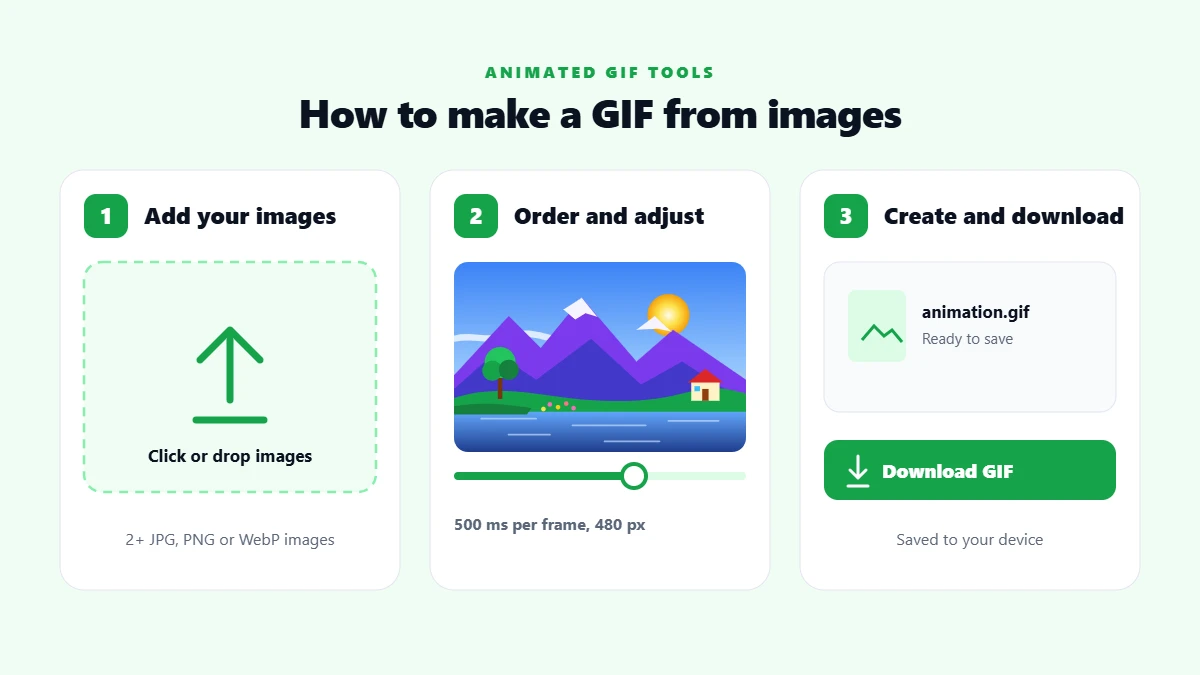
How to make a GIF from images
An animated GIF is a sequence of images that plays in a loop. GIFs work everywhere: chats, email, websites, slides and social media, with no play button and no sound.
Add your images
Click the upload box or drop JPG, PNG, WebP or GIF images. Add more at any time with + Add more.
Order and adjust
Use the arrows under each frame to reorder. Set the frame duration, canvas shape, width, fit and background.
Create and download
Press Create GIF, check the result, then press Download GIF.
Watch: make an animated GIF from photos
Popular reasons to make a GIF
Product showcases
Show a product from several angles or in different colors in one looping image.
Social media
Create eye-catching posts and stories that move without needing a video.
Tutorials and how-tos
Show steps of a process as a looping slideshow in docs and help articles.
Memories and greetings
Turn holiday or birthday photos into a fun animated greeting.
Email marketing
GIFs play inside most email clients, unlike video.
Before and after
Alternate two images to show a transformation, redesign or edit.
Recommended GIF settings
| Use | Frame duration | Width | Colors |
|---|---|---|---|
| Photo slideshow | 800 to 1500 ms | 480 to 640 px | 256 |
| Product angles | 300 to 600 ms | 480 px | 256 |
| Fast animation | 60 to 120 ms | 320 to 480 px | 128 |
| Email banner | 500 to 1000 ms | 600 px | 128 |
| Sticker with transparency | 100 to 300 ms | 320 px | 64 |
How to keep your GIF small
GIF size grows with width x height x number of frames. To make a lighter GIF, reduce the width (480 px is plenty for most uses), use fewer frames, and lower Colors to 128 or 64. Photos with lots of detail compress less than flat graphics. For long or detailed animations, consider making a video instead with GIF to MP4, which can be 5 to 10 times smaller.
How to make a GIF from images on Windows, Mac, iPhone and Android
No app to install. The tool works in any modern browser, so the steps are almost the same everywhere.
On Windows
- Open toolzzz.com/gif-maker/ in Chrome, Edge or Firefox.
- Drag your images from File Explorer onto the upload box.
- Order the frames, set the Frame duration and press Create GIF, then press Download GIF.
- The new file is saved to your Downloads folder.
On Mac
- Open toolzzz.com/gif-maker/ in Safari or Chrome.
- Drag the images from Finder or the Photos app onto the upload box.
- Order the frames, set the Frame duration and press Create GIF, then press Download GIF.
- Find the result in Downloads (Safari asks first if set to).
On iPhone and iPad
- Open toolzzz.com/gif-maker/ in Safari.
- Tap the upload box and choose Photo Library, Take Photo or Choose File.
- Order the frames, set the Frame duration and press Create GIF, then tap Download GIF.
- Tap Download, then open it from the Files app and choose Save Image to add it to Photos.
On Android
- Open toolzzz.com/gif-maker/ in Chrome.
- Tap the upload box and pick the images from your Gallery, Files or camera.
- Order the frames, set the Frame duration and press Create GIF, then tap Download GIF.
- The image appears in your Downloads folder and in Google Photos under Downloads.
Toolzzz vs. typical online GIF makers
| Feature | Toolzzz GIF Maker | Typical GIF makers |
|---|---|---|
| Your images are uploaded to a server | Never. Created in your browser | Usually |
| Number of frames | Unlimited (your device memory) | Often 20 to 50 |
| Watermark | None | Common on free plans |
| Transparent background | Yes | Rare |
| Canvas shapes | Original, 1:1, 16:9, 4:5 | Often original only |
| Loop control | Forever, once or 3 times | Rare |
| Sign-up required | No | Common |
"Typical" describes common limits of free online services. Plans and limits differ between sites.
A GIF maker without limits or watermarks
Real GIF encoding
Each frame gets its own optimized 256-color palette for the best quality.
Easy frame order
Move frames left or right and remove the ones you do not need.
Full control
Frame duration, size, canvas shape, fit, background, loop and colors.
Transparency
Create transparent GIF stickers from PNG images.
Fast
Encoding runs on your device, with a live preview before you create.
Private
Photos never leave your computer or phone.
Key terms explained
- Frame
- One still image in an animation.
- Frame duration
- How long each frame is shown, in milliseconds (1000 ms = 1 second).
- Color palette
- A GIF can use up to 256 colors per frame; fewer colors make smaller files.
Frequently asked questions
How do I make a GIF from pictures for free?
Drop your pictures here, set the order and speed, press Create GIF and then Download GIF. No sign-up and no watermark.
How many images can I use?
There is no fixed limit. Very long GIFs need more memory on your device.
How do I change the speed of my GIF?
Move the Frame duration slider. Lower values make it faster.
Can I make a square GIF for Instagram?
Yes. Choose the 1:1 canvas. Use 4:5 for portrait posts.
Can my GIF have a transparent background?
Yes. Tick Transparent background and use PNG images with transparency.
Why is my GIF file large?
Reduce the width, the number of frames or the Colors setting to make it smaller.
Does it work on my phone?
Yes, on iPhone and Android in any modern browser.
Are my images uploaded?
No. The GIF is created in your browser.